

Types of mobile display fixes: your 2026 repair guide
TL;DR:
- Most mobile display repairs involve replacing the entire assembly due to modern layer bonding. Repair type depends on damage location, with glass-only fixing cracked glass and full assembly replacing both digitizer and display panel. Cost, device value, and calibration needs determine whether to DIY or seek professional service.
Mobile display fixes are defined as the distinct repair methods used to restore a damaged smartphone screen, ranging from glass-only replacement to full display assembly swaps. Your phone’s screen is built from multiple layers: the outer glass, the touch digitizer beneath it, and the display panel itself (either LCD or OLED). Damage to any one of these layers calls for a different fix. Understanding which repair matches which damage saves you money, time, and the frustration of a botched job. This guide covers every major repair type, what each one costs, and how to decide between DIY and professional service.
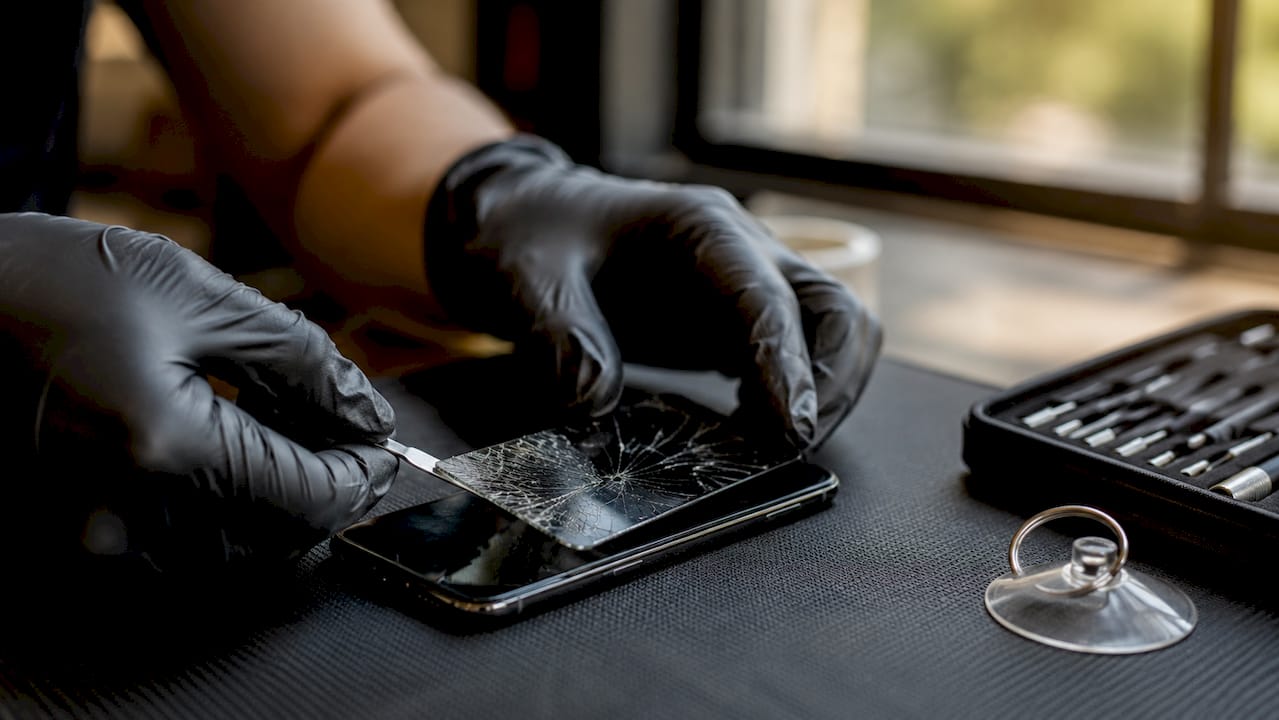
What types of mobile display damage require different fixes?
Most mobile display fixes involve replacing a damaged component rather than repairing the exact layer that failed. That distinction matters because the symptoms your phone shows point directly to which layer is damaged and which fix you need.
Outer glass damage is the most common problem. You see cracks, chips, or shattered glass, but the display image is sharp and touch response works perfectly. This is the one scenario where glass-only replacement is worth considering.
Touch digitizer failure presents differently. The screen image looks fine, but touch response is erratic, delayed, or completely absent. Ghost touches or unresponsive zones confirm the digitizer layer is damaged. In most cases, the digitizer must be replaced, either separately or as part of a full assembly.
Display panel damage is the most serious category. Symptoms include black spots, coloured lines running vertically or horizontally, flickering, or a completely dead screen with no image at all. These symptoms mean the LCD or OLED panel itself has failed. A full assembly replacement is the only practical fix.
Pro Tip: Before booking any repair, test your phone’s touch response across every corner of the screen and check for image quality issues in a dark room. Accurate diagnosis before you spend money is the single most important step.
1. Glass-only replacement
Glass-only replacement removes and replaces just the outer protective glass, leaving the digitizer and display panel intact. This repair is only viable when the display image is clear and touch function works normally across the entire screen.
The process requires separating the glass from the digitizer using heat, which risks damaging the layers beneath if done incorrectly. Professional shops use heated pads and vacuum separators to minimise that risk. For DIY buyers, this repair is rarely worth attempting without specialist equipment.
The cost saving over a full assembly replacement can be significant, but the margin for error is narrow. Glass-only repair also requires careful re-bonding with optical adhesive to avoid pressure points that cause future delamination.
2. Digitizer replacement
The digitizer is the transparent layer that translates your finger movements into on-screen actions. When it fails, the display image remains intact but touch input becomes unreliable or stops working entirely.
On older or budget devices, the digitizer is sometimes a separate component that can be replaced independently. On most modern smartphones, including current Samsung Galaxy and iPhone models, the digitizer is bonded directly to the display panel. Replacing it alone is not practical. A full assembly swap becomes the standard fix.
Standalone digitizer replacement, where it is possible, costs less than a full assembly but demands careful handling of ribbon cables and connectors during disassembly.
3. Full display assembly replacement
Full assembly replacement is the most common mobile screen repair option across all device types. The repair replaces the outer glass, digitizer, and display panel as a single bonded unit. Modern smartphones bond these layers tightly, making full assembly the standard approach for any damage beyond a surface scratch.
This repair works for cracked glass, dead pixels, flickering panels, and touch failures simultaneously. It is faster than attempting to separate individual layers and produces a more reliable result. Professional technicians complete most full assembly swaps in 30–60 minutes when parts are in stock.
The trade-off is cost. A full assembly part costs more than glass alone, but the repair success rate is significantly higher.
4. DIY screen repair kits
DIY repair kits for phones like the iPhone 14, Samsung Galaxy S22, and Pixel 7 are widely available and include the replacement screen, tools, and adhesive. DIY kits typically cost between £28 and £95, making them the cheapest entry point for screen repair.
The risk is real. Most DIY failures happen at the cable and connector stage, not during glass removal. Flex cables are fragile. Incorrect seating causes touch failure or display faults that are worse than the original damage. Electrostatic discharge during handling can kill components permanently.
DIY repair suits confident, technically minded owners with a device that is out of warranty and worth less than the cost of professional repair. For high-value or complex devices, the risk usually outweighs the saving. You can find a thorough step-by-step replacement guide at Buy2fix if you decide to go this route.
Pro Tip: Always ground yourself with an anti-static wrist strap before opening any phone. Static discharge is invisible and destroys components without any obvious sign until the device fails to power on.
5. Professional repair services
Professional repair covers authorised service centres (such as Apple’s own service network and Samsung-authorised shops) and independent third-party technicians. Authorised service costs more but uses original manufacturer parts and preserves software features that depend on hardware pairing.
Third-party professional repair costs less and is often faster. Quality varies by shop, so checking reviews and asking about part grades before committing is worth the effort. Reputable independent shops offer a 90-day parts and labour warranty as standard.
Professional repair is the right choice when your device is under warranty, when it is a high-value flagship, or when the repair involves features that require calibration tools you do not own.
6. Epoxy crack filling and screen protector masking
Epoxy crack-filling kits and adhesive screen protectors are cosmetic fixes only. They do not restore touch function, remove dead pixels, or repair internal display damage. Epoxy kits cost between £12 and £32 and are best described as a temporary measure to prevent cracks from spreading further.
A tempered glass screen protector applied over a cracked screen holds the glass together and protects fingers from sharp edges. Neither solution counts as a true repair. Both are useful as short-term protection while you arrange a proper fix.
7. Display calibration and re-serialisation
Calibration is a repair step that most guides skip over, but it matters on specific devices. iPhones from the iPhone 12 onwards store display calibration data tied to the original panel. Replacing the screen without recalibrating causes the loss of True Tone, automatic brightness adjustment, and Face ID display integration on some models.
iPhone screen replacements require a second calibration step using Apple’s proprietary System Configuration tool. Only authorised service providers and some specialist independent shops have access to this tool. Skipping calibration does not stop the phone from working, but it permanently disables features that most owners rely on daily.
Samsung and Google Pixel devices do not currently require the same level of hardware-paired calibration, though colour profile settings may need manual adjustment after an OLED panel swap.
8. Refurbished screen unit replacement
Refurbished or service-pack screens are original manufacturer panels that have been tested, cleaned, and repackaged for resale. They sit between new OEM parts and aftermarket copies in both price and quality. For devices like the iPhone 13 or Samsung Galaxy S21, refurbished panels offer a cost-effective middle ground.
Quality-checked refurbished units typically carry the same display technology as the original, which matters for OLED devices where aftermarket LCD replacements produce noticeably inferior colour and brightness. Buy2fix stocks quality-checked replacement parts for major brands including iPhone, Samsung Galaxy, Huawei, Xiaomi, and OPPO.
Cost and time: what to expect from each repair type
Repair costs vary significantly depending on the fix type, device model, and service level chosen.
| Repair type | Typical cost (UK) | Turnaround time |
|---|---|---|
| Epoxy or cosmetic kit | £12–£32 | Immediate |
| DIY full assembly kit | £28–£95 | 1–3 hours (self) |
| Third-party professional | £100–£220 | 30–60 minutes |
| Authorised service centre | £170–£310+ | Same day to 3 days |
Turnaround times for professional repairs range from 30–60 minutes for on-site work when parts are in stock, to 1–3 days when parts need ordering. Device age and model affect both cost and parts availability. A repair is financially rational when the total cost stays well below the device’s current resale value.
Key cost factors to weigh:
- Device model: flagship phones cost more to repair than mid-range devices
- Part grade: OEM, refurbished, and aftermarket parts carry different price points and quality levels
- Repair complexity: bonded display stacks take longer and cost more to replace safely
- Calibration requirement: iPhones needing re-serialisation add cost at authorised centres
DIY versus professional: how to choose
The decision between DIY and professional repair comes down to three things: device value, damage complexity, and your own technical confidence.
Choose DIY when:
- The device is out of warranty and worth less than £150
- The damage is limited to the outer glass or a straightforward full assembly swap
- You have the correct tools, a clean workspace, and prior experience with electronics
- You have followed a detailed repair guide specific to your device model
Choose professional repair when:
- The device is a current flagship (iPhone 16, Samsung Galaxy S25, or similar)
- Calibration or re-serialisation is required to preserve display features
- The damage involves the display panel rather than just the glass
- You have no prior experience opening phones
DIY repairs risk flex cable damage and misalignment, and aftermarket parts may not replicate features like True Tone or HDR colour accuracy. The saving is real, but so is the risk of turning a cracked screen into a non-functional device.
Pro Tip: Check your home insurance policy before booking any repair. Some UK home contents policies cover accidental damage to mobile phones and may cover the full repair cost with no excess.
How device design affects your repair options
Modern smartphones bond the glass, digitizer, and OLED panel into a single integrated stack. That design makes glass-only repair impractical without a professional laminator and vacuum chamber, equipment that costs thousands of pounds.
Device construction determines which repairs are even possible:
- OLED and AMOLED panels (iPhone 12 onwards, Samsung Galaxy S series, Google Pixel 6 onwards): full assembly replacement is standard; glass-only separation requires specialist equipment
- LCD panels (older iPhones, budget Android devices): glass-only repair is more feasible because layers are less tightly bonded
- Foldable screens (Samsung Galaxy Z Fold series, Motorola Razr): ultra-thin display films make any DIY repair extremely high risk
Older devices with non-bonded displays, such as the Samsung Galaxy S5 or iPhone 6, allow glass-only repair more readily. Current flagship devices almost universally require full assembly replacement.
Key takeaways
The most effective mobile display fix is always the one that matches the specific layer of damage, not the cheapest option available.
| Point | Details |
|---|---|
| Diagnose before you repair | Identify which layer is damaged (glass, digitizer, or panel) before choosing a fix type. |
| Full assembly is the standard | Most modern phones require full display assembly replacement due to bonded layer construction. |
| DIY carries real risk | Flex cable damage and calibration loss are the most common DIY failure points. |
| Calibration matters on iPhones | Skipping re-serialisation after an iPhone screen swap permanently disables True Tone and related features. |
| Cost should reflect device value | A repair is worth doing when the total cost stays well below the device’s current resale or replacement value. |
My honest view on picking the right display fix
I have seen too many people spend £35 on an epoxy kit for a phone with a dead OLED panel, then spend £200 on a professional repair two weeks later anyway. The cosmetic fix felt cheaper in the moment. It was not.
The single biggest mistake people make is skipping diagnosis. A cracked screen that still displays perfectly and responds to touch is a completely different problem from a cracked screen with black spreading from the impact point. The first might be a glass-only job. The second is a full assembly replacement, full stop. Treating them the same way wastes money.
My advice on DIY is blunt: if you have never opened a phone before, do not start with your daily driver. Buy a cheap broken phone of the same model from an online marketplace, practise the disassembly, and then decide if you are comfortable with the process. The cost savings from DIY repair are genuine, but only if the repair actually succeeds.
On the professional versus authorised service question, I lean towards authorised centres for any iPhone from the 12 onwards, purely because of calibration. Losing True Tone and automatic brightness on a phone you use every day is a noticeable quality-of-life drop. For Samsung and most Android devices, a reputable independent shop with quality parts is usually the better value.
Finally, do not repair a phone that is not worth repairing. If the device is four years old, out of support, and the repair costs more than a quality refurbished replacement, buy the replacement.
— Adewale
Buy2fix: parts and kits for every repair type
Buy2fix supplies replacement screens, full display assemblies, and DIY repair kits for iPhone, Samsung Galaxy, Huawei, Xiaomi, OPPO, and more. Every part goes through quality checks before dispatch, and all UK mainland orders ship free. Whether you are a first-time DIY repairer or a professional technician sourcing parts in bulk, the inventory covers the full range of repair needs. The 30-day return policy and warranty support on eligible items mean you are not taking a blind risk on parts quality. Visit Buy2fix to browse replacement screens and repair kits for your specific device model.
FAQ
What is the most common type of mobile display fix?
Full display assembly replacement is the most common repair. Most modern smartphones bond the glass, digitizer, and panel together, making full assembly swaps the standard fix for any significant damage.
Can I repair just the cracked glass without replacing the whole screen?
Glass-only repair is only viable when the display image and touch function are both working normally. If black spots, flickering, or touch failure are present, a full assembly replacement is required.
How long does a professional phone screen repair take?
Most professional screen repairs take 30–60 minutes when parts are in stock. Repairs requiring parts to be ordered can take 1–3 days.
Will a DIY screen replacement affect my iPhone’s True Tone?
Yes. iPhones from the 12 onwards require calibration using Apple’s proprietary tools after a screen replacement. Skipping this step disables True Tone and automatic brightness adjustment permanently.
How do I know whether to repair or replace my phone?
A repair makes financial sense when the total repair cost is well below the device’s current resale or replacement value. For phones more than three to four years old with significant damage, a quality refurbished replacement is often the better option.
Recommended
Let customers speak for us
Well made part very strong easy to fit great value for the money

Well packed, with fast shipping :)

Exactly what the doctor ordered…great color, comfort, and durability. Trust this watch band!

Brilliant strap, second purchase, bought bracelet before. Excellent value. Thank you

Great item for splitting your Audio signal

Outstanding product!
Next level customer service.

Very satisfied but the delivery needs to get more faster...

Good price,quick delivery

Best phone case ever! This is my second one as I broke my first. Would defo recommend

Great fitting Apple Watch bands

For Apple Watch Ultra 3 / 2 / 1 49mm RedPepper Armor Metal Case Integrated Silicone Watch Band(Steel Black White)

Good price and quick postage

Perfect fit.

Absolutely necessary

Second Purchase and still a very happy customer. Keep up the good work.
