

Diagnosing Common Phone Issues: Practical Solutions
Spotting a slow phone, a draining battery, or a device that overheats after just a few minutes is a challenge every British DIY repair enthusiast understands. Learning to diagnose these common issues is more than guesswork—it is about building confidence and precision in your repairs. Mastering identifying symptoms like battery deterioration or erratic performance not only saves time and money, but also transforms every repair into a learning opportunity for keeping your mobile running smoothly and extending its life.
Table of Contents
- What Diagnosing Common Phone Issues Means
- Identifying Major Types Of Phone Problems
- Troubleshooting Steps For DIY Enthusiasts
- Recognising When Professional Repairs Are Needed
- Avoiding Common Mistakes In Phone Diagnostics
Key Takeaways
| Point | Details |
|---|---|
| Importance of Diagnosis | Understanding the nature of phone issues, whether software or hardware, allows for effective troubleshooting before problems escalate. |
| Proactive Approach | Early detection of issues, such as battery deterioration or software glitches, can lead to simpler repairs and cost savings. |
| Systematic Troubleshooting | Employing a logical sequence in testing can help identify issues efficiently, saving time and preventing unnecessary expenses. |
| When to Seek Professional Help | Knowing the limits of DIY repairs is crucial; complex issues like water damage or motherboard failure often require professional intervention. |
What Diagnosing Common Phone Issues Means
Diagnosing common phone issues isn’t as mysterious as it sounds. Essentially, it means becoming a detective with your own device—learning to recognise what’s going wrong and understanding why. Identifying symptoms such as battery deterioration, slow performance, or overheating forms the foundation of this process. Think of it like noticing your car making a strange noise before it breaks down completely. You spot the problem early, figure out what’s causing it, and take action before things get worse.
As a DIY repair enthusiast, diagnosing means moving beyond simply accepting that your phone “isn’t working.” Instead, you’re systematically working through the issue to pinpoint the exact culprit. Is your device sluggish because power-hungry apps are draining resources? Is the battery genuinely failing after years of charge cycles, or is outdated software causing excessive drain? Is your storage full, pushing the processor into overdrive? Each of these requires a different fix, and that’s where diagnosis becomes valuable. By understanding potential causes—whether it’s ageing batteries, bloated software, physical damage, or hardware failure—you can troubleshoot effectively rather than guessing. This knowledge transforms you from someone who simply waits for problems to escalate into someone who can intervene, restore function, and potentially save considerable repair costs.
What makes diagnosis practical is that it empowers you to recognise problems early. You don’t need expensive diagnostic equipment or professional training to spot that your screen has developed touch-responsiveness issues or that your charging port feels loose. You can feel it, observe it, and test it yourself. Early detection often means simpler repairs with fewer complications. A battery that’s starting to degrade can be replaced before it swells and damages the motherboard. A software issue can be resolved before it corrupts files. For those seeking deeper understanding of repair fundamentals, mobile phone repair basics and essential skills provide valuable context for why these diagnostic steps matter. This proactive approach is what separates someone who can keep their device running smoothly from someone constantly dealing with crisis repairs.
Pro tip: Document what you observe when issues first appear—note the exact symptoms, when they occur, and what you were doing at the time—because this information becomes invaluable when you’re deciding whether to tackle a repair yourself or seek professional help.
Identifying Major Types Of Phone Problems
Phone problems fall into two distinct camps: software and hardware. Understanding which category your issue belongs to is the first critical step in diagnosing what’s actually wrong. Software problems stem from your operating system, applications, or data, while hardware problems involve the physical components themselves. The distinction matters because it determines whether you’re looking at a simple software reset or whether you need to order replacement parts. Major phone problems include slow performance, bad battery life, overheating, and app crashes, with symptoms ranging from freezing to complete device unresponsiveness. Recognising these categories helps you avoid wasting time trying software fixes when you actually need a hardware replacement.
Software-related issues typically announce themselves through sluggish performance and freezing. Your phone feels like it’s thinking through every action. Apps crash unexpectedly, your screen becomes unresponsive to touch, or the whole device locks up temporarily. These symptoms usually point to insufficient storage space, outdated software, or power-hungry background applications consuming your processor and RAM. A full storage partition is particularly common—once you’ve filled your phone’s memory with photos, videos, and apps, the operating system struggles to function properly. Connectivity issues also live in the software realm, where your WiFi drops randomly or Bluetooth refuses to pair reliably.
Hardware problems are the physical failures you can often feel or observe directly. Battery degradation is perhaps the most common one you’ll encounter, especially in older devices. A deteriorating battery drains rapidly despite minimal usage, or your phone shuts down suddenly even when showing 30% charge remaining. Overheating follows closely behind, often caused by a failing battery, damaged charging port, or malfunctioning processor. Charging port issues manifest as loose connections where your cable barely charges, or the phone won’t recognise when the charger is connected. Water damage or physical drops can harm internal components invisibly, whilst common causes of phone damage including wet phones and charging port issues require specific diagnostic approaches. Your screen might develop dead pixels, touch becomes unresponsive in certain areas, or the camera fails to focus. These hardware failures won’t improve with software updates or storage clearance—they require component replacement.

Here is a comparison of common software and hardware issues in mobile phones:
| Problem Type | Typical Symptoms | Example Causes |
|---|---|---|
| Software Issue | Freezing, slow performance | Outdated apps, full storage |
| Hardware Issue | Rapid battery drain, overheating | Ageing battery, physical damage |
| Software Issue | App crashes, connectivity loss | Corrupted system files, rogue apps |
| Hardware Issue | Unresponsive touchscreen, loose charging port | Damaged components, water exposure |
Pro tip: Test your phone systematically by starting with software troubleshooting first (clearing cache, restarting, updating software), because fixing software issues is free and takes minutes, whereas hardware repairs require purchasing parts and specialist knowledge.
Troubleshooting Steps For DIY Enthusiasts
Before you order replacement parts or declare your phone beyond repair, work through a logical troubleshooting sequence. Start with the simplest steps first—this saves time and money. Power your phone off completely, then power it back on. This resolves an astonishing number of problems because it clears temporary glitches from your device’s RAM and resets background processes. If the issue persists, move to the next step. Clear your phone’s cache through the settings menu (this varies by device, but typically lives under Storage or Apps). Cached data accumulates over time and can cause sluggish performance or app crashes. If you’re experiencing freezing or crashes, try uninstalling recently added applications one at a time to identify the culprit. Many performance issues stem from a single power-hungry app you installed days before the problems began.
For battery and charging issues, the diagnostic approach differs slightly. Check your battery health through your phone’s settings if your operating system provides this information. An iPhone displays battery health percentage under Settings, whilst Android devices may require third-party apps. If your battery health sits below 80%, degradation is likely the cause. Test charging with a different cable and power adapter to rule out faulty accessories. Leave your phone unplugged for an hour, then plug it in and observe whether it charges normally. A phone that refuses to charge with multiple cables but works with one specific charger suggests a dirty charging port, which you can gently clean with a soft brush. Temperature problems often accompany battery issues—if your phone overheats during normal usage (not intense gaming), the battery is likely failing and needs replacement.
Connectivity troubles require a different approach. Forget WiFi networks and reconnect them from scratch, as stored connection data sometimes becomes corrupted. Reset your network settings entirely if WiFi troubles persist across multiple networks. Bluetooth pairing issues often resolve by unpairing the device, restarting your phone, then pairing again. For those tackling common beginner phone repair mistakes, connectivity diagnostics prevent misidentifying software problems as hardware failures. Physical inspection comes last in your troubleshooting sequence. Look for obvious damage: cracked screens, loose components, corrosion around the charging port, or water damage indicators. Only after completing these software and visual checks should you conclude that hardware replacement is necessary.
Pro tip: Keep detailed notes of each troubleshooting step you try and the results, including exact error messages or behaviours—this information proves invaluable if you later consult online repair communities or need to escalate to professional help.
Recognising When Professional Repairs Are Needed
Knowing your limits separates confident DIY enthusiasts from those who create expensive problems whilst attempting fixes beyond their skill level. Certain damage types demand professional intervention, not because you lack courage but because the consequences of getting them wrong are genuinely costly. Professional repair should be sought for cracked screens, persistent battery drain, and water damage because these issues often involve interconnected components where one mistake cascades into multiple failures. A cracked screen might seem straightforward to replace until you discover the digitiser layer underneath is damaged, or the adhesive you used attracts dust between the glass and LCD. Water damage is particularly deceptive—moisture trapped inside your phone continues corroding circuit board traces long after the device appears dry. Attempting repairs on water-damaged phones without proper equipment leads to short circuits and component failure that professional technicians with drying chambers could have prevented entirely.
Battery problems also warrant professional assessment in specific situations. If your battery swells visibly, stop using the device immediately and seek professional help. A swollen battery indicates chemical failure inside the cell, and continued use risks rupture or fire. Similarly, complex software glitches and unresponsive touchscreens sometimes require certified technician intervention rather than DIY troubleshooting. When your phone’s touchscreen responds only intermittently or certain areas don’t register at all, the problem might be a loose digitiser cable, but it could also be damage to the motherboard’s touch controller chip. Distinguishing between these requires diagnostic equipment you likely don’t possess. Buttons that feel mushy or unresponsive, combined with unusual software behaviour, suggest hardware failure rather than software corruption. Hardware problems on the motherboard—like damaged charging circuits, malfunctioning processors, or failed memory chips—exceed DIY capability because they require micro-soldering skills and specialised equipment.
Warranty considerations matter significantly. Many manufacturers void warranties if they discover evidence of unauthorised repairs. If your device still carries warranty coverage and experiences problems within that period, attempting DIY repairs before consulting the manufacturer means losing that protection entirely. Professional technicians often use genuine parts that maintain warranty validity, whereas aftermarket components purchased separately might not. Consider the device’s value too. If your phone is worth £200 and the repair costs £150 professionally, DIY makes economic sense only if success is likely. If your device is worth £800, the risk of a £300 mistake suggests professional service becomes prudent. The threshold where professional repair becomes financially sensible depends entirely on your confidence level and the complexity of what’s actually broken.
Pro tip: Before deciding between DIY and professional repair, contact the manufacturer to confirm your warranty status and ask what repairs would void coverage, because protecting your warranty sometimes costs less than fixing problems you create attempting repairs yourself.
Use this reference to decide when to seek professional repairs:
| Issue | DIY Suitable? | Professional Needed When |
|---|---|---|
| Simple software glitches | Usually | Problem persists after resets and updates |
| Battery drain or swelling | Sometimes | Battery is swollen or leaking |
| Screen replacement | Sometimes | Digitiser, LCD, or connectors are damaged |
| Water damage | Rarely | Any moisture reaches internal components |
| Motherboard or chip failure | Never | Requires micro-soldering, specialist tools |
Avoiding Common Mistakes In Phone Diagnostics
Diagnostic errors happen when you jump to conclusions too quickly. You notice your phone is slow, assume the storage is full, and start deleting files without checking whether that’s actually the problem. This premature closure on your initial theory means you miss the real culprit. Common diagnostic mistakes stem from incomplete data gathering and cognitive biases that lead to premature closure rather than systematic investigation. The most dangerous habit is assuming you know what’s wrong before you’ve gathered all the evidence. Your phone could be sluggish because the battery is dying and the system is throttling performance to preserve power, not because your storage is full. It could be overheating from a failing battery, not from a power-hungry app. Before you settle on a diagnosis, collect comprehensive information. Test your device under different conditions. Note exactly when the problem occurs. Does it happen during specific apps or all the time? Does it worsen as the day progresses, suggesting battery degradation? Does it improve after restarting, suggesting software rather than hardware problems? This systematic data gathering prevents expensive mistakes.
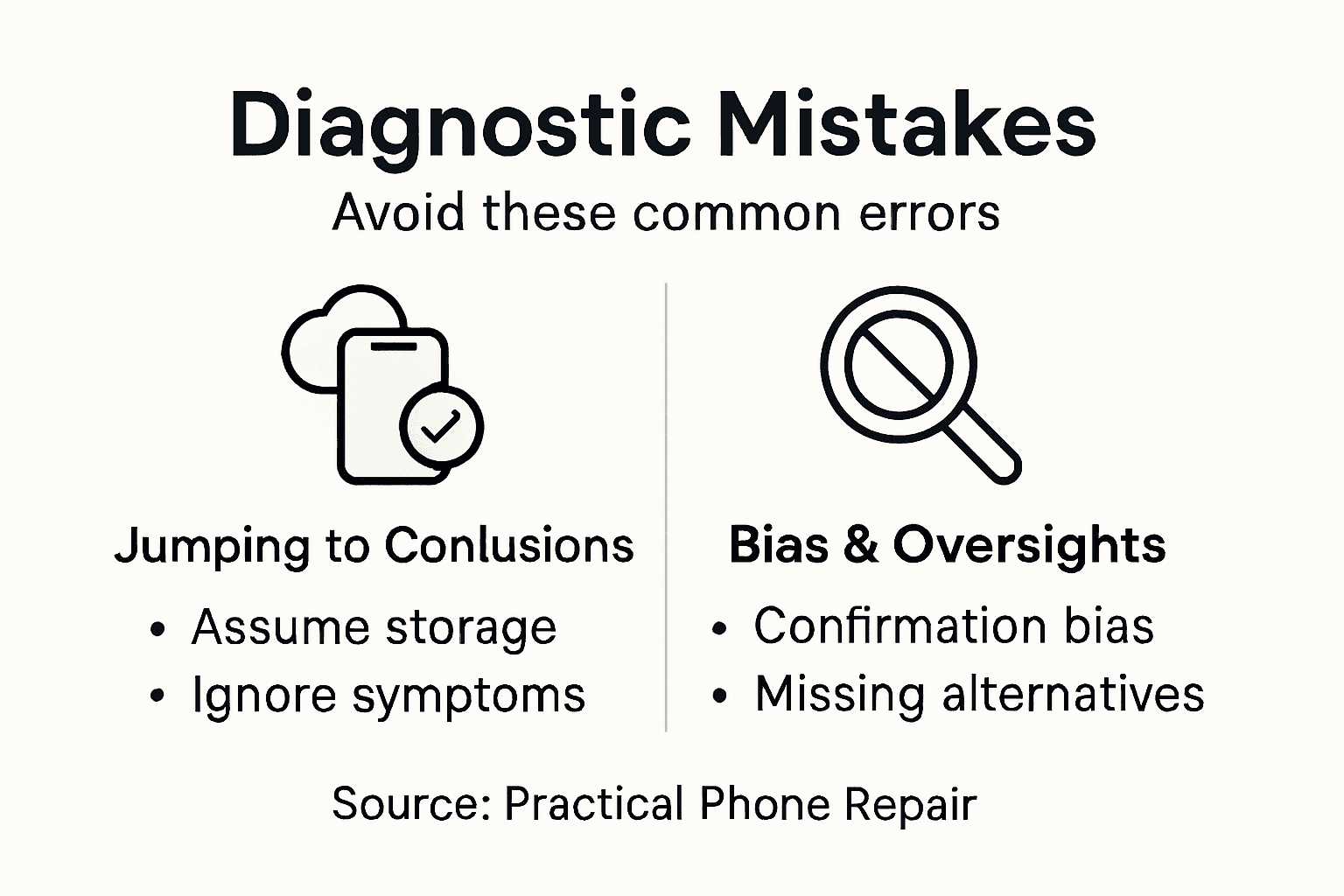
Another critical error is anchoring on a single explanation without considering alternatives. You read online that overheating means your battery is failing, so you order a replacement battery. But what if the problem is actually a malfunctioning charging port that’s causing excessive heat? Replacing the battery won’t fix the underlying issue, and you’ve wasted money and time. Avoiding diagnostic mistakes requires considering alternative explanations and re-evaluating your hypothesis against inconsistencies you’ve observed. Ask yourself what else could cause the symptoms you’re seeing. Create a mental list of possibilities, then test each one systematically. Document which troubleshooting steps you’ve already tried and what happened. This prevents you from repeating failed attempts and helps you spot patterns. If your phone only freezes when using specific apps, the problem likely isn’t storage or RAM shortage. If it freezes across all apps, storage or software corruption becomes more likely. These distinctions matter because they determine what you should actually fix.
Confirmation bias is particularly insidious. Once you’ve decided the problem is X, you unconsciously ignore evidence pointing to problem Y. You see your battery draining quickly, decide the battery is failing, and ignore that your brightness is set to maximum and five power-hungry apps are running. A fresh diagnosis requires stepping back and asking whether your initial assessment still makes sense given everything you’ve observed. Test your hypothesis by trying to fix it. If you think it’s a storage problem, clear some space and observe whether performance improves noticeably. If nothing changes, your diagnosis was wrong, and you need to reconsider. Don’t invest in parts or undertake repairs based on incomplete information. Gather evidence first, consider alternatives second, and only then commit to a diagnosis. This methodical approach costs nothing but time upfront and saves considerable expense later.
Pro tip: Create a simple diagnostic checklist before you start troubleshooting: software basics (restart, clear cache, update), hardware checks (battery health, temperature, visual damage), and specific symptoms to test under controlled conditions, ensuring you gather complete information rather than chasing assumptions.
Take Control of Your Phone Repairs with Buy2fix
Diagnosing common phone issues requires careful detection of symptoms like battery degradation, overheating, or unresponsive touchscreens as highlighted in the article. If you have identified that your device needs replacement parts such as batteries, screens, charging ports, or flex cables it is crucial to find reliable components that match your phone model. Buy2fix specialises in providing high-quality Mobile Phone Repair Parts for leading brands including iPhone, Samsung Galaxy, Huawei, Xiaomi, and OPPO. Our wide selection supports both DIY enthusiasts aiming to save repair costs and professional technicians who demand dependable performance.
Don’t let uncertainty or fear of complicated repairs hold you back. By choosing Buy2fix you gain access to UK-wide free shipping, a one-year warranty on all products, and detailed guidance ensuring your repair process is precise and successful. Ready to replace that degrading battery or fix your cracked screen with confidence? Visit Buy2fix now and get precisely the right parts to bring your device back to life today.
Frequently Asked Questions
What are common symptoms of phone software issues?
Common symptoms of phone software issues include sluggish performance, freezing, app crashes, and connectivity problems. These issues can often be traced back to insufficient storage, outdated software, or resource-intensive background applications.
How can I troubleshoot a phone that is overheating?
To troubleshoot an overheating phone, start by checking the battery health in your settings. If the battery is degrading, it may need to be replaced. Also, ensure that your phone is not being overworked by power-hungry apps or that there are no hardware issues causing the excess heat.
When should I consider seeking professional help for phone repairs?
You should seek professional help for repairs involving cracked screens, persistent battery issues, swollen batteries, or water damage, as these problems often require specialised skills and equipment. Additionally, if you’re unsure about the diagnosis, consulting a professional can prevent further damage.
What are some common diagnostic mistakes to avoid when troubleshooting phone issues?
Common diagnostic mistakes include jumping to conclusions without gathering complete data, focusing on a single explanation, and succumbing to confirmation bias. It’s essential to systematically test various hypotheses before committing to a diagnosis to avoid costly errors.
Recommended
Let customers speak for us
For Samsung Galaxy A26 SM-A266B Original Earpiece Speaker with Cable

Very good communication throught. Good product

Well made part very strong easy to fit great value for the money

Well packed, with fast shipping :)

Exactly what the doctor ordered…great color, comfort, and durability. Trust this watch band!

Brilliant strap, second purchase, bought bracelet before. Excellent value. Thank you

Great item for splitting your Audio signal

Outstanding product!
Next level customer service.

Very satisfied but the delivery needs to get more faster...

Good price,quick delivery

Best phone case ever! This is my second one as I broke my first. Would defo recommend

Great fitting Apple Watch bands

For Apple Watch Ultra 3 / 2 / 1 49mm RedPepper Armor Metal Case Integrated Silicone Watch Band(Steel Black White)

Good price and quick postage

