

Tablet Repair Challenges: Solutions for UK Technicians
Many people underestimate the complexity of tablet repair, often mistaking these compact devices for easy fixes. In reality, tablet computers are intricate systems packed with sensitive hardware and software components, where one wrong move can lead to further issues. For both DIY enthusiasts and professional repair shops in the United Kingdom, understanding what is truly involved and the myths that surround tablet repair is crucial for ensuring efficient service and happier customers.
Table of Contents
- What Tablet Repair Involves And Common Myths
- Frequent Tablet Faults And Component Issues
- Tools, Skills, And Diagnostic Techniques Needed
- Sourcing Quality Tablet Parts In The UK
- Cost, Warranty, And Safety Risks To Avoid
Key Takeaways
| Point | Details |
|---|---|
| Tablet Repair Complexity | Complex repairs require thorough diagnostics and skilled handling, as multiple systems interact within modern tablets. |
| Common Myths | Misconceptions about tablet simplicity can lead to unrealistic customer expectations and misguided repair approaches. |
| Quality Parts Sourcing | Establishing reliable relationships with reputable suppliers is crucial for ensuring quality and performance in repairs. |
| Safety and Warranty Considerations | Proper documentation of repairs and adherence to safety standards mitigate legal risks and enhance customer trust. |
What Tablet Repair Involves and Common Myths
Tablet repair is far more nuanced than most people realise. When you open up a tablet to fix it, you are not simply replacing one component and moving on. Modern tablets are intricate devices with multiple interconnected systems that require genuine technical knowledge to diagnose and repair properly. The complex arrangement of hardware components in tablet computers means that a single mistake during repair can cascade into secondary failures that compound your original problem. This is where experienced technicians earn their reputation, and why the DIY approach often backfires.
Common myths about tablet repair create unrealistic expectations among customers and lead technicians astray. The most dangerous myth is that tablets are simple to repair because they look compact and straightforward from the outside. In reality, tablets are densely packed with delicate flex cables, adhesives that bond multiple layers together, and software dependencies that must be respected. Another widespread misconception is that any broken tablet can be fixed with a simple component swap, when in fact many issues require careful diagnostics to identify the true culprit. You might replace a display assembly only to discover the actual fault lies in the logic board connection. Some people believe tablets are indestructible devices that can withstand any drop or liquid exposure, then panic when their £500 device suddenly stops working after a spill that they assumed would cause no damage. Others think that because smartphones can be repaired affordably, tablets will be equally economical to fix, not accounting for the larger components, rarer parts availability, and more complex labour involved.
What tablet repair actually involves includes several critical stages that separate professional work from amateur tinkering. You must perform thorough diagnostics to identify whether the fault is hardware-based or software-related, or worse, a combination of both. This often requires specialist testing equipment and knowledge of how various systems communicate. Physical disassembly demands precision and patience—removing adhesive without damaging underlying components, disconnecting flex cables without tearing them, and keeping track of dozens of different screw sizes and their correct locations. Component replacement itself is only part of the equation. After replacing parts like LCD screens or battery units, you must reassemble everything correctly, test all functionality, calibrate sensors if necessary, and verify that your repair has not introduced new problems. Software issues might involve backing up data, troubleshooting operating system problems, or clearing corrupted files—none of which are visible repairs but are equally critical to customer satisfaction.
Pro tip: Before accepting any tablet repair job, invest time in proper diagnostics using systematic testing methods rather than making assumptions based on customer descriptions. This prevents costly mistakes and builds a reputation for reliability that keeps customers returning.
Frequent Tablet Faults and Component Issues
Tablet faults fall into two broad categories: those that develop gradually and those that strike suddenly. Gradual degradation faults occur when internal components drift out of acceptable operating ranges over time. A battery that loses capacity after 500 charge cycles, a touch screen that becomes less responsive, or a processor that throttles due to thermal stress all represent degradation failures where the device still functions but performs below expectations. Catastrophic faults are the ones that make your phone ring with worried customers: a display that stops working entirely after a drop, a charging port that no longer accepts connection, or a motherboard that refuses to power on. Understanding the distinction matters because degradation faults often give you warning signs to catch before complete failure, whilst catastrophic faults demand immediate attention and precise diagnostics. Systematic analysis methods help technicians identify which faults are most likely to occur and plan preventative maintenance strategies accordingly.
The most common component issues you will encounter involve displays, batteries, and charging systems. Display problems range from cracked glass and touch responsiveness issues to dead pixels and discolouration, and understanding the structure of tablet display assemblies is essential for effective repairs. A customer might report a black screen, but the fault could originate from a damaged LCD panel, a failed backlight, a severed flex cable, or even a software glitch that makes the display unresponsive. Battery issues present their own challenges because degraded batteries can cause unexpected shutdowns, slow performance, or failure to hold charge despite the device powering on successfully. Charging port failures often stem from repeated insertion strain or liquid damage, and distinguishing between a failed port and a failed charging circuit requires methodical testing. These three component categories account for roughly 60 to 70 percent of all tablet repairs in a typical workshop.
Less obvious but equally problematic are audio system failures, camera malfunctions, and structural damage that compromises internal components. Speaker issues might mean no sound output, distorted audio, or problems with the microphone affecting call quality. Camera failures can range from complete inability to focus to corrupted image data or failed flash functionality. Water damage presents a particularly insidious fault category because liquid corrosion continues long after the initial spill, creeping through circuits and causing intermittent failures weeks after the incident. The key to managing these varied faults is maintaining detailed records of failure patterns in your shop, staying current with common tablet repair mistakes and how to avoid them, and having access to reliable replacement components. Different tablet models exhibit different fault trends, so an older iPad might have entirely different common issues compared to a Samsung Galaxy Tab or Microsoft Surface.
Below is a summary of common tablet faults, their likely causes, and recommended initial diagnostic actions:
| Fault Type | Likely Cause | First Diagnostic Step |
|---|---|---|
| Gradual degradation | Battery ageing or wear | Test battery health via software |
| Catastrophic fault | Impact or liquid intrusion | Inspect for physical damage |
| Touchscreen issues | Flex cable tear or adhesive | Check flex cable continuity |
| No power | Motherboard, charging port | Test power circuit and charging port |
| Audio problems | Speaker, microphone, or IC | Check connectors and run sound test |
Pro tip: Create a fault tracking spreadsheet for your workshop documenting the brand, model, reported issue, and actual component failure for every tablet you repair; this pattern analysis becomes invaluable for predicting which parts to stock and recognising when a customer description suggests a deeper underlying problem.
Tools, Skills, and Diagnostic Techniques Needed
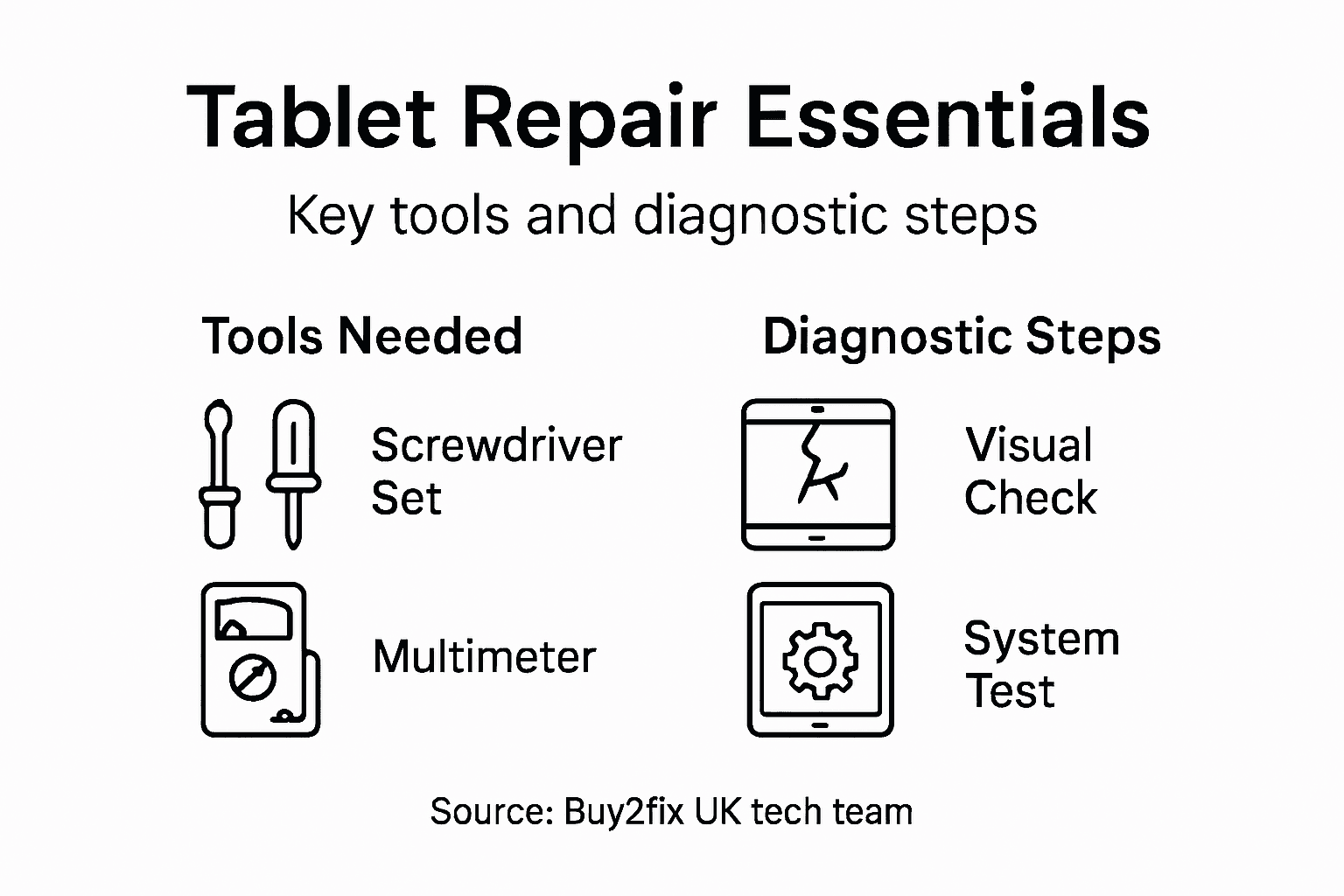
Successful tablet repair rests on three pillars: having the right tools, developing genuine technical skill, and applying systematic diagnostic methods. Without any one of these, you will find yourself guessing rather than repairing, wasting time and frustrating customers. The toolkit for tablet repair differs significantly from smartphone repair because tablets have larger components, thicker adhesive bonds, and often require more specialised testing equipment. Beyond basic screwdrivers and pry tools, you need precision instruments like heat guns for controlled adhesive softening, anti-static wrist straps to prevent component damage from electrostatic discharge, and display removal tools designed specifically for tablets. A multimeter becomes essential for testing charging circuits and identifying power delivery problems, whilst diagnostic and troubleshooting techniques guide you through systematic component testing rather than random part replacement. Investing in quality tools upfront saves money over time because broken tools mid-repair create cascading problems that turn a straightforward job into a nightmare.

Technical skill develops through hands-on experience combined with structured learning about tablet architecture and repair procedures. Understanding how flex cables connect to motherboards, knowing which adhesives dissolve with specific temperatures, and recognising the thermal signatures of different components all come from repetition and study. A technician performing screen replacements without understanding the distinction between LCD and OLED technologies will make costly mistakes when reassembling units. Training yourself or your staff on common failure patterns specific to each tablet brand pays dividends because an iPad behaves entirely differently from a Samsung Galaxy Tab when facing the same apparent symptom. Many technicians underestimate the software side of repairs—knowing how to back up data before attempting diagnostics, understanding operating system recovery modes, and recognising when a software glitch mimics hardware failure separates competent technicians from those who replace components unnecessarily.
Diagnostic techniques separate professional repair shops from ones that operate by trial and error. Start by listening carefully to what the customer reports, then create a list of possible causes ranked by probability. Connect the tablet to diagnostic software that logs system errors and performance metrics, run hardware tests to isolate failing components, and document every finding before opening the device. This methodical approach prevents replacing components that are functioning correctly. For display issues, test the touchscreen separately from the LCD, check backlight functionality independently, and verify flex cable connections before concluding the entire display assembly has failed. Testing power delivery circuits before replacing batteries saves countless hours of frustration. The most valuable diagnostic technique is keeping detailed notes on every repair you complete—over time, these records reveal patterns that accelerate future diagnostics significantly.
Building practical skills also means staying current with evolving tablet models and their unique repair requirements. Tablet models release frequently with redesigned internal layouts, different connector types, and modified component placements. What worked perfectly on last year’s model might cause damage to this year’s version. Join online repair communities where technicians share discovered issues, watch repair demonstrations from experienced professionals, and budget time for continuous learning rather than assuming your current knowledge covers all situations.
Pro tip: Before investing in expensive diagnostic equipment, master basic troubleshooting with multimeters and visual inspection combined with systematic testing; many faults reveal themselves through this low-cost approach, allowing you to identify which specialized tools genuinely justify their expense for your specific business model.
Sourcing Quality Tablet Parts in the UK
Finding reliable tablet parts in the United Kingdom presents a genuine challenge because the market contains a vast spectrum of suppliers ranging from excellent to downright dangerous. A counterfeit display assembly might look identical to a genuine component but will fail prematurely, leaving your customers furious and your reputation damaged. The difference between a quality repair and a customer service disaster often hinges on where you source your parts. Reputable UK suppliers maintain rigorous quality standards, provide warranties on components, and stand behind their products when issues arise. Working with established distributors who operate transparent supply chains means you can trace parts back to their origin and verify their authenticity. Parts sourced from dodgy channels often carry hidden defects that only become apparent after installation, forcing you to disassemble units again and eat the labour costs.
When evaluating potential suppliers, look beyond price alone because the cheapest option frequently costs more in the long run. Verify that suppliers hold appropriate certifications, maintain stock levels that allow timely replacement orders, and provide technical support when you encounter unusual compatibility issues. Ask potential suppliers directly about their quality assurance processes and request documentation showing how they test components before shipping. A supplier worth trusting will happily explain their procedures and provide references from other repair shops. Understanding tablet repair parts essentials helps you identify which components require absolute reliability and where you might accept slightly lower specifications if it reduces costs. Compare pricing across multiple suppliers rather than committing entirely to one vendor, because supplier performance varies seasonally and unexpected price spikes can devastate your margins if you lack alternatives.
The UK market offers several sourcing strategies worth considering. Large general electronics distributors stock common parts like batteries, charging ports, and flex cables with reasonable pricing and reliable quality, though they may lack specialised tablet components. Specialist mobile device repair retailers maintain deeper inventory specifically curated for repair shops and often provide better support for unusual requests or compatibility questions. Importing components from overseas suppliers requires careful consideration because while prices might be lower, shipping delays and customs complications create risk. Building relationships with multiple UK suppliers ensures you maintain parts access even when one supplier faces temporary shortages or discontinuation of specific components. Track which suppliers deliver quality components consistently and which occasionally disappoint, then adjust your sourcing strategy accordingly.
Quality assurance requires discipline on your part as well. Inspect parts carefully when they arrive before placing them in stock, test components if possible using simple methods like visual inspection and basic functionality checks, and segregate any parts showing potential defects. Maintain records linking every repair to the parts supplier used, allowing you to identify if quality issues trace back to a specific source. This data becomes invaluable when deciding whether to continue working with a supplier or switch to an alternative. Building a reliable parts supply chain takes time but transforms your shop from one that scrambles through constant problems into one that executes repairs smoothly and builds customer loyalty through consistent quality.
The following table compares sourcing strategies for UK tablet repair shops:
| Sourcing Route | Advantages | Drawbacks |
|---|---|---|
| General electronics distributors | Broad range, reliable quality | Limited specialised tablet inventory |
| Specialist repair retailers | Deep stock, technical support | Higher prices on rare components |
| Overseas suppliers | Lower component costs, greater variety | Delays, customs risk, quality varies |
| Multiple UK suppliers | Supply security, flexible pricing | Greater coordination required |
Pro tip: Establish relationships with at least two suppliers for each critical component type (displays, batteries, charging ports) so that supply disruptions at one vendor do not halt your repair operations, and use supplier performance metrics to rotate business and maintain competitive pricing.
Cost, Warranty, and Safety Risks to Avoid
Tablet repair pricing sits at an awkward intersection between customer expectations and operational reality. Most customers expect repair costs to mirror smartphone repairs, not understanding that tablets contain larger components, rarer parts, and demand more labour hours to access. A display replacement on a budget smartphone might cost £80 to £120 in parts and labour, whilst the same repair on a tablet can easily exceed £200 because the components themselves are pricier and the disassembly process consumes significantly more time. Communicating this reality upfront prevents customer shock and reduces disputes. However, pricing too high pushes customers toward manufacturer repair centres or simply replacing their devices. The sweet spot involves calculating your true labour costs, sourcing parts at reasonable prices, and building margins that sustain your business whilst remaining competitive. Understanding the distinction between original equipment manufacturer parts and aftermarket components directly impacts your cost structure because OEM parts typically cost more but carry fewer compatibility risks.
Warranty obligations create genuine legal and reputational complications if you mishandle them. The UK Consumer Rights Act 2015 grants consumers the right to expect repairs completed with reasonable care and skill, and goods repaired to be fit for purpose. This means your warranty must cover defects arising from your repair work for a reasonable period. Warranty practices have attracted regulatory attention regarding what you can and cannot restrict about customers’ rights to repair or use third-party parts after your service. Your warranty terms cannot unreasonably prevent customers from using the device normally or obtaining repairs elsewhere. Clearly documenting what your warranty covers prevents misunderstandings that damage customer relationships. Typically, a 12-month warranty on replaced components and 30 days on labour provides reasonable protection whilst remaining manageable operationally. Always provide written warranty documentation and maintain records proving what you replaced and when.
Safety risks demand serious attention because cutting corners now creates liability problems later. Using non-certified chargers or batteries poses genuine fire and explosion hazards, potentially injuring users and creating criminal liability for you. Improperly reassembled devices can cause electrical shorts or component failure that damages data or injures the user. Water damage repairs require meticulous drying and corrosion removal; rushing this process often results in delayed failures that customers will rightfully blame you for. Never use repair techniques that bypass safety mechanisms like removing protective circuits or installing incompatible components. Documenting your repair process protects you legally because it demonstrates you applied appropriate care and skill. When you encounter a repair that exceeds your capabilities or requires components you cannot source safely, refuse the job rather than attempting a compromise solution. Your reputation rests on completed repairs remaining functional and safe for months after the customer leaves your shop, not just working when they collect their device.
Pro tip: Document every repair with photographs showing the condition before disassembly, components replaced, and the final result; maintain these records for at least two years as evidence that you completed work properly should any disputes arise with customers or regarding warranty claims.
Overcome Tablet Repair Challenges with Trusted Parts and Expert Support
Repairing tablets demands precise diagnostics and careful handling of delicate components like LCD screens, flex cables, and charging ports. You have to avoid costly mistakes from improper disassembly or low-quality replacements that risk customer trust and safety. At Buy2fix, we understand the intricate nature of tablet repairs and the importance of sourcing reliable parts that meet professional standards across popular brands and models.
Discover our extensive range of tablet and laptop repair components, from display assemblies to motherboard parts, all backed by our one-year warranty and free UK mainland shipping. Whether you are tackling gradual degradation faults or sudden catastrophic failures, our high-quality inventory and expert technical guidance help you work confidently and efficiently. Don’t let fluctuating supplier quality slow your business down. Choose Buy2fix as your dependable partner and elevate your repair services today.
Explore our products now at Buy2fix and secure the parts you need with certainty. Ready to reduce repair errors and increase customer satisfaction? Visit our Tablet & Laptop Parts selection and start building your stock with trusted components designed for UK technicians.
Frequently Asked Questions
What are the common faults found in tablets that require repair?
Common tablet faults include display issues (such as cracked screens and unresponsive touch), battery degradation, charging port failures, and catastrophic faults like a complete power failure. Each fault type requires different diagnostic approaches to identify the underlying causes.
Why is tablet repair more complicated than people think?
Tablet repair involves intricate systems with multiple interconnected components. Mistakes during diagnosis or repair can lead to cascading failures. Effective repair requires precision, specialized tools, and a deep understanding of how various parts interact, rather than simply swapping out faulty components.
How can technicians ensure they use quality replacement parts for tablets?
Technicians should source parts from reputable suppliers with rigorous quality assurance processes and warranties. Verifying suppliers’ certifications and stock levels, as well as maintaining records linking repairs to parts used, can help ensure the reliability of components.
What diagnostic techniques are essential for effective tablet repairs?
Essential diagnostic techniques include systematic analysis of customer-reported issues, using diagnostic software to log performance metrics, and performing methodical hardware tests to isolate failing components. Keeping detailed records of repairs can also accelerate future diagnostics.
Recommended
- Tablet Repair Parts: Ensuring Device Longevity – buy2fix
- Tablet Display Assembly Explained: Vital Repair Insights – buy2fix
- 7 Common Tablet Repair Mistakes and How to Avoid Them – buy2fix
- 7 Key Tips for Cost-Effective Tablet Repairs Near Me – buy2fix
- Shutter Repair Cost Guide – What UK Homeowners Need | Shutter World
- Office Furniture Dismantling Guide 2025: Trusted UK Solutions | Schott Removals
Let customers speak for us
For Samsung Galaxy A26 SM-A266B Original Earpiece Speaker with Cable

Very good communication throught. Good product

Well made part very strong easy to fit great value for the money

Well packed, with fast shipping :)

Exactly what the doctor ordered…great color, comfort, and durability. Trust this watch band!

Brilliant strap, second purchase, bought bracelet before. Excellent value. Thank you

Great item for splitting your Audio signal

Outstanding product!
Next level customer service.

Very satisfied but the delivery needs to get more faster...

Good price,quick delivery

Best phone case ever! This is my second one as I broke my first. Would defo recommend

Great fitting Apple Watch bands

For Apple Watch Ultra 3 / 2 / 1 49mm RedPepper Armor Metal Case Integrated Silicone Watch Band(Steel Black White)

Good price and quick postage

