


Nachrichten
Android Update Bluetooth Problems: 60% Fix Rate with These Tips
Android updates promise new features and security patches, yet they often leave your phone’s Bluetooth struggling to connect or stay paired. For UK repair technicians and DIY enthusiasts, post-update Bluetooth failures create frustration and lost revenue. This guide breaks down how to diagnose issues correctly, choose between software fixes and hardware replacements, and restore reliable connectivity using proven methods tailored to modern Android devices.
Table of Contents
- How to Choose the Right Bluetooth Repair Approach After an Android Update
- Root Causes of Bluetooth Problems After Android Updates
- Diagnostic and Troubleshooting Techniques for Bluetooth Issues Post-Android Update
- Hardware Parts to Replace for Persistent Bluetooth Problems
- Comparing Methods: Software Fixes Vs Hardware Repairs for Bluetooth Issues
- Choosing the Best Fix for Your Bluetooth Problem: Situational Recommendations
- Explore Top Tools and Parts for Smartphone Repairs at Buy2Fix
- Frequently Asked Questions About Android Update Bluetooth Problems
Key Takeaways
| Point | Details |
|---|---|
| Software troubleshooting resolves approximately 60% of Bluetooth issues after Android updates | Most connection failures stem from cache corruption, driver bugs, or misconfigured settings rather than physical damage |
| Hardware replacements target antenna flex cables and Bluetooth chipsets when physical faults exist | Replacing damaged components restores stability in 30-40% of persistent cases unresolved by software methods |
| Diagnostic tools reduce repair time and improve accuracy by 25% | Bluetooth HCI snoop logging and scanner apps help isolate faults faster than trial-and-error approaches |
| Repair approach selection depends on symptoms, Android version, and visible device condition | Immediate post-update failures without physical damage typically need software fixes first, while visible wear requires hardware intervention |
How to Choose the Right Bluetooth Repair Approach After an Android Update
Selecting the correct repair method saves time, money, and repeat visits. Start by differentiating between software bugs and hardware faults. Software issues manifest as sudden connection drops immediately after an update, while hardware problems show gradual degradation or physical signs like cracked housings or previous water damage.
Android version matters significantly. Updates to Android 13 and 14 introduced Bluetooth stack changes that conflict with older chipset firmware. Check your device’s Android version and update history before committing to parts replacement. Understanding common smartphone repair terms helps you interpret error messages and diagnostic logs accurately.
Part quality directly impacts repair success. Original equipment manufacturer (OEM) components offer the best compatibility, but aftermarket alternatives can work if sourced from verified suppliers. When you choose phone parts, verify compatibility with your specific device model and Android version. Poor quality parts cause repeat failures within weeks.
Diagnostic tools are essential for accurate fault isolation. Bluetooth scanner apps, HCI snoop logs, and multimeters separate guesswork from precision. Investing in proper diagnostic equipment cuts repair time significantly and reduces unnecessary part swaps. Extended warranty and support from parts suppliers protect your business from defective components.
Pro Tip: Always verify part compatibility with both device model and Android version to avoid repeat failures that damage your reputation and cost extra.
Root Causes of Bluetooth Problems After Android Updates
Android updates modify the Bluetooth stack, introducing driver incompatibilities that disrupt pairing and audio streaming. Bluetooth issues spike post Android 13 and 14 due to driver incompatibilities and Bluetooth stack bugs, creating a surge in repair requests. These software changes often clash with older Bluetooth chipset firmware, causing connection drops even when hardware remains intact.
Hardware wear compounds software issues. Antenna flex cables loosen during previous repairs, and Bluetooth chipsets suffer micro-cracks from drops or impacts. Physical damage may not show symptoms until an update stresses the Bluetooth subsystem. System settings like aggressive battery optimization and wireless interference from nearby devices add further complications.
Over 35% of Android users report Bluetooth failures within 72 hours of installing major updates. Common symptoms include devices refusing to pair, connections dropping during calls, and intermittent audio stuttering with wireless headphones. These issues frustrate users and drive them to seek professional repairs or consider device replacement.
Repair shops report a 20-25% rise in hardware faults after major Android updates. This spike occurs because updates expose latent hardware weaknesses that functioned marginally before. Understanding smartphone repair terms helps you communicate findings to customers clearly.
Common post-update Bluetooth symptoms:
- Devices pair but disconnect within minutes
- Bluetooth toggle becomes unresponsive or grayed out
- Audio skips or cuts out intermittently during playback
- Pairing fails repeatedly with previously connected devices
- Bluetooth drains battery significantly faster than before update
Diagnostic and Troubleshooting Techniques for Bluetooth Issues Post-Android Update
Systematic troubleshooting isolates faults quickly and avoids unnecessary part replacements. Start with basic software steps that resolve the majority of post-update issues without opening the device.
- Toggle Bluetooth off and on in quick settings, then restart the phone completely to clear temporary software glitches.
- Clear Bluetooth cache and data by navigating to Settings > Apps > Show System Apps > Bluetooth > Storage > Clear Cache and Clear Data.
- Reset network settings from Settings > System > Reset Options > Reset Wi-Fi, Mobile & Bluetooth to restore default configurations.
- Enable Developer Options and activate Bluetooth HCI snoop logging to capture detailed connection data for analysis.
- Use Bluetooth scanner apps to detect signal strength and identify interference from nearby devices or access points.
- Check battery optimization settings to ensure Bluetooth services aren’t being throttled during sleep mode.
Advanced diagnostics require enabling Developer Mode by tapping Build Number seven times in About Phone. Use of Bluetooth HCI snoop logging and scanner apps reduces diagnostic time by 25% and improves accuracy, giving repair technicians concrete data instead of guesswork. The HCI snoop log records all Bluetooth communication, revealing whether failures occur during pairing, authentication, or data transfer.
Bluetooth scanner apps show signal strength in real time, helping identify physical antenna issues versus software bugs. Weak signals at close range suggest antenna damage, while strong signals with frequent disconnections point to driver conflicts. Cross-referencing diagnostic techniques with manufacturer service manuals improves accuracy.
Pro Tip: Log Bluetooth activity immediately after an update to catch intermittent faults early, before they become harder to reproduce.
Interference sources like Wi-Fi routers, microwaves, and other Bluetooth devices can worsen update-related bugs. Test in different environments to rule out external factors. When software fixes fail after thorough troubleshooting, proceed to hardware diagnostics and choosing parts for repairs.
Hardware Parts to Replace for Persistent Bluetooth Problems
When software troubleshooting fails to restore Bluetooth functionality, hardware replacement becomes necessary. Two components account for most physical failures: antenna flex cables and Bluetooth chipsets integrated into the mainboard.
Antenna flex cables connect the Bluetooth module to external antennas and often suffer damage from drops or poor reassembly after previous repairs. Symptoms include weak signals even at close range and connections that work only in specific phone orientations. Original parts offer the best signal quality and longevity, but quality aftermarket cables can work if sourced carefully.
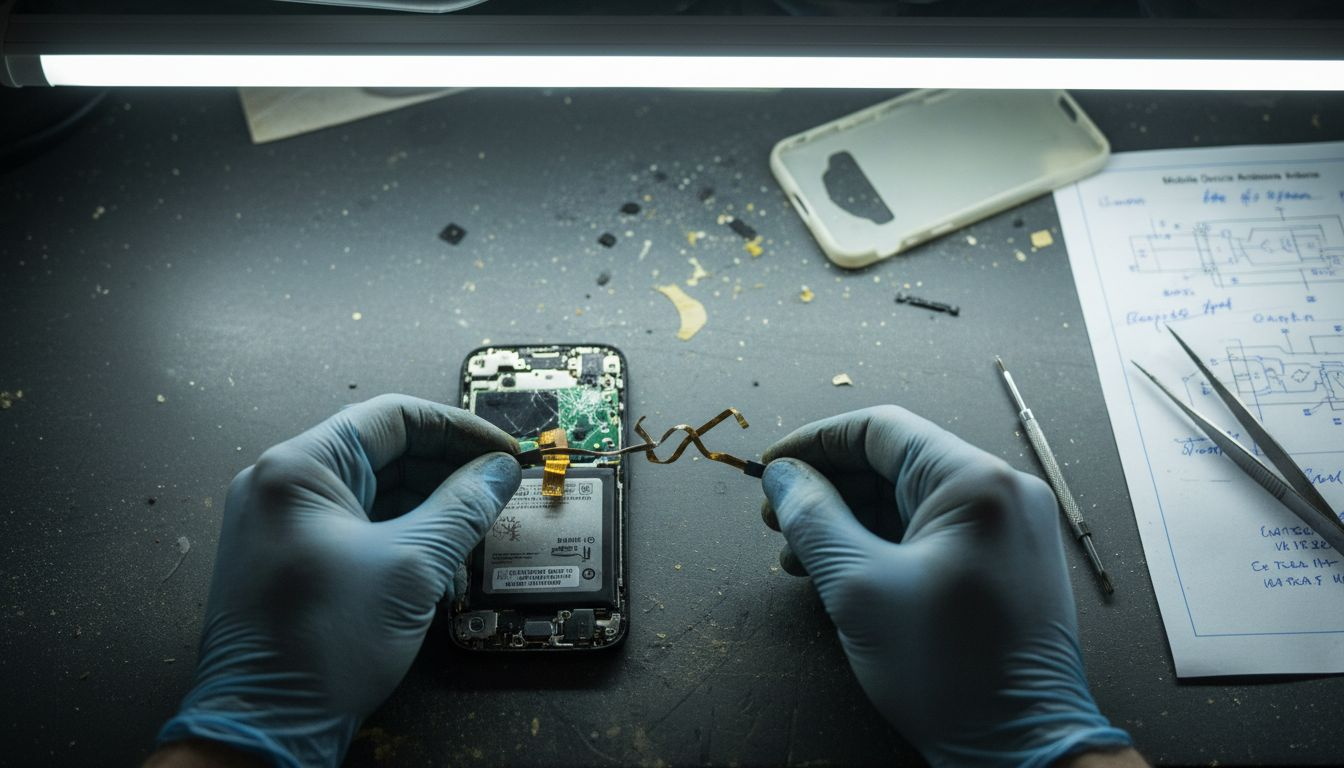
Bluetooth chipsets rarely fail outright but can develop micro-cracks in solder joints or internal damage from impacts. Chipset replacement requires micro-soldering skills and specialized equipment, making it cost-effective only for high-value devices. For most repairs, replacing the entire mainboard becomes more practical than chipset-level repair.
OEM quality parts provide superior compatibility and reliability compared to generic aftermarket components. However, aftermarket parts cost significantly less and work acceptably for budget repairs. Success rates for hardware replacement reach 30-40% for persistent issues unresolved by software methods, making correct diagnosis critical before ordering parts.
UK repair businesses should source parts from verified suppliers offering quality guarantees. Buy2Fix stocks antenna flex cables and other common small part replacements with tested compatibility across major Android brands.
| Component | Typical Cost | Success Rate | Source Reliability | Notes |
|---|---|---|---|---|
| Antenna Flex Cable | £8-£15 | 35-45% | High with OEM, variable aftermarket | Check model compatibility |
| Bluetooth Chipset (micro-soldering) | £30-£60 labor | 25-35% | Depends on technician skill | High-end devices only |
| Mainboard Replacement | £80-£200 | 60-70% | High from verified sellers | Most cost-effective for chipset issues |
| Antenna Assembly | £10-£20 | 30-40% | Variable by brand | Test signal strength post-install |
Comparing Methods: Software Fixes vs Hardware Repairs for Bluetooth Issues
Choosing between software troubleshooting and hardware replacement depends on fault type, repair costs, and expected device lifespan. Software fixes resolve 60-70% of post-update Bluetooth issues when no physical damage exists. These methods take 15-30 minutes and require no parts investment, making them ideal first steps.
Hardware replacement addresses physical damage and wear that software cannot fix. When antenna cables fray or Bluetooth chipsets crack, only component replacement restores reliable connectivity. Hardware repairs take longer, cost more, and require technical skill, but they offer superior long-term stability compared to temporary software workarounds.
Long-term reliability favors proper hardware fixes when physical faults exist. A phone with damaged antenna cables will continue experiencing connection issues regardless of software optimizations. Conversely, spending on parts replacement when the fault lies in software configuration wastes money and time.
Cost and time trade-offs become significant at scale. Small repair shops benefit from mastering software diagnostics to resolve the majority of issues quickly, reserving hardware replacements for confirmed physical faults. This approach maximizes profit per repair hour and reduces parts inventory costs.
Key comparison factors:
- Software fixes require no parts investment but only resolve configuration and driver issues
- Hardware replacements address physical wear but need correct diagnosis to avoid wasted parts
- Combined approaches work best for complex cases with both software bugs and minor physical damage
- Documentation of symptoms and repair steps improves accuracy for future similar cases
| Method | Success Rate | Cost Range | Time Required | Best For |
|---|---|---|---|---|
| Software Troubleshooting | 60-70% | £0-£10 | 15-30 min | Immediate post-update failures, no physical damage |
| Antenna Cable Replacement | 35-45% | £15-£30 | 45-90 min | Weak signal, position-dependent connectivity |
| Mainboard Replacement | 60-70% | £90-£220 | 60-120 min | Confirmed chipset damage, high-value devices |
| Combined Approach | 75-85% | £25-£60 | 60-90 min | Mixed symptoms, unclear initial diagnosis |
Understanding repair method comparison helps you quote accurately and set realistic customer expectations.
Choosing the Best Fix for Your Bluetooth Problem: Situational Recommendations
Match your repair approach to specific symptoms and device conditions for optimal results. When Bluetooth fails immediately after an update without any physical damage, start with software troubleshooting. Clear cache, reset network settings, and check for system updates or patches that address known bugs. This approach resolves most update-related issues quickly.
Persistent issues or visible hardware damage require hardware inspection and likely parts replacement. If software fixes fail after thorough diagnostics, or if you observe cracked housings, previous water damage, or loose components, prioritize hardware solutions. Ordering the correct parts from verified suppliers prevents repeat failures.
Small repair businesses scaling their volume should invest in diagnostic tools and combined repair training. Bluetooth analyzers, multimeters, and HCI logging capabilities cut diagnostic time significantly and improve first-time fix rates. Training technicians in both software and hardware approaches maximizes flexibility and customer satisfaction.
Trade-offs between speed and durability matter for different business models. Quick software fixes work for walk-in customers needing immediate solutions, while thorough hardware replacements suit mail-in repairs where customers expect comprehensive service. Document device symptoms and Android version before starting repairs to aid correct fix selection and improve future diagnostics.
Pro Tip: Document device symptoms and Android version before repair to aid correct fix selection and improve your diagnostic database for future similar cases.
Situational repair guidelines:
- Fresh update with no prior issues: software troubleshooting first, then escalate if unsuccessful
- Dropped phone with Bluetooth failure: inspect antenna connections and test signal strength before software steps
- Gradual degradation over weeks: likely hardware wear requiring parts replacement
- Multiple devices failing to pair: check for interference and system-wide settings before assuming hardware fault
Understanding situational repair guides builds expertise and confidence in diagnosis.
Explore Top Tools and Parts for Smartphone Repairs at Buy2Fix
Successful Bluetooth repairs require reliable tools and quality parts. Buy2Fix supplies UK repair professionals and DIY enthusiasts with tested components and diagnostic equipment designed for modern Android devices. Our inventory includes antenna flex cables, diagnostic multimeters, and precision tools suited for micro-repairs.
Explore smartphone repair terms to better understand component specifications and compatibility requirements. Stock your workshop with mobile repair tools that improve repair speed and accuracy across all device types. Using trusted parts and professional tools maximizes repair success rates and builds customer confidence.
Shop Buy2Fix UK essentials to prepare your workshop efficiently and access parts with quality guarantees and UK-based support.
Frequently Asked Questions About Android Update Bluetooth Problems
What is the first thing to try if Bluetooth fails after an update?
Toggle Bluetooth off and on, then restart your phone completely. If that fails, clear Bluetooth cache and data from Settings > Apps > Show System Apps > Bluetooth > Storage. These steps resolve most immediate post-update issues without needing parts.
How do I know if my Bluetooth issue is software or hardware?
Software issues appear suddenly after updates with no physical damage and often affect all Bluetooth connections equally. Hardware faults show gradual degradation, work intermittently based on phone position, or coincide with physical damage like drops or water exposure. Use Bluetooth scanner apps to test signal strength for confirmation.
Are aftermarket parts safe to use for Bluetooth repairs?
Quality aftermarket parts work reliably when sourced from verified suppliers with compatibility guarantees. Always check that parts match your specific device model and Android version. OEM parts offer superior longevity, but tested aftermarket alternatives provide cost-effective solutions for budget repairs.
Can Android updates permanently damage my Bluetooth hardware?
Updates themselves rarely cause physical damage, but they can expose existing hardware weaknesses that functioned marginally before. Aggressive Bluetooth usage during buggy updates might stress failing components, but updates trigger rather than cause hardware failures. Physical damage from drops or wear remains the primary hardware failure cause.
How can small repair shops speed up Bluetooth issue diagnostics?
Invest in Bluetooth HCI snoop logging, scanner apps, and signal strength meters to gather objective data quickly. Document common symptoms and successful fixes in a database to reference during future repairs. Training technicians in systematic software troubleshooting before hardware replacement cuts diagnostic time by up to 25%.
Should I perform a factory reset for persistent Bluetooth problems?
Factory resets resolve deep software conflicts but erase all user data, making them a last resort after trying cache clearing, network settings reset, and system updates. Back up customer data first and obtain explicit permission before factory resetting. This step succeeds in about 15-20% of cases where other software fixes failed.
Recommended
Let customers speak for us
They had what I was looking for ... ordering was easy, payment was easy, delivery was as promised.
-

Absolutely love this case! Heavy, sturdy and full coverage

Thank You! I really love it! 😊

For Garmin Forerunner 165 20mm Two Color Textured Silicone Watch Band(Teal)

For Samsung Galaxy S26+ 5G R-JUST Sliding Camera Life Waterproof Holder Phone Case(Black)

I ❤️ love it, it's absolutely amazing I'm sooo happy 😊

Great

I saw this item and it was just what I was looking for. I found it here but not in Amazon or e-bay. However, it was in UK, I was surprised to find that they were able to ship it to the US. Excellent company, would do business with again

This is great for when out and about, to sharpen either coloured pencils, or watercolour pencils….would order again.

Great items would bye again

I have purchased several items from this store before. Recently, I encountered an issue with my latest order. After reporting the problem to customer support, they were consistently attentive and made every effort to resolve the situation. Upon investigation, they acknowledged the issue and promptly fixed it. This experience has increased my level of trust in this store.
Thank you so much. I'm so happy.

très bien

BC70 Car Bluetooth 5.0 FM Transmitter Radio Adapter Dual Display Wireless Handsfree Call MP3 Music Player QC3.0 PD USB Charger
