

Examples of screen repair issues: a practical guide
TL;DR:
- Not all cracked smartphone screens indicate the same damage; some are cosmetic, while others require costly repairs. Promptly addressing damage, especially to the display or digitizer, prevents further deterioration and expense. Proper diagnosis and using quality replacement parts are crucial for successful phone screen repairs.
Not every cracked smartphone screen tells the same story. Some are cosmetic. Others signal deeper damage that will cost you significantly more to fix if you wait. Understanding the different examples of screen repair issues before you book a repair or order parts is the difference between a straightforward fix and an expensive mistake. This guide walks you through the most common screen damage types, what each one means for your repair options, and the pitfalls that catch out even experienced DIYers.
Key takeaways
| Point | Details |
|---|---|
| Four distinct damage categories | Glass, display, touch, and combined damage each require a different repair approach. |
| Prompt repair saves money | Even small cracks allow moisture ingress, turning a cheap fix into a full assembly replacement. |
| Display lines need full replacement | Vertical or horizontal lines signal panel damage that glass-only repair cannot address. |
| Ghost touch is a hardware issue | If cleaning and a soft reset do not resolve it, the digitizer likely needs replacing. |
| Parts quality matters enormously | Poor-quality replacement screens cause brightness loss, touch lag, and early repeat failures. |
1. Glass-only cracks and spiderweb patterns
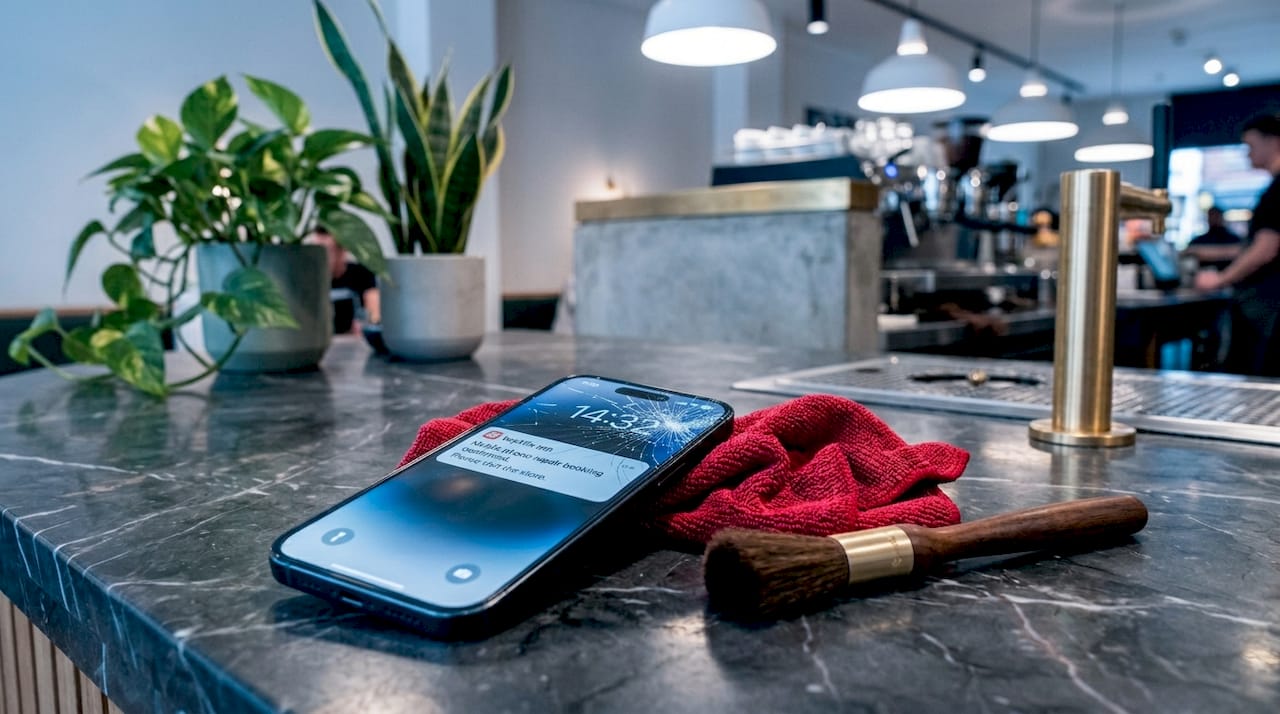
This is the most familiar of all common screen damage types. You drop your phone, pick it up, and the glass is shattered in a familiar starburst pattern. The good news is that glass-only damage, where the display underneath still works perfectly and touch response feels normal, is the least severe category of screen damage.
How to tell if it is just the glass:
- The display shows full colour with no lines, shadows, or black patches
- Touch response works correctly across the whole screen
- There are no areas where the screen has gone dark
- The crack may have sharp edges but has not pushed the display layers apart
Even so, do not delay. Small cracks allow moisture and dust to work their way into the phone, and what starts as a glass-only issue can escalate into display damage within days of exposure. What costs £30 to repair today could require a full assembly replacement next week.
One thing that complicates glass-only repairs: many modern phones use fused assemblies where the glass is bonded directly to the display layer. On these devices, separating the glass without damaging the panel beneath requires specialist equipment and is rarely worth attempting at home.
Pro Tip: Before ordering any parts, test your touch response thoroughly across all four corners and the centre of the screen. If everything works, you may have a glass-only situation. If not, you are likely dealing with deeper damage.
2. Display panel damage: lines, black spots, and flickering
If your screen repair problem examples involve strange visuals rather than just a cracked surface, you are probably dealing with damage to the LCD or OLED panel itself. This category of damage is more serious and almost always requires a full display assembly replacement rather than a glass-only fix.
| Symptom | Likely cause | Repair needed |
|---|---|---|
| Vertical or horizontal lines | Display panel or driver damage | Full assembly replacement |
| Black spots or ink bleeding | Internal display layer cracked | Full assembly replacement |
| Screen flickering | Loose connector or panel fault | Assembly or connector repair |
| Partial screen going dark | Impact damage to OLED/LCD layers | Full assembly replacement |
| Colour distortion or tinting | Calibration or panel damage | Assembly or professional calibration |
The distinction between LCD and OLED damage is worth understanding. LCD screens tend to show ink-bleed style dark patches when the panel cracks, spreading outward over time. OLED panels are more likely to develop dead pixels or vertical green lines. Both will worsen if left unrepaired.
What makes this category of screen issue particularly costly is the pace of deterioration. A small dark patch today can spread to cover half the screen within a fortnight if the phone continues to flex or absorb impact. Flickering that starts as occasional can become constant, making the device almost unusable.
Pro Tip: Film a short video of the screen if it flickers intermittently. Faults that disappear when you walk into a repair shop are notoriously hard to diagnose. A short clip gives the repairer something concrete to work from.
3. Touch-layer and digitizer problems
Ghost touch is one of the most unsettling screen repair problem examples because the phone appears to operate by itself. Apps open without input. Text sends before you finish typing. The screen reacts to touches you never made.
The digitizer is the transparent layer that detects your finger’s position. When it is damaged, either through impact, moisture exposure, or extreme temperatures, its behaviour becomes erratic. Common symptoms include:
- Phantom taps registering in specific screen zones
- Parts of the screen not responding to touch at all
- Touch inputs registering in the wrong location
- The keyboard typing incorrect characters consistently
Ghost touch is often hardware-related, meaning that a soft reset or software update rarely solves it permanently. Before assuming the worst, though, it is worth ruling out some simpler causes. Clean the screen thoroughly with a microfibre cloth, remove any screen protector that may have lifted or bubbled, and try a factory reset if you have a recent backup.
It is also worth checking whether the issue worsens when the phone is charging. Some aftermarket chargers introduce electrical interference that can cause false touch inputs, a problem that disappears the moment you switch to a certified charger.
If none of those steps help, persistent ghost touch warrants prompt hardware repair to prevent the issue from affecting other components. Using a phone with unpredictable touch behaviour also creates a safety risk, particularly if emergency calls or security features become unreliable.
4. Combined damage: when multiple layers are affected
The most complex category of screen damage is when glass, display panel, and digitizer have all been compromised by a single impact. This is more common than people realise. Most reported screen repairs involve multi-layer failures, which is why an accurate diagnosis before starting any repair is so important.
Here is how combined damage typically presents and what to watch for:
- Cracked glass with immediate display lines — impact severe enough to crack the glass usually also stresses the panel beneath. If lines appear straight after a drop, assume both layers are damaged.
- Touch failure alongside visible cracks — when cracks run across touch-sensitive zones, digitizer damage is likely. Test every area of the screen methodically.
- Display working but with dead zones — the panel may look fine visually while the digitizer has dead spots, which means replacement of the full assembly is the only realistic fix.
- Sensor-related secondary faults — screen damage can misalign proximity or ambient light sensors, causing call screens to stay on or brightness to behave erratically.
The challenge with DIY repairs on combined damage is significant. Modern bonded assemblies mean you cannot simply replace one layer at a time. Understanding what a repair includes — glass only, display only, or a full module — matters enormously because costs and outcomes differ substantially. For combined damage, a full screen assembly replacement is almost always the most practical route.
5. Screen replacement errors and repair pitfalls
Knowing how to fix cracked screens is only half the challenge. The other half is avoiding the common mistakes that turn a successful repair into another round of problems. These examples of screen replacement errors show up repeatedly, both in DIY repairs and in low-cost third-party repair shops.
- Using low-grade aftermarket parts: Poor-quality replacement screens frequently cause reduced brightness, washed-out colours, and touch lag. The screen may technically work but feel noticeably inferior to the original.
- Skipping calibration on iPhones: iPhone replacements require calibration steps to preserve True Tone and colour accuracy. Skipping this process leaves the display looking flat and may cause brightness inconsistencies.
- Forcing connectors during installation: Display connectors are fragile. Applying force at the wrong angle or in the wrong sequence can damage the ribbon cable, creating a new fault where none existed before.
- Ignoring the digitizer connection: When reassembling a phone, a slightly unseated digitizer connector causes exactly the kind of touch problems described in section three. Always double-check connections before closing the device.
- Screen protectors mimicking real faults: Peeling screen protector layers on foldables and some standard phones create bubbles and resistance patterns that mimic genuine digitizer issues. Remove the protector before diagnosing touch problems.
Pro Tip: When selecting replacement parts, check whether the supplier tests components before despatch. A screen that has been bench-tested before shipping is far less likely to arrive with a hidden fault. Buy2fix quality-checks parts before they go out the door, which eliminates a common source of frustration for DIY repairers.
For a deeper look at choosing the right components, the replacement screen guidance at Buy2fix is worth reading before you order anything.
My take on screen repairs after years of watching people get them wrong
I have seen every variation of these problems, and the pattern that frustrates me most is this: someone sits on a minor glass crack for three weeks, the moisture gets in, the display starts bleeding, and they end up paying three times what the original repair would have cost. The cost of waiting is almost always higher than the cost of acting.
What I have also learned is that modern phones punish impatience. The temptation with a Samsung Galaxy or recent iPhone is to watch a YouTube tutorial and dive straight in. But fused OLED assemblies, tiny proprietary connectors, and the calibration requirements I mentioned for iPhones mean that confidence without preparation leads to a second, worse fault. I have seen people crack a perfectly good digitizer by reassembling in the wrong order.
My honest advice is to diagnose accurately before you order anything. Work through each layer systematically: does the display look right, does touch respond correctly, are there any lines or black patches? If you have a single-layer issue and a modern phone, check whether a glass-only repair is even feasible for your model before assuming it is. And always back up your data before any repair attempt, because even a professional repair carries a small risk of data loss if something unexpected comes up.
Quality parts are not optional. They are the single biggest factor in whether a repair holds up six months down the line.
— Adewale
Find the right parts for your screen repair at Buy2fix
Whether you are dealing with a straightforward glass crack or a more complex combined damage situation, having the right components makes all the difference. Buy2fix stocks replacement screens and display assemblies for iPhone, Samsung Galaxy, Huawei, Xiaomi, OPPO, and a wide range of other models, all quality-checked before despatch.
Every order comes with free UK mainland shipping, a 30-day return policy, and warranty support on eligible items. If you are unsure whether you need a glass-only fix or a full assembly, the repair parts catalogue at Buy2fix covers the full range with clear product descriptions. You can also find practical guidance on DIY phone repair to help you work through the process with confidence, step by step.
FAQ
What are the main types of smartphone screen damage?
There are four main damage categories: glass-only cracking, display panel damage, touch-layer or digitizer faults, and combined multi-layer damage. Each requires a different repair approach and carries a different cost.
Can I repair just the glass without replacing the whole screen?
On some older models, yes. However, many modern phones have fused assemblies that make glass-only repairs impractical without specialist tools. Check your specific model before ordering parts.
What causes ghost touch on a phone screen?
Ghost touch is usually caused by physical damage to the digitizer layer, moisture ingress, or electrical interference from certain chargers. If cleaning the screen and switching to a certified charger do not resolve it, a hardware repair is likely needed.
Why does my screen have lines after I dropped it?
Vertical or horizontal lines after a drop typically indicate damage to the display panel itself rather than just the outer glass. This type of fault requires a full assembly replacement and will usually worsen over time if left unaddressed.
How do I avoid common screen replacement errors?
Use quality parts from a reputable supplier, follow model-specific calibration steps for iPhones, check all connectors are fully seated before closing the device, and test touch response across the entire screen before considering the repair complete.
Recommended
Let customers speak for us
The acid test of any company is how they respond when things go wrong. The Buy2Fix team were efficient in dealing with my emails and resolved the issue to my complete satisfaction

For Samsung Galaxy A26 SM-A266B Original Earpiece Speaker with Cable

Very good communication throught. Good product

Well made part very strong easy to fit great value for the money

Well packed, with fast shipping :)

Exactly what the doctor ordered…great color, comfort, and durability. Trust this watch band!

Brilliant strap, second purchase, bought bracelet before. Excellent value. Thank you

Great item for splitting your Audio signal

Outstanding product!
Next level customer service.

Very satisfied but the delivery needs to get more faster...

Good price,quick delivery

Best phone case ever! This is my second one as I broke my first. Would defo recommend

Great fitting Apple Watch bands

For Apple Watch Ultra 3 / 2 / 1 49mm RedPepper Armor Metal Case Integrated Silicone Watch Band(Steel Black White)

Good price and quick postage
