


Nachrichten
How to diagnose phone issues like a pro: Essential steps
TL;DR:
- Structured diagnosis using proper tools and techniques saves time and prevents unnecessary part replacements.
- Recognizing symptoms helps identify faulty components like batteries, charging ICs, antennas, and displays.
- Verifying repairs with software and hardware tests ensures reliability and avoids common mistakes.
A phone that won’t charge, a screen that flickers without warning, a signal that drops at the worst possible moment. These faults are infuriating precisely because they’re invisible. Without a structured diagnostic approach, even experienced technicians can waste hours replacing parts that weren’t faulty in the first place. Whether you’re a DIY repairer working through your first teardown or a professional technician handling dozens of handsets each week, knowing how to diagnose a phone fault systematically is the single skill that separates confident repairs from costly guesswork. This guide covers the tools you need, how to read symptoms accurately, how to test hardware and software, and how to verify your results before calling the job done.
Table of Contents
- Essential tools and safe preparation
- Recognising symptoms: Common phone faults explained
- Step-by-step diagnostic approach: Testing hardware and software
- Verifying results and avoiding common mistakes
- Why systematic diagnosis is more effective than guesswork
- Next steps: Access quality tools and guides for reliable phone diagnostics
- Frequently asked questions
Key Takeaways
| Point | Details |
|---|---|
| Prepare with the right tools | Start with essential diagnostic equipment and safe workspace practices to avoid costly mistakes. |
| Match symptoms to faults | Carefully observe and document phone behaviour to quickly pinpoint the likely faulty component. |
| Test systematically, software first | Run built-in diagnostics and apps before checking hardware, reducing the need for device disassembly. |
| Confirm and verify repairs | Validate your diagnosis by retesting after repairs, minimising repeat issues and saving time. |
| Avoid common pitfalls | Always backup data, use ESD protection, and log your diagnostic steps for future reference. |
Essential tools and safe preparation
Before you touch a single screw, your workspace and toolkit need to be ready. Rushing in without the right equipment is the fastest route to a second fault you didn’t intend to create.
The phone repair tools every serious technician or informed DIYer needs fall into a clear set of categories. According to the fundamentals of mobile fault-finding, essential diagnostic tools include a multimeter for measuring voltage, resistance, and detecting shorts; a DC power supply to simulate battery conditions; a microscope for inspecting solder joints and board-level damage; a soldering iron and hot air station for component work; and ESD (electrostatic discharge) tweezers for handling sensitive components safely.
| Tool | Primary diagnostic use |
|---|---|
| Multimeter | Voltage, resistance, and continuity checks |
| DC power supply | Simulates battery, identifies current draw faults |
| Digital microscope | Inspects PCB traces, connectors, solder joints |
| Soldering iron | Reflowing joints, replacing components |
| Hot air station | Removing and re-balling ICs and chips |
| ESD tweezers | Safe component handling without static discharge |
Beyond having the right tools, preparation before testing matters enormously. A diagnostic checklist approach reinforces the value of structured pre-work. The common mobile repair tools and their correct use are only effective in a well-lit, static-free workspace.
Here’s your pre-diagnostic checklist:
- Back up all device data before any testing, resets, or advanced procedures
- Set up an ESD-safe mat and wrist strap to prevent static damage
- Keep the workspace clean and organised with labelled compartments for screws
- Have isopropyl alcohol (90%+) on hand for cleaning contacts and boards
- Avoid opening the phone until software checks are complete
As PCMag’s diagnostic guidance highlights, you should always start software checks before hardware disassembly to avoid unnecessary teardowns. Disassembly creates new risks: stripped screws, torn flex cables, and voided warranty status.
Pro Tip: Use your DC power supply before fitting a new battery. If the device draws abnormally high current (typically over 500mA at rest), there’s likely a board-level short that a new battery won’t fix.
Getting this preparation phase right is what separates efficient repairs from time-consuming back-and-forth. The repair basics don’t change regardless of handset brand or model.
Recognising symptoms: Common phone faults explained
Once your tools and workspace are ready, pinpointing the exact symptom is your next priority. A symptom is not a diagnosis. It’s a clue. The goal here is to observe, document, and match what you see to a likely faulty component.

Common smartphone issues tend to cluster around a handful of core systems. Matching symptoms to their likely causes is a skill built with practice, but the patterns are well-established. As documented in mobile fault-checking methodology, symptoms map to parts with surprising consistency: rapid battery drain, overheating, or swelling points to the battery itself; no charging at all typically implicates the charging IC or port; absent signal or dropped calls usually trace back to the antenna or network IC; flickering displays and black spots indicate display or connector faults.
| Symptom | Likely faulty component | Severity |
|---|---|---|
| Rapid battery drain or swelling | Battery cell | High |
| Won’t charge at any percentage | Charging IC or USB port | Medium/High |
| No mobile signal or Wi-Fi | Antenna or network IC | Medium |
| Flickering or black display spots | LCD/OLED panel or connector | Medium |
| Random restarts | Power IC or software conflict | Variable |
| Microphone not working | Microphone component or flex | Low/Medium |
Think about a repair services overview perspective: the most frequently replaced parts in UK repair shops are screens and batteries. This matches real-world data. Display assemblies and battery cells take the most physical stress during daily use, so they fail most often.
For efficient symptom documentation:
- Record when the fault occurs: always, intermittently, or only under specific conditions (charging, calls, gaming)
- Note environmental triggers: heat, cold, moisture exposure
- Check for recent events: drops, software updates, water contact
- Observe the fault cycle: does the phone respond to a hard reset, or does the fault persist?
Writing these observations down before touching the phone pays dividends. You’ll reference them throughout the diagnostic process, and they help enormously if you need to source a small part replacement after confirming the fault.
Step-by-step diagnostic approach: Testing hardware and software
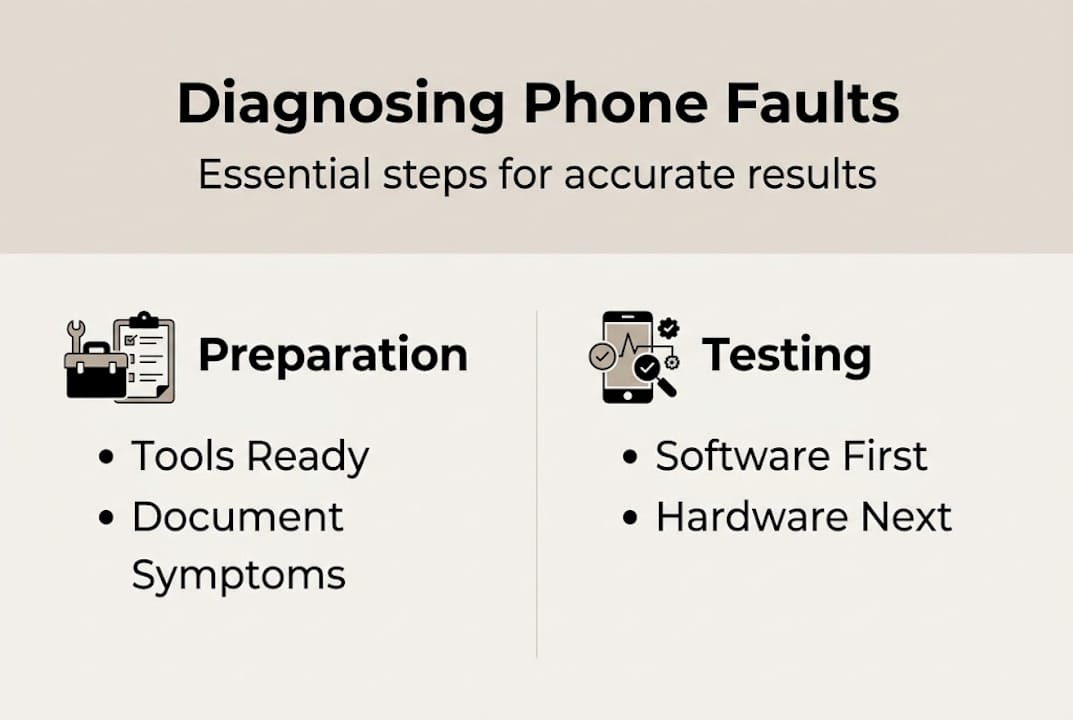
With symptoms documented and tools prepared, you can now work through a logical test sequence. The rule is simple: software first, hardware second. This order prevents unnecessary disassembly and keeps the process clean.
Step 1: Run built-in software diagnostics Many handsets include hidden diagnostic menus. On Samsung Galaxy devices, dialling #0# opens a full hardware test interface. Motorola devices offer the Device Help app. For broader compatibility, third-party apps like Phone Doctor Plus test sensors, cameras, battery health, and screen function in minutes. As PCMag confirms, these built-in diagnostic tools can identify sensor and camera faults without opening the phone at all.
Step 2: Attempt a soft reset and software restore If the diagnostic app flags a software conflict, a factory reset (with data backed up beforehand) often resolves it. This step rules out software as the cause before hardware testing begins.
Step 3: Cold testing with a multimeter With the phone powered off, use your multimeter to check resistance and continuity across key components. Experienced technicians use cold testing methods to identify dead shorts on power rails and faulty passive components without any risk of further damage from live voltage.
Step 4: Hot testing with the DC power supply Once cold testing is complete, connect the DC power supply and observe current draw as the device attempts to boot. Normal boot current curves are well-documented by model. Spikes or flat lines indicate specific fault areas, pointing you toward the right IC or component. A guide on testing phone components covers this process in depth for common handset models.
| Method | Power state | What it reveals |
|---|---|---|
| Cold testing | Off | Shorts, open circuits, component resistance |
| Hot testing | On (via DC supply) | Boot faults, current draw anomalies, voltage rails |
| Software diagnostics | On (normal boot) | Sensor failures, software conflicts, camera/screen |
Pro Tip: Log every reading in a notebook or digital doc as you test. If your first diagnosis is wrong, your notes tell you exactly which tests you’ve already completed, saving significant time on the second pass.
The diagnosing phone issues process rewards patience. Rushing a step because a fault looks obvious is how technicians end up ordering parts they don’t need. A remont services comparison of professional repair workflows consistently shows that structured testing reduces repeat repairs significantly.
Verifying results and avoiding common mistakes
Diagnosing the fault is only part of the job. Verifying your diagnosis before and after the repair is what protects your time and your customer’s trust.
Post-repair verification steps:
- Test the replaced component under normal operating conditions for at least 10 minutes
- Rerun the same built-in or app-based diagnostics you used in the initial assessment
- Check for related symptoms that may have been masked by the primary fault
- Observe charge cycles and screen behaviour before returning the device
- Confirm no new faults were introduced during disassembly (flex cable seating, screw torque)
As PCMag’s diagnostic best practices reinforce, always back up data before any advanced reset or testing procedure. Losing customer data during a repair is one of the most damaging outcomes for any technician’s reputation.
Common mistakes to avoid:
- Skipping ESD precautions: static discharge can kill a component without any visible sign
- Opening the phone too early: disassembly before software checks wastes time and adds risk
- Replacing parts without testing: fitting a new battery into a phone with a shorted board simply destroys the new battery
- Not documenting changes: if the repair fails, undocumented changes make re-diagnosis far harder
- Rushing the observation period: some faults are intermittent and only appear under load or heat
Pro Tip: Keep a simple repair log with the device model, fault description, test readings, part replaced, and outcome. After 20 or 30 repairs, patterns emerge that sharpen your diagnostic instincts considerably.
Understanding common repair mistakes is as important as mastering the techniques themselves. Familiarity with repair terminology also helps when sourcing parts or communicating faults to suppliers.
Why systematic diagnosis is more effective than guesswork
Here’s something worth saying plainly: most failed repairs aren’t caused by lack of skill. They’re caused by impatience. A technician who “knows” a symptom and immediately orders a part is gambling, not diagnosing. They might be right seven times out of ten, but the three failures cost more in parts, time, and customer confidence than any shortcut is worth.
Systematic diagnosis changes the equation entirely. When you follow a consistent process, from symptom documentation through software checks, cold testing, and hot testing, you build a repeatable framework. That framework works on a handset you’ve repaired fifty times and on a model you’ve never seen before.
For DIY repairers, the benefit is financial. Ordering the wrong part is an expensive mistake. For professionals, the benefit is efficiency. A structured approach to diagnosing common faults means you close jobs faster with fewer comebacks. Both groups gain something equally valuable: confidence rooted in evidence rather than instinct. That confidence compounds. Every repair you document and verify makes the next diagnosis sharper, faster, and more reliable.
Next steps: Access quality tools and guides for reliable phone diagnostics
Knowing the process is the first step. Having the right tools and parts to execute it reliably is the next. At Buy2Fix, we supply a broad range of repair components and accessories for iPhone, Samsung Galaxy, Huawei, Xiaomi, OPPO, and more, all quality-checked before dispatch. Whether you’re kitting out a new workshop or sourcing a specific replacement part, our inventory is built for both DIY repairers and professional technicians. Browse our expert guide on buying phone repair tools to find exactly what your diagnostic setup needs. Free UK mainland shipping and a 30-day return policy mean you can order with confidence.
Frequently asked questions
What is the first step before diagnosing a phone issue?
Always back up your device data to prevent loss before testing or performing resets. Data loss during diagnosis is avoidable and entirely on the technician if this step is skipped.
Which tools are essential for diagnosing mobile phone faults?
A multimeter, DC power supply, microscope, soldering iron, and ESD tweezers are crucial for both professionals and DIY enthusiasts. Each serves a distinct diagnostic function that the others cannot replicate.
How can you distinguish between hardware and software faults?
Use built-in diagnostic codes and apps to check software first; persistent issues after a clean software test typically indicate hardware faults. Samsung’s #0# code and Phone Doctor Plus are reliable starting points.
Is it safe to open the phone for diagnosis without proper tools?
No; improper tools or lack of ESD protection can cause further damage and data loss. Fitting the right ESD-safe equipment before opening any device is non-negotiable.
What are common symptoms of phone battery failure?
Rapid drain, overheating, and swelling are the clearest indicators of a failing battery cell. A swollen battery in particular should be treated as urgent due to the risk of further damage.
Recommended
- Diagnosing Common Phone Issues: Practical Solutions – buy2fix
- How to test phone components: A step-by-step guide – buy2fix
- Diagnose phone battery issues: a step-by-step UK guide – buy2fix
- How to Identify Phone Model: A Step-by-Step Guide – buy2fix
- Mobilā telefona diagnostikas process soli pa solim uzņēmumiem
Let customers speak for us
I ❤️ love it, it's absolutely amazing I'm sooo happy 😊

Great

I saw this item and it was just what I was looking for. I found it here but not in Amazon or e-bay. However, it was in UK, I was surprised to find that they were able to ship it to the US. Excellent company, would do business with again

This is great for when out and about, to sharpen either coloured pencils, or watercolour pencils….would order again.

Great items would bye again

I have purchased several items from this store before. Recently, I encountered an issue with my latest order. After reporting the problem to customer support, they were consistently attentive and made every effort to resolve the situation. Upon investigation, they acknowledged the issue and promptly fixed it. This experience has increased my level of trust in this store.
Thank you so much. I'm so happy.

très bien

BC70 Car Bluetooth 5.0 FM Transmitter Radio Adapter Dual Display Wireless Handsfree Call MP3 Music Player QC3.0 PD USB Charger

A quite sturdy cover, if you are looking for full protection and a more business-like style, this cover perfectly fulfills its purpose.
The shipping was fast, and it was delivered in perfect condition.

For LG TV Bluetooth Handheld Infrared Voice Multi-Function Remote Control(AKB75855501)

Tusen tack för bästa service och produkt som jag vänlig önskar dig tack

Works correctly and no issues so far

Took a while to get here but it was all good, watch looks brand new after replacement

What a fantastic 👏🏻 stylish case that has helped my phones temperature in the heatwave!!
Perfect 👌🏻 also it's cool as f##k
