

Master phone flex cables for smarter mobile repairs
TL;DR:
- Flex cables are precision-engineered components uniquely designed for specific signals and device models, making compatibility essential. Most failures stem from mechanical damage, liquid ingress, or connector issues, but proper diagnosis often reveals seating or routing problems instead of cable faults. Correct handling of ZIF connectors, accurate routing, and cautious replacement practices are crucial to prevent further damage and ensure reliable repairs.
Flex cables are not all the same. That assumption costs repair technicians time, money, and credibility when a replacement part arrives and simply will not work. These thin strips of circuitry are precision-engineered components, and swapping in the wrong one can kill a device just as surely as the original fault. Whether you are a weekend DIYer tackling your first charging port repair or a bench technician handling twenty jobs a week, understanding how flex cables work, why they fail, and how to handle them correctly separates a confident repair from an expensive mistake.
Table of Contents
- What are phone flex cables?
- Identifying common flex cable failures
- The role of connectors: ZIF and installation tips
- Mechanical stress and flex cable fatigue
- DIY vs professional flex cable repair approach
- Why flex cable diagnostics are underrated: Practical lessons from real repairs
- Find genuine flex cable parts and expert advice
- Frequently asked questions
Key Takeaways
| Point | Details |
|---|---|
| Flex cables are specialised | Phone flex cables are engineered for specific functions and cannot be swapped across models. |
| Common failures have distinct symptoms | Intermittent or dead device features often signal flex cable issues tied to their electrical functions. |
| ZIF connectors offer safe handling | Zero insertion force connectors aid repeated repairs by minimising cable stress and installation risk. |
| Mechanical stress leads to fatigue | Repeated bending and poor routing accelerate flex cable failure. |
| DIY repair varies by complexity | Some flex cable faults can be fixed at home, but IC-related repairs demand professional technique. |
What are phone flex cables?
A phone flex cable is a flexible printed circuit (FPC) or flat flexible cable (FFC) that connects different subassemblies inside a mobile device. Unlike a standard wire, a flex cable carries multiple signal types simultaneously across precisely spaced copper traces laminated onto a thin polyimide film. This design allows it to bend, route around tight corners, and occupy minimal space inside a densely packed chassis.
Phone flex cables are thin flexible printed circuits engineered for specific signal types, pin counts, pitch, and flex/bend behaviour, rather than being interchangeable generic ribbon. This matters enormously in practice. A cable designed to carry display signals operates at completely different electrical tolerances than one routing power to a charging port. Using the wrong cable is not merely a compatibility issue; it risks damaging the logic board.
The critical matching parameters for any flex cable purchase are:
- Pitch: the spacing between individual copper traces, measured in millimetres
- Pin count: the exact number of signal and power lines the connector carries
- Connector style: ZIF (zero insertion force), non-ZIF, or board-to-board
- Cable length and routing geometry: specific to each device model and revision
Here is a quick-reference overview of where flex cables appear in common devices:
| Device component | Flex cable function | Typical connector type |
|---|---|---|
| Charging port assembly | Power, data, microphone signals | ZIF or direct solder |
| Display/LCD assembly | Video signal, touch controller, ambient sensor | ZIF multi-pin |
| Front camera module | Image data, IR sensor for Face ID | Board-to-board |
| Flashlight/torch | Power and switch signals | Small ZIF |
| Wi-Fi/antenna routing | RF signal routing | Coaxial or flat |
“The pitch and pin count of a flex cable are non-negotiable specifications — even a single mismatched pin can result in complete functional failure of the connected subassembly.”
For example, the charging port flex cable for iPhone 13 Pro is colour-specific because Apple routes slightly different cable geometries and connector orientations by housing variant. Ordering the correct colour variant is not cosmetic pedantry; it is about getting the right cable geometry for the job.
Identifying common flex cable failures
Understanding failure modes is where diagnostic skill really begins. Flex cable failures generally fall into three categories: mechanical damage, liquid ingress, and electrical connector issues. Each category produces a recognisable symptom profile, and experienced technicians learn to read those profiles before they ever open a device.
Intermittent charging or a completely dead port in iPhones such as the 14 Pro Max commonly traces back to the bottom charging port flex assembly being loose, physically damaged, or affected by liquid. This is one of the most frequent repairs on premium iPhones, and the symptom pattern is distinctive: charging works sometimes, fails other times, or stops entirely with no other warning.
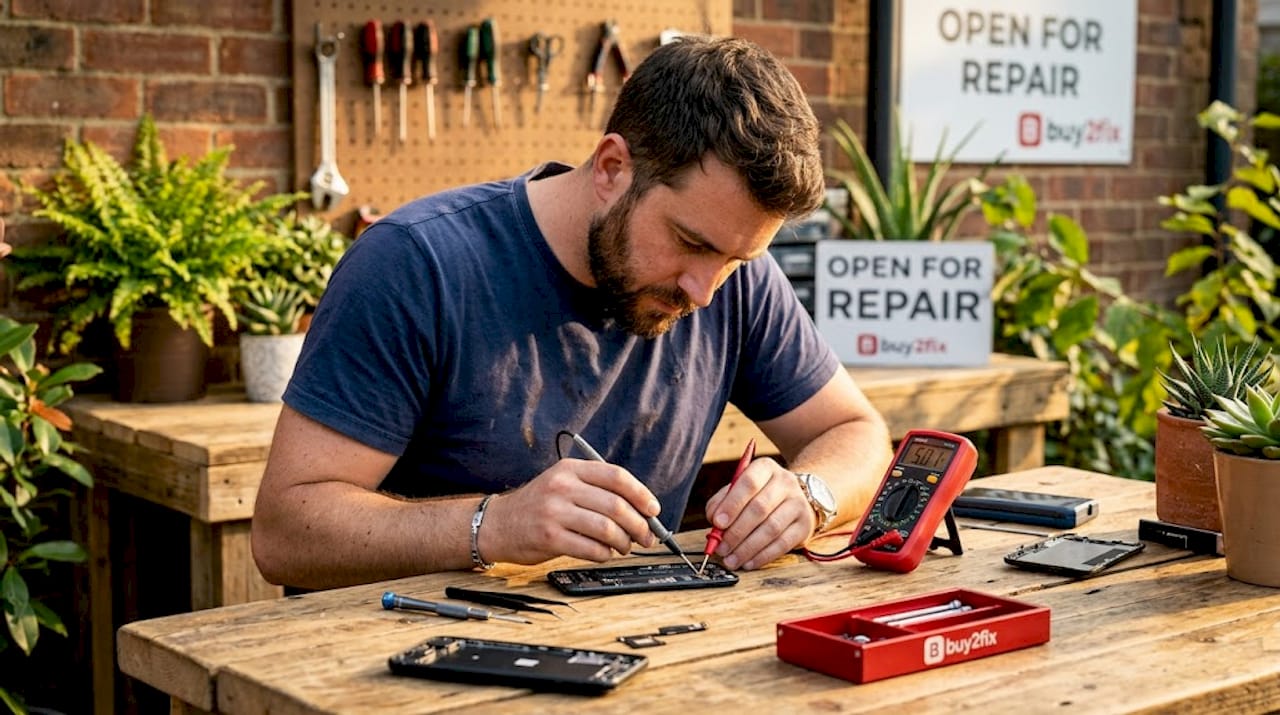
Flex cable symptom patterns correspond closely to electrical functions carried on the flex itself. An iPhone LCD flex cable, for instance, carries display video signals, touch controller signals, and in some models ambient light sensor data. That is why a damaged LCD flex does not always kill the display outright. Instead, it can produce display banding (horizontal or vertical lines), intermittent touch response, or ghost touches, depending on which traces are affected.
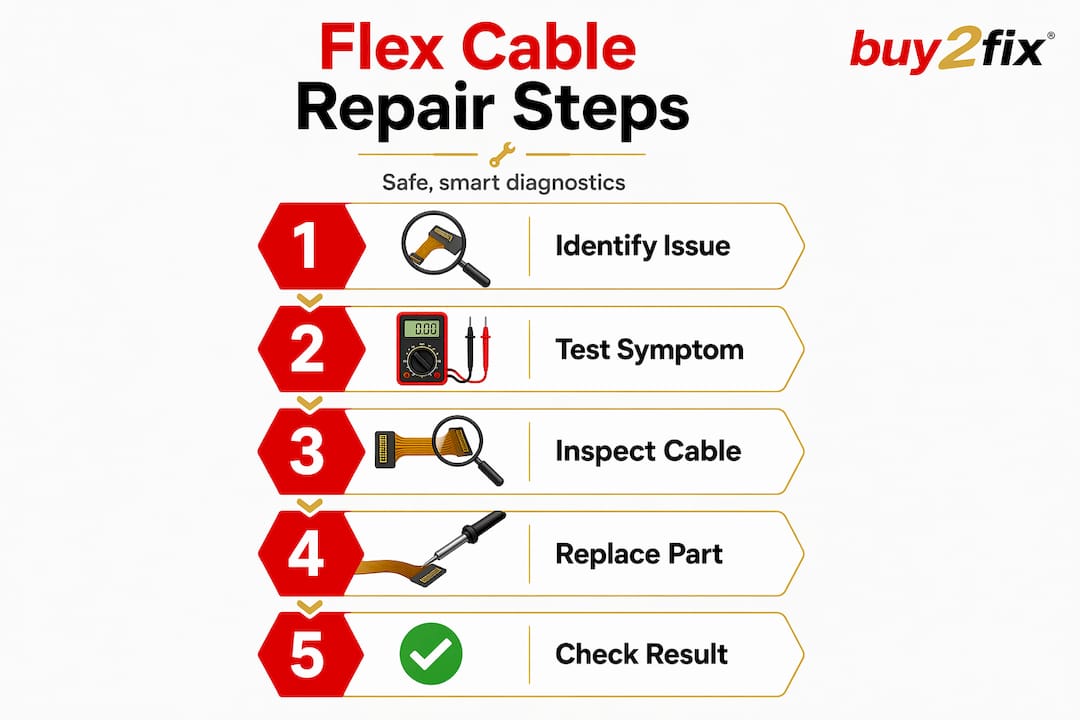
Here is a systematic troubleshooting sequence that saves unnecessary replacements:
- Reseat the connector first. Many failures are connector seating issues, not cable damage. Power down, lift the connector latch (on ZIF types), slide the cable fully home, and relock.
- Inspect under magnification. Look for crease lines, burn marks, discolouration from liquid, or lifted traces near the connector end.
- Test functionality after reseating. If the symptom resolves, the cable is likely intact. Document it and monitor.
- Check for corrosion on the connector pads. Liquid damage often shows as green or white residue on the gold contact pads, which can be cleaned carefully with isopropyl alcohol.
- Replace only after all other checks fail. A confirmed visual fault, persistent symptom post-reseating, or corrosion that cannot be cleaned warrants replacement.
Pro Tip: When diagnosing display issues, always test the original cable in a known-good screen first. Swapping the screen before testing the flex wastes a good display and may mislead your diagnosis.
For iPhone 13 Pro variants, colour matters at the parts level. The charging port flex for iPhone 13 Pro Gold and the charging port flex for iPhone 13 Pro Blue are model-specific, and using the wrong variant can cause fitting issues or connector misalignment that reads as a fault when the cable itself is fine.
| Symptom | Most likely flex cable involved | Immediate action |
|---|---|---|
| No charging / intermittent charge | Charging port flex | Reseat, inspect, replace |
| Display lines or dead zones | LCD/OLED display flex | Reseat display connector |
| Ghost touch or no touch response | Digitiser/touch flex | Inspect touch connector |
| No microphone during calls | Charging port flex (mic routed here) | Reseat port flex |
| Torch not working | Flashlight flex | Check flashlight connector |
The role of connectors: ZIF and installation tips
The connector is arguably the most vulnerable point in any flex cable repair. Forcing a connection, bending the cable at the wrong angle, or forgetting to unlock a ZIF actuator before removal are among the most common mistakes that turn a straightforward repair into a board-level problem.
ZIF connectors use an actuator (lever or slider) to retain the flex cable once seated, enabling safer repeated service compared to forcing a cable into a non-ZIF style connection. The actuator must be fully lifted (or slid back, depending on the type) before the cable is inserted or removed. Attempting to pull a locked ZIF connector tears the copper traces at the cable end, which cannot be repaired.
Key handling rules for flex connectors:
- Always identify the connector type before touching it. ZIF connectors have a visible latch or slider; non-ZIF types are friction-fit or soldered.
- Use the correct spudger or flat tool to lift ZIF actuators. Metal tools near gold pads risk scratching or shorting traces.
- Align before pressing. Flex cables have a direction. Confirm the cable is straight and fully inserted before locking the actuator.
- Never use excessive force. If the cable will not seat, it is the wrong part or the wrong orientation.
- Protect nearby components. Use kapton tape to cover adjacent connectors and shield them from accidental contact during installation.
Pro Tip: Invest in anti-static tweezers with fine tips and a headband magnifier or a digital microscope. Working at proper magnification on ZIF connectors reduces the chance of misalignment by a significant margin, especially on sub-1mm pitch connectors in flagship devices.
“A ZIF connector damaged by forced removal is not covered by any warranty and typically requires micro-soldering to repair, which costs considerably more than the original flex cable replacement.”
The flashlight flex cable for iPhone 13 Pro and the Wi-Fi signal flex cable for iPhone 13 Pro are both examples of short, precisely routed cables with small ZIF connectors that demand careful handling. Rushing either of these jobs is how technicians end up with a secondary fault they did not start with.
Mechanical stress and flex cable fatigue
Even if a flex cable is installed perfectly and never encounters liquid, it can still fail over time. Mechanical fatigue is the result of repeated bending, twisting, or stress concentration at a fixed routing point. Every time a phone flex is bent past its rated radius, microscopic cracks form in the copper traces. Over hundreds or thousands of cycles, those cracks grow until the trace breaks entirely.
Flex cables can fail from repeated mechanical stress and fatigue at bend and routing points. The well-documented MacBook Pro “Flexgate” issue illustrates this precisely: the display flex cable was too short, causing it to be stressed with every open and close cycle until thin copper traces cracked and backlight failures began appearing. The same principle applies inside smartphones, particularly in hinge-style foldable devices where cables must withstand tens of thousands of bend cycles.
Symptoms of mechanical fatigue in phone flex cables typically appear as:
- Intermittent faults that worsen in cold temperatures (metal contracts, widening existing cracks)
- Symptoms that come and go depending on how the device is held
- Progressive degradation, such as a display that develops increasing numbers of dead lines over weeks
- Faults that appear after a phone has been dropped, even if there is no visible external damage
| Fatigue risk factor | Effect on cable | Mitigation |
|---|---|---|
| Short cable routing | High stress at connector | Verify correct part length |
| Sharp bend radius | Trace cracking at fold | Route gently, no 90-degree bends |
| Repeated flexing (hinge devices) | Cumulative micro-fractures | Use fatigue-rated flex for foldables |
| Improper reinstallation | Uneven stress distribution | Follow routing path precisely |
The charging port flex cable for iPad mini 6 is a good example of a cable that must be reinstalled along its exact original routing path. Deviating from the designed route during reassembly introduces a stress point that simply was not there from the factory, and it shortens the replacement cable’s working life considerably.
“A correctly routed flex cable should lie flat without being pulled taut or forced into a sharp bend. If it looks wrong, it probably is wrong.”
DIY vs professional flex cable repair approach
Not every flex cable job is created equal. Some repairs are genuinely accessible to careful DIYers with basic tools; others require professional equipment, micro-soldering skill, or specialised knowledge to avoid causing further damage.
Use this decision-making sequence before starting any flex cable repair:
- Confirm the cable is the only fault. Has the connector been reseated? Has the device been tested with a known-good cable?
- Identify whether the flex includes integrated ICs. Some flex assemblies carry functional chips (such as touch controllers) that cannot simply be swapped; they require IC transplant or full module replacement.
- Assess the connector type. ZIF connectors are DIY-friendly. Direct solder connections require a rework station and are not beginner territory.
- Check part availability. Genuine or OEM-quality parts from reputable UK suppliers reduce the risk of installing a sub-standard replacement that fails within weeks.
Repair methodology should be chosen based on whether the flex includes functional ICs; some repairs can be flex-only, while others require IC transplant or module replacement to preserve full functionality.
| Repair type | DIY suitable? | Professional tools needed? | Risk level |
|---|---|---|---|
| Charging port flex swap | Yes, with care | No | Low to moderate |
| Display flex replacement | Yes, on most models | No | Moderate |
| Touch IC flex swap | No | Yes (rework station) | High |
| Sensor flex with embedded chips | No | Yes | High |
Pro Tip: If you find a flex cable that is damaged but its connector pads are pristine, photograph the routing path and cable geometry before removal. That photo is invaluable when threading the new cable back through antenna channels, brackets, and screw posts.
For iPad mini 6 repairs, both the charging port flex in grey and the charging port flex in pink are model-specific variants. Using the correct colour-matched part ensures you receive the correct cable geometry for that housing variant, not just the matching exterior.
Why flex cable diagnostics are underrated: Practical lessons from real repairs
Here is a perspective that many training courses and tutorial videos gloss over entirely: most flex cable replacements are premature. In our experience reviewing repair workflows, technicians frequently replace flex cables when the actual fault is a loose connector, a bent actuator latch, or installation-introduced stress from a previous repair. The cable itself is innocent.
This matters for several reasons. First, unnecessary replacements cost the customer money. Second, they introduce new failure risks because every cable removal and reinstallation cycle adds wear to the connector pads. Third, they mask the real issue, which may return even after the new cable is fitted.
The most diagnostic thing a technician can do is slow down and read the symptom pattern before reaching for a replacement part. Intermittent faults that change with handling almost always point to a seating issue. Progressive faults that worsen steadily usually indicate fatigue or corrosion. Sudden dead failures after a drop suggest physical damage or dislodgement.
Charging port flex issues on iPhone 13 Pro Max Black follow predictable patterns that, once recognised, allow for much faster and more accurate diagnosis. Experienced technicians stop guessing and start reading.
The industry would benefit enormously from a shift in mindset: treat the flex cable as the last suspect in a diagnostic sequence, not the first. Reseat, inspect, test, and only then replace. That approach reduces comebacks, builds customer trust, and improves the overall standard of repair practice.
Find genuine flex cable parts and expert advice
At Buy2fix, we supply OEM-quality and genuine flex cables for iPhones, Samsung Galaxy, Huawei, Xiaomi, OPPO, and a wide range of tablets including iPad mini and iPad Pro models. Every part goes through quality checks before dispatch, and all orders to UK mainland addresses ship free. Whether you need a single charging port flex for a quick turnaround or are stocking a repair shop with a broad range of replacement parts, our catalogue covers both DIY buyers and professional technicians. We back eligible parts with warranty support and a 30-day return policy, so you can order with confidence and focus on getting repairs right the first time.
Frequently asked questions
Are phone flex cables interchangeable between models?
No. Flex cables are engineered for specific signal types, pin counts, pitch, and connector styles, so using the wrong cable in a device risks immediate functional failure or logic board damage.
What is a ZIF connector and why does it matter?
A ZIF connector uses an actuator such as a lever or slider to retain the flex cable once seated, enabling safer removal and reinsertion compared to friction-fit connections that must be forced into place.
What symptoms signal a failing phone flex cable?
Intermittent charging, dead ports, display banding, ghost touch, or loss of microphone function can all indicate flex damage. Symptom patterns correspond to specific electrical functions carried on the flex, and a dead charging port often traces to a loose or damaged port flex assembly.
How can I prevent flex cable fatigue?
Avoid sharp bends and ensure the cable follows its original routing path precisely during reinstallation, as repeated stress at bend points causes cumulative micro-fractures in copper traces that eventually lead to failure.
Is flex cable replacement suitable for DIY repair?
Many flex cable swaps are accessible to careful DIYers, but repairs involving IC transplants or module replacements require professional tools and skills and should not be attempted without proper equipment.
Recommended
Let customers speak for us
The acid test of any company is how they respond when things go wrong. The Buy2Fix team were efficient in dealing with my emails and resolved the issue to my complete satisfaction

For Samsung Galaxy A26 SM-A266B Original Earpiece Speaker with Cable

Very good communication throught. Good product

Well made part very strong easy to fit great value for the money

Well packed, with fast shipping :)

Exactly what the doctor ordered…great color, comfort, and durability. Trust this watch band!

Brilliant strap, second purchase, bought bracelet before. Excellent value. Thank you

Great item for splitting your Audio signal

Outstanding product!
Next level customer service.

Very satisfied but the delivery needs to get more faster...

Good price,quick delivery

Best phone case ever! This is my second one as I broke my first. Would defo recommend

Great fitting Apple Watch bands

For Apple Watch Ultra 3 / 2 / 1 49mm RedPepper Armor Metal Case Integrated Silicone Watch Band(Steel Black White)

Good price and quick postage
