


News
Smartphone Connectors: Choosing the Right Type for Repairs
Every DIY repair project grinds to a halt when you realise your replacement part has the wrong connector. This problem trips up even experienced repairers, turning a quick fix into a frustrating hunt for the right piece. Smartphone connectors form the backbone of every device, linking power, data, and signals between critical components. Knowing how these connectors work and why each type matters gives you the upper hand, helping you source the right parts efficiently for your next British repair job.
Table of Contents
- What Smartphone Connectors Actually Do
- Key Smartphone Connector Types Explained
- How Connectors Impact Repairs and Sourcing
- Avoiding Common Connector Mistakes in DIY Repairs
Key Takeaways
| Point | Details |
|---|---|
| Importance of Connectors | Connectors are vital components that facilitate power, data transfer, and signal transmission within smartphones. Understanding their roles is essential for effective repairs. |
| Connector Compatibility | Sourcing the correct connector type is crucial; mismatched connectors can lead to device damage and failed repairs. Always verify compatibility before ordering parts. |
| Risks of Proprietary Connectors | Proprietary connectors can make repairs more challenging and expensive, and may contribute to increased electronic waste when devices become unrepairable. |
| Proper Repair Techniques | Using the correct tools and techniques during disassembly and reassembly is critical to prevent damage to connectors and ensure successful repairs. |
What Smartphone Connectors Actually Do
Smartphone connectors are the hidden workhorses inside your device. They link every internal component and enable power, data, and signals to flow between parts that would otherwise sit isolated from each other.
Think of them as tiny bridges. Without connectors, your battery couldn’t power your screen, your charger couldn’t deliver electricity, and your camera couldn’t send images to storage. Each connector is engineered for a specific job, and understanding their roles helps you source replacement parts correctly.
The Main Functions Connectors Perform
Charging and power delivery is the most obvious role. Your charging port connector accepts power from the wall adaptor and routes electricity throughout your phone’s motherboard and battery.
Data transfer happens through connectors too. When you plug your phone into a computer or use certain accessories, data flows through a connector designed specifically for that purpose.
Audio connections let headphones and speakers link to your device. Some phones use internal connectors for speaker modules; others rely on headphone jack connectors for wired audio.
Camera and sensor connections attach modules to your motherboard via flexible ribbon cables. These connectors transmit image data and power signals to the camera processor.
Antenna signal transmission requires connectors that route radio frequencies without signal loss. Your phone’s signal quality depends partly on how well these connectors maintain contact.
Different connectors suit different functions:
- USB Type-C: High-speed data transfer and fast charging; standard on modern devices
- Lightning: Apple’s proprietary connector used on iPhones and iPads
- Micro-USB: Older budget phones; slower data speeds than USB-C
- Flex cable connectors: Internal ribbon cable connections for screens, buttons, and cameras
- SIM card tray connectors: Enable network connectivity
Why Connector Type Matters for Repairs
When you need to replace a charging port, screen, or camera, you must source the exact connector type. Sourcing a Micro-USB port for a phone designed for USB Type-C will leave you with parts that physically don’t fit. This is why smartphone motherboard components and their interconnections matter—every component relies on correct connector compatibility.
Mismatched connectors won’t just fail to work—they can damage your motherboard or battery if forced together.
Repair enthusiasts often discover that understanding OEM versus aftermarket parts affects connector quality and durability. Genuine connectors maintain precise tolerances; lower-quality replacements may have loose contacts that fail within months.
Connector Types You’ll Encounter
When sourcing repair parts from UK suppliers, you’ll typically encounter these internal connection types that bridge power and signal transmission for various functions. Modern smartphones feature proprietary connectors tailored to their specific motherboard designs, making precise identification essential before ordering replacements.
Pro tip: Always photograph your broken connector before ordering a replacement—snap photos from multiple angles so you can verify the part matches exactly before installation.
Key Smartphone Connector Types Explained
Smartphone connectors come in several distinct types, each designed for different devices and purposes. Understanding which type your phone uses is critical before ordering replacement parts, as mixing connector types will result in parts that simply won’t fit.
USB Type-C: The Modern Standard
USB Type-C has become the dominant connector for Android smartphones and increasingly for other devices. This connector offers two major advantages over older designs: reversible insertion and significantly faster data transfer speeds.
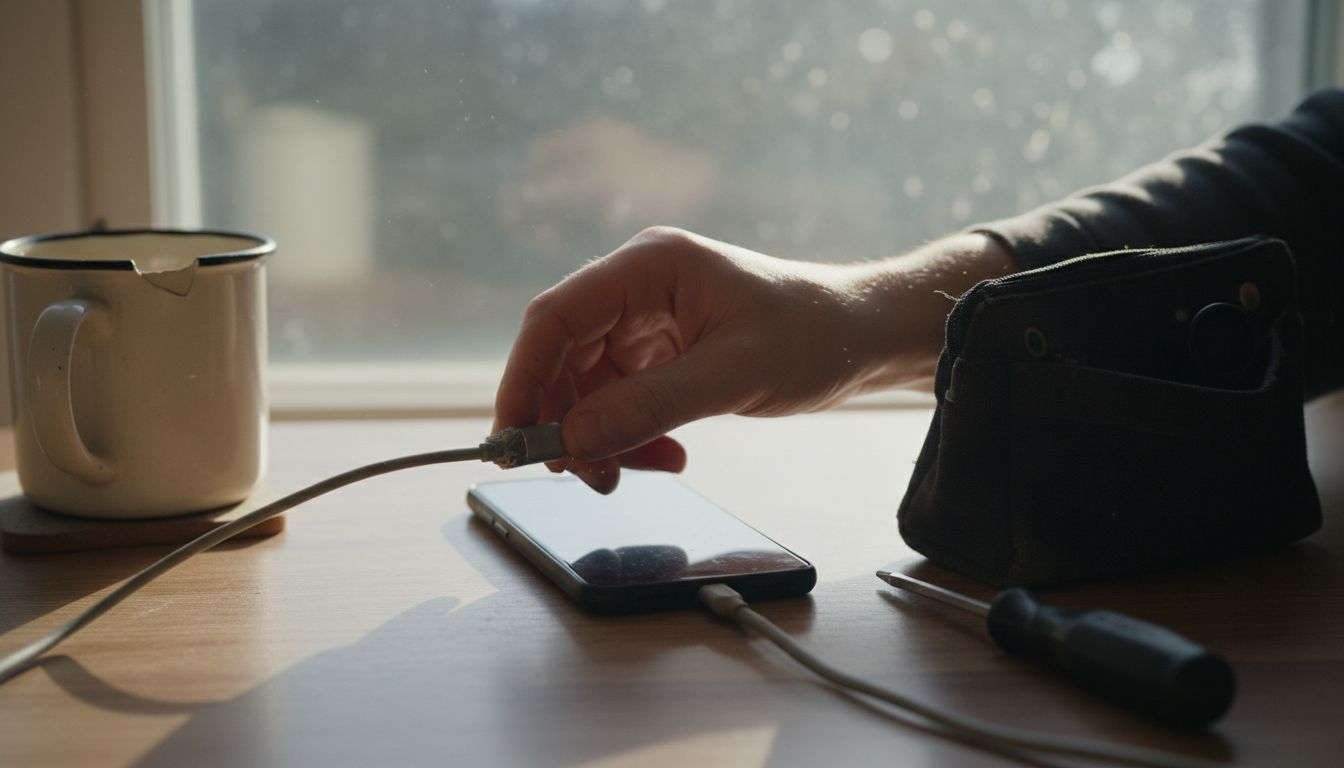
You can plug a USB Type-C cable in either direction without worrying about orientation. No more flipping the cable three times before it slides in correctly. This reversibility alone has made repairs easier for DIY enthusiasts.
USB Type-C also delivers faster charging speeds and high-speed data transfer capabilities that older connectors simply cannot match. If you’re sourcing a charging port for a modern Samsung, Google Pixel, or OnePlus device, USB Type-C is almost certainly what you need.
Lightning: Apple’s Proprietary Choice
Lightning connectors are Apple’s exclusive design used across iPhones and iPads. You’ll recognise it immediately by its distinctive eight-pin layout and compact size.
Lightning connectors are also reversible and small enough to fit into slim devices. However, they’re proprietary to Apple, which means Lightning replacement parts only work on iPhones and iPads—not on Android phones or standard computers.
When ordering Lightning connector replacements, verify the specific iPhone model carefully. Connector variations exist between iPhone generations, and sourcing the wrong part wastes money and time.
Micro-USB: Legacy Devices Still in Use
Micro-USB dominated smartphones before USB Type-C arrived. Thousands of older budget phones, some tablets, and basic feature phones still use this connector type.
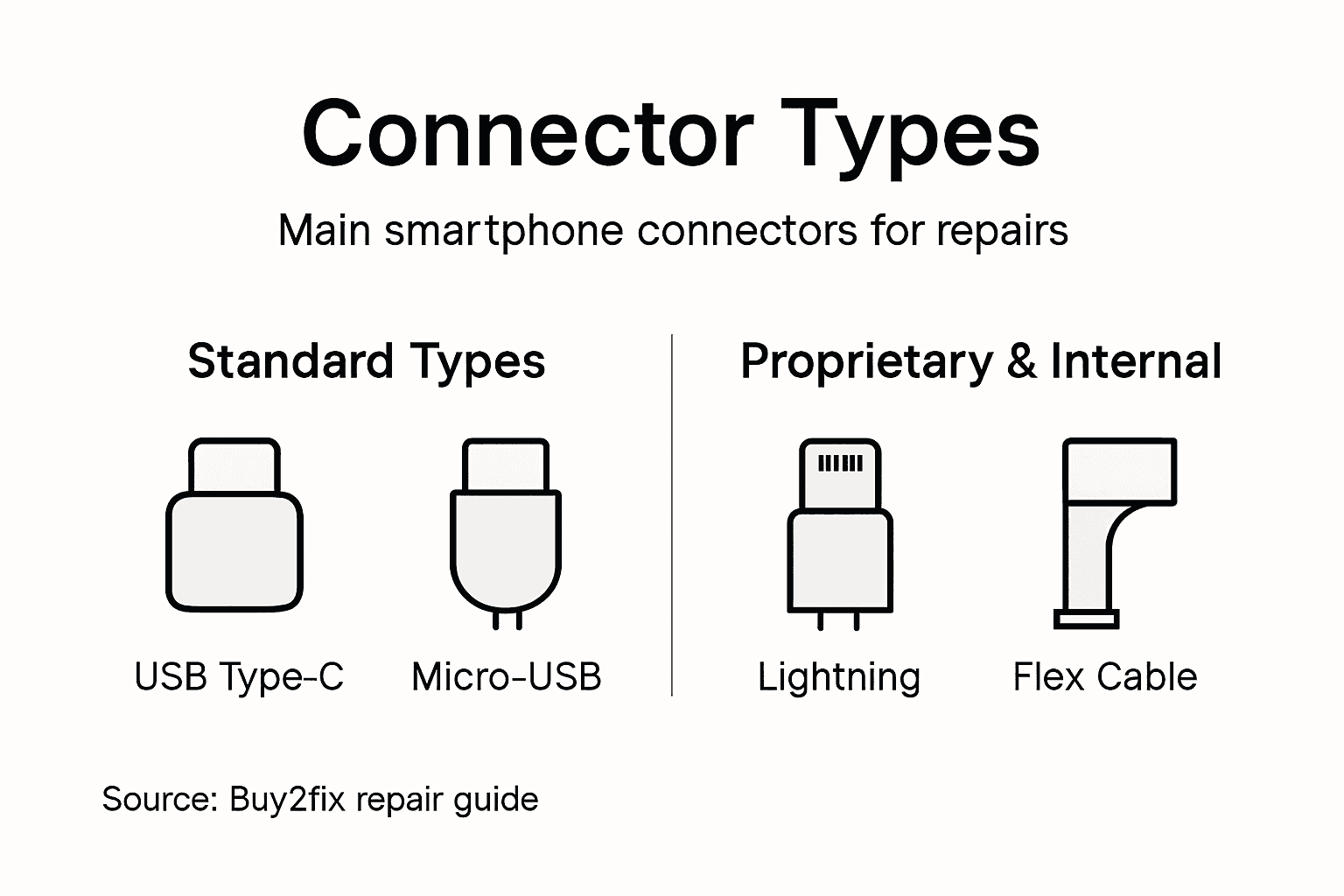
Micro-USB connectors are smaller than USB Type-A but require correct orientation—you can’t reverse them. They offer slower data transfer speeds compared to USB Type-C, though they remain adequate for basic charging.
If you’re repairing an older device or budget smartphone, Micro-USB might be your target. Stock the right type before starting work:
- USB Type-C: Modern flagship and mid-range Android phones
- Lightning: iPhones and iPads only
- Micro-USB: Older devices, budget phones, some accessories
- Proprietary connectors: Certain tablets and specialist devices
Flex Cable Connectors and Internal Connections
Internally, smartphones use different adapter types and ribbon connectors that connect screens, cameras, and buttons to the motherboard. These flex cable connectors are unique to each phone model and must match exactly.
These internal connectors don’t carry external power but transmit data and signals between components. Replacing a cracked screen requires compatible flex cable connectors, or your new display won’t communicate with the phone.
Always verify the exact connector type before ordering—using the wrong type costs you money and delays your repair.
When sourcing parts from UK retailers, provide the precise phone model and connector type. Guessing at connector compatibility leads to dead stock and wasted resources.
Pro tip: Before removing any connector, take high-resolution photographs of both sides, including any identifying markings or text printed on the connector itself—these details help you source the exact replacement part.
Here is a concise comparison of the most common smartphone connectors and their typical use cases:
| Connector Type | Speed & Power | Device Compatibility |
|---|---|---|
| USB Type-C | Fast charging, high data | Modern Android smartphones |
| Lightning | Moderate speed, small size | iPhones, iPads (Apple only) |
| Micro-USB | Slower data, basic power | Older smartphones, basic devices |
| Flex Cable | Data/signal only, no direct power | Internal screens, cameras |
How Connectors Impact Repairs and Sourcing
Connector design determines whether you can actually repair a phone or whether you’ll hit a dead end at the workbench. The right connector type makes sourcing parts straightforward; the wrong choice can make repairs impossible or prohibitively expensive.
Why Connector Accessibility Matters
Phones designed with accessible connectors allow you to replace damaged components without removing the entire motherboard. This saves time, reduces risk of causing additional damage, and keeps repair costs down.
Conversely, soldered or proprietary connectors create barriers to repair. When connectors are permanently attached to the motherboard, you cannot replace just the connector—you must replace the entire circuit board. This dramatically increases parts costs and environmental waste.
Design choices around connectors directly shape repairability. Phones with modular connector systems cost far less to repair than those with integrated designs.
Connector Type and Part Availability
Common connector types like USB Type-C have robust aftermarket supply chains. Parts are readily available, competitively priced, and widely stocked by UK suppliers. Sourcing a USB Type-C charging port takes minutes.
Proprietary connectors tell a different story. Lightning connectors and Apple-specific ribbon cables have limited supplier options. Availability gaps force you to source from specialised retailers at premium prices, or worse, accept longer lead times that delay repairs.
When you understand how to choose phone parts for your repair project, connector standardisation becomes a critical factor in decision-making.
The Repair-to-Waste Cycle
Proprietary and soldered connectors increase electronic waste significantly. When a phone becomes unrepairable because connector replacement is impossible, the entire device often ends up in landfill rather than being restored to use.
Standardised connectors that allow straightforward replacement keep devices in circulation longer. Connector accessibility shapes sustainability outcomes by either enabling repairs or forcing replacements.
Phones with accessible, standard connectors cost less to repair and produce less electronic waste.
As a DIY repair enthusiast, you benefit when manufacturers prioritise connector accessibility. Your repair options expand, parts become cheaper, and successful repairs become more likely.
See how connector choice impacts repairs, cost, and sustainability:
| Connector Type | Repair Complexity | Part Cost | Sustainability Impact |
|---|---|---|---|
| USB Type-C | Simple, accessible | Low | Good, low waste |
| Lightning | Moderate, proprietary | High | Medium, limited reuse |
| Flex Cable | High, model-specific | Medium | Poor, fit must be exact |
| Soldered | Very high, requires experts | Very high | Poor, increases waste |
Sourcing Strategy Based on Connector Type
Your sourcing approach must change based on the connector design:
- Standard connectors (USB Type-C, Micro-USB): Source from any UK parts retailer; competition keeps prices low
- Proprietary connectors (Lightning, bespoke ribbon cables): Plan ahead; identify specialist suppliers before starting work
- Soldered connectors: Accept that the component likely cannot be replaced individually
- Discontinued models: Verify parts availability before committing to the repair
Always research connector availability before beginning any repair. A 10-minute parts check prevents wasted hours of disassembly only to discover the connector is unavailable.
Pro tip: Contact your parts supplier before disassembling the phone and confirm that the exact connector type is in stock—this single step saves countless hours of frustration and protects your repair timeline.
Avoiding Common Connector Mistakes in DIY Repairs
Connector errors are among the costliest mistakes in DIY phone repair. A single careless moment can destroy a flex cable, bend a charging port, or short-circuit your motherboard. The good news is that most connector mistakes are completely avoidable with proper technique.
The Battery Disconnect Rule
Always disconnect the battery first. This single step prevents electrical damage that can render your phone permanently unusable.
When you work on connectors whilst the battery remains connected, stray electrical currents can arc across components and damage delicate circuitry. The cost of replacing a damaged motherboard far exceeds the cost of replacing the connector you set out to fix.
Disconnecting takes 30 seconds. Skip it and you risk hundreds of pounds in damage. Not worth it.
Handling Flex Cables Without Damage
Flex cables are fragile. These ribbon connectors connecting your screen, camera, or buttons to the motherboard can tear or crease permanently if mishandled.
When disconnecting a flex cable, pull gently and straight out. Never twist, fold, or apply excessive force. Preventing damage to these connectors requires precision technique rather than strength.
The connector socket itself pulls away from the flex cable ribbon—the cable does not pull away from the socket. Understand this distinction and you’ll avoid 90 percent of flex cable damage.
Using the Correct Tools
Incorrect tools cause most connector damage. Using a metal screwdriver to pry a connector loose can scratch the circuit board or bend the connector pins irreparably.
Invest in proper tools:
- Plastic spudgers: Safe for prying connectors without damaging surrounding components
- Small tweezers: Precise handling of tiny connectors and flex cables
- Anti-static wrist strap: Prevents electrostatic discharge that damages chips
- Connector extraction tools: Purpose-built tools designed for safe removal
Cheap tools cost you in repairs. Quality tools cost less than a single motherboard replacement.
Port Insertion and Force
Never force a connector into a port. If resistance exists, stop immediately and investigate. The connector may be oriented incorrectly, or the port itself may be damaged.
Force damages port contacts, bends connector pins, and can fracture the delicate internal contact springs. Once damaged this severely, port replacement becomes necessary.
Correct connectors slide in smoothly with minimal pressure. If your connector requires force, something is wrong. Find out what before continuing.
Connector Identification Errors
Misidentifying connector types before removal causes wasted effort and parts. You remove a component only to discover the replacement you ordered is incompatible.
Understanding common mistakes before they happen protects your repair timeline and prevents frustration. Photograph connectors from multiple angles before disconnecting anything.
A 10-second photograph saves you 10 hours of work and potential damage.
The Reassembly Challenge
Reassembly mistakes prove costlier than disassembly errors. Connectors can be inserted backwards, partially connected, or cross-threaded if you rush.
When reconnecting flex cables, ensure the connector is fully seated. Visual inspection helps, but a gentle tug confirms proper connection without stressing the cable. Partially connected connectors fail intermittently, creating diagnostic nightmares.
Pro tip: Test every single reconnected component before closing up the phone—a quick power test catches connection errors immediately rather than discovering them after reassembly is complete.
Find the Right Smartphone Connectors for Your Repair Needs
Choosing the correct smartphone connector is crucial for any successful repair Whether you face challenges identifying compatible USB Type-C, Lightning, or flex cable connectors, sourcing the right parts can make or break your repair project at home or professionally. Avoid costly mistakes like connector mismatch or damaged ports by trusting a specialist supplier who guarantees quality and compatibility.
At Buy2fix, we fully understand how essential precise connector types and high-quality flex cables are to restoring your device’s functionality. Our extensive inventory ranges from mobile phone repair parts including charging ports and motherboard components to flex cables and connectors tailored for a wide variety of smartphone models. Benefit from free UK mainland shipping, rigorous quality testing, and a 30-day return policy that protects your investment.
Take control of your repairs today and browse our carefully selected repair parts at Buy2fix. Don’t let connector confusion hold you back - get the perfect parts now and avoid delays with incorrect components. Your next successful repair starts here with expert support and reliable parts just a click away.
Frequently Asked Questions
What are the main types of smartphone connectors?
Smartphone connectors include USB Type-C, Lightning, Micro-USB, flex cable connectors, and SIM card tray connectors. Each type serves specific functions such as power delivery, data transfer, and communication between internal components.
Why is it important to choose the correct connector type for repairs?
Using the correct connector type is crucial because mismatched connectors can cause physical incompatibility, potentially damaging your motherboard or battery. Correct identification ensures successful repairs and prevents unnecessary costs.
How do connectors affect smartphone repairability?
Connectors that are accessible and standardised facilitate easier repairs. Phones designed with accessible connectors allow for straightforward replacements of damaged parts, while soldered or proprietary connectors can increase repair complexity and costs.
What common mistakes should I avoid when working with smartphone connectors?
Common mistakes include not disconnecting the battery before repairs, using the wrong tools, forcing connectors into ports, and misidentifying connector types. Taking proper precautions and verifying connector compatibility can help avoid costly damage.
Recommended
- Understanding How to Choose Phone Parts for Repairs – buy2fix
- Choosing Phone Accessories – Reliable Quality for Repairs – buy2fix
- Common Smartphone Repair Terms: What Every DIYer Needs – buy2fix
- Smartphone Motherboard – Crucial Facts for Repair Success – buy2fix
- Mobile App Development Services | iOS & Android | NULLBIT
Let customers speak for us
item was packaged safely, no damage. it’s now October and since replacing it in January i’ve had no issues.

Great

They had what I was looking for ... ordering was easy, payment was easy, delivery was as promised.
-

Absolutely love this case! Heavy, sturdy and full coverage

Thank You! I really love it! 😊

For Garmin Forerunner 165 20mm Two Color Textured Silicone Watch Band(Teal)

For Samsung Galaxy S26+ 5G R-JUST Sliding Camera Life Waterproof Holder Phone Case(Black)

I ❤️ love it, it's absolutely amazing I'm sooo happy 😊

Great

I saw this item and it was just what I was looking for. I found it here but not in Amazon or e-bay. However, it was in UK, I was surprised to find that they were able to ship it to the US. Excellent company, would do business with again

This is great for when out and about, to sharpen either coloured pencils, or watercolour pencils….would order again.

Great items would bye again

I have purchased several items from this store before. Recently, I encountered an issue with my latest order. After reporting the problem to customer support, they were consistently attentive and made every effort to resolve the situation. Upon investigation, they acknowledged the issue and promptly fixed it. This experience has increased my level of trust in this store.
Thank you so much. I'm so happy.
