

Tablet Repair Troubleshooting: Expert Fixes That Work
Every tablet owner knows the frustration when a device refuses to power on or keeps crashing mid-task. Whether you enjoy the challenge of fixing your own gadgets or work as a professional technician, reliable troubleshooting skills are invaluable. A methodical approach to resolving both hardware and software issues saves time, prevents extra damage, and helps you choose the right replacement parts. In this guide, you’ll gain practical troubleshooting fundamentals that boost repair confidence and efficiency.
Table of Contents
- What Tablet Repair Troubleshooting Means
- Common Tablet Faults And Their Causes
- Diagnosing Hardware Versus Software Issues
- Effective Fixes For Frequent Tablet Problems
- Avoiding Costly Tablet Repair Mistakes
- When To Seek Professional Tablet Support
Key Takeaways
| Point | Details |
|---|---|
| Systematic Troubleshooting | A structured approach is essential for identifying and resolving tablet issues effectively to avoid unnecessary damage. |
| Common Fault Mastery | Understanding prevalent hardware and software faults enables quicker diagnosis and implementation of effective solutions. |
| Professional Intervention | Seek expert help for severe damage or complex software issues to ensure proper repairs and maintain device integrity. |
| Preventative Maintenance | Regular checks and quality diagnostics can prevent common technical problems from escalating, saving costs in the long run. |
What Tablet Repair Troubleshooting Means
Tablet repair troubleshooting is a systematic process of diagnosing and resolving technical issues affecting electronic devices. At its core, this approach involves methodically identifying problems through strategic problem-solving techniques that address both hardware and software challenges.
The fundamental goal of troubleshooting technical problems is to restore device functionality efficiently and economically. This process requires understanding the intricate relationships between various tablet components and recognising potential failure points across different systems.
Key components of effective tablet repair troubleshooting include:
- Systematic diagnostic approach
- Methodical problem identification
- Comprehensive understanding of device architecture
- Logical isolation of hardware and software issues
- Strategic repair methodology
Professional technicians approach tablet troubleshooting as a structured investigation, using diagnostic tools, error message analysis, and technical expertise to pinpoint precise problems. Unlike random guesswork, this method involves a step-by-step process that minimises potential damage and maximises repair success rates.
Pro tip: Always document each diagnostic step and component condition during tablet repair to track your problem-solving process and prevent repeated mistakes.
Common Tablet Faults and Their Causes
Tablets are complex electronic devices prone to various technical issues that can significantly impact their performance and usability. Understanding these common faults helps technicians and users diagnose problems quickly and implement effective solutions.
Manufacturing defects often contribute to tablet malfunctions. Manufacturing defects range from minor material inconsistencies to significant structural problems that compromise device functionality. These issues can emerge from production processes, material quality, or design limitations.
Common tablet faults typically fall into several key categories:
-
Hardware Failures
- Screen damage and cracking
- Battery performance degradation
- Charging port malfunction
- Motherboard connectivity issues
-
Software Problems
- Operating system instability
- Application conflicts
- Firmware corruption
- Performance slowdowns
-
Connectivity Issues
- Wi-Fi signal interruptions
- Bluetooth pairing problems
- GPS tracking inconsistencies
- Mobile data connection failures
Environmental factors also play a crucial role in tablet deterioration. Exposure to extreme temperatures, humidity, physical impacts, and improper handling can accelerate component wear and increase the likelihood of technical failures. Professional technicians must consider these external influences when diagnosing tablet problems.
Pro tip: Always perform a comprehensive diagnostic scan before attempting any repairs to accurately identify the root cause of tablet malfunctions.
Diagnosing Hardware Versus Software Issues
Identifying the root cause of tablet malfunctions requires a systematic approach that distinguishes between hardware and software-related problems. Diagnostic testing methods help technicians pinpoint the exact source of device failures with precision and efficiency.
Hardware issues typically manifest through physical symptoms that are often immediately observable. These include:
-
Physical Damage Signs
- Cracked or unresponsive touchscreens
- Battery swelling or rapid drainage
- Loose or damaged charging ports
- Overheating components
- Visible hardware component deterioration
-
Software Problem Indicators
- Frequent application crashes
- Persistent error messages
- Operating system freezing
- Unexplained performance slowdowns
- Random device restarts
Professional technicians employ multiple diagnostic strategies to differentiate between hardware and software problems. This might involve running diagnostic tools, performing system checks, and conducting systematic tests that isolate specific component functionalities. The goal is to develop a comprehensive understanding of the device’s condition before attempting any repairs.
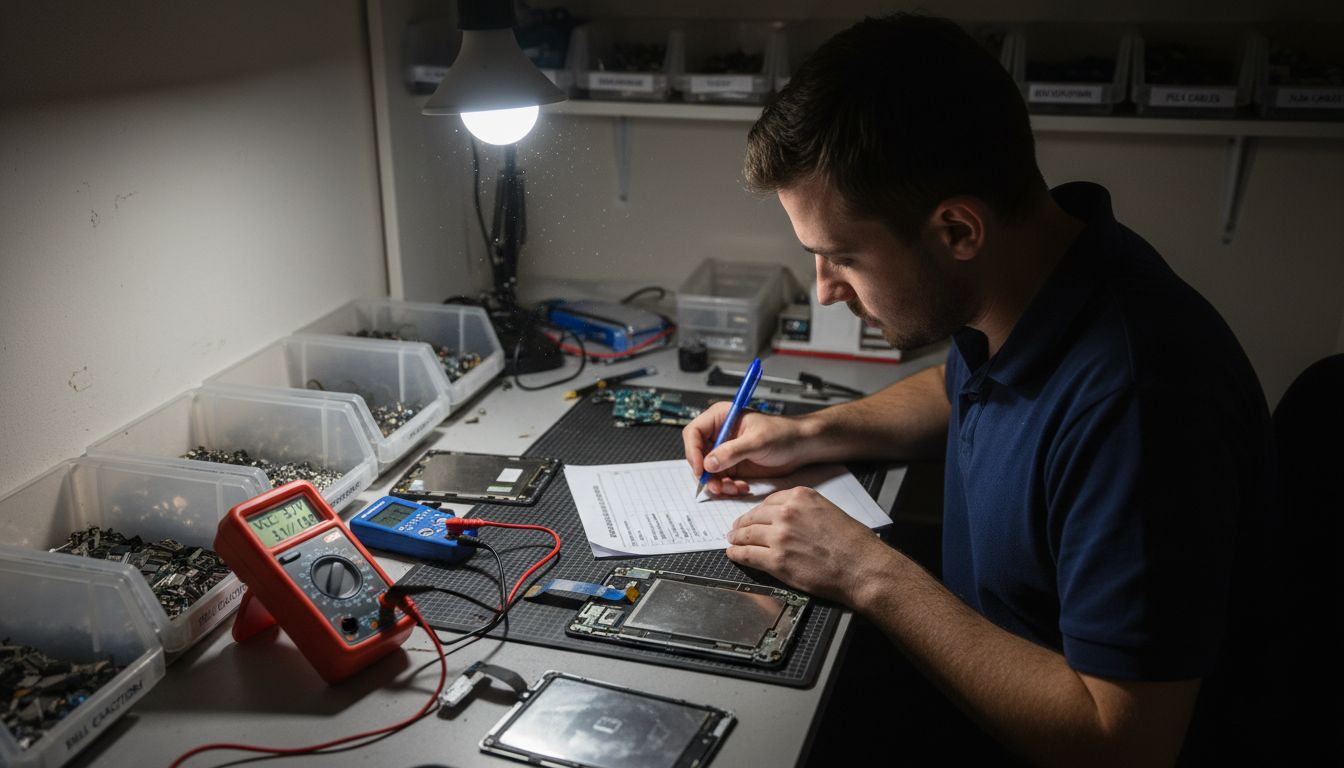
Environmental factors and user habits can significantly influence both hardware and software performance. Exposure to extreme temperatures, physical impacts, and improper maintenance can accelerate device deterioration, making accurate diagnosis even more critical for effective tablet repair.
Here is a summary comparing hardware and software tablet issues and how each type is typically diagnosed:
| Issue Type | Common Symptoms | Diagnostic Approaches |
|---|---|---|
| Hardware Problem | Physical damage, overheating | Visual inspection, component testing |
| Software Problem | Crashes, error messages | Software diagnostic tools, log analysis |
| Mixed Causes | Both physical and digital symptoms | Combined hardware and software tests |
Pro tip: Document every diagnostic step and test result to create a comprehensive troubleshooting record that guides your repair strategy.
Effective Fixes for Frequent Tablet Problems
Resolving tablet issues requires a methodical approach that combines systematic troubleshooting with targeted repair techniques. Common repair strategies can effectively address many technical problems without requiring extensive professional intervention.
Frequent tablet problems typically fall into several key categories that demand specific resolution approaches:
-
Performance Issues
- Slow system response
- Frequent application crashes
- Unexplained battery drainage
- Limited storage space
-
Connectivity Challenges
- Unstable Wi-Fi connections
- Bluetooth pairing difficulties
- Mobile data network problems
- GPS signal interruptions
-
Hardware-Related Concerns
- Unresponsive touchscreens
- Charging port malfunctions
- Battery degradation
- Physical component damage
Professional technicians recommend a structured diagnostic process that begins with basic troubleshooting steps. This involves systematically eliminating potential causes through targeted interventions such as software updates, cache clearing, application reinstallation, and controlled system resets. Understanding the specific nature of each fault enables more precise and effective repair strategies.
Environmental factors and user habits significantly influence tablet performance and longevity. Regular maintenance, careful handling, and proactive diagnostic checks can prevent many common technical issues from escalating into more complex problems.
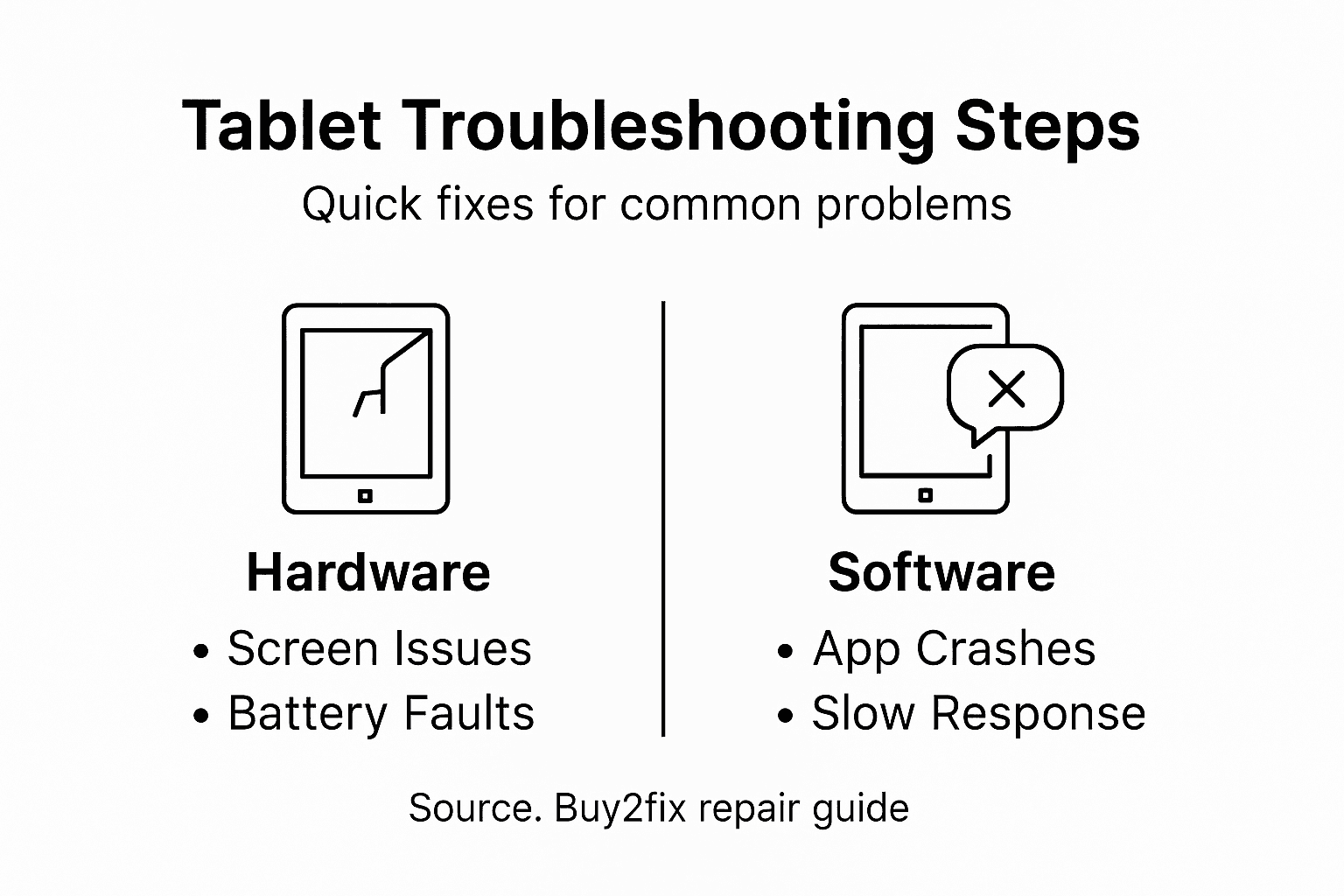
Pro tip: Create a structured diagnostic checklist that documents each troubleshooting step to streamline your repair process and track successful resolution techniques.
Avoiding Costly Tablet Repair Mistakes
Navigating tablet repairs requires strategic planning and precise technical knowledge to prevent unnecessary expenses. Common repair mistakes can transform a simple fix into an expensive technical nightmare if not handled correctly.
Key areas where technicians and users frequently incur unnecessary costs include:
-
Diagnostic Errors
- Misdiagnosing hardware versus software issues
- Replacing components unnecessarily
- Failing to identify root cause of problems
- Overlooking simple troubleshooting steps
-
Technical Intervention Mistakes
- Using incorrect repair tools
- Attempting complex repairs without proper training
- Purchasing incompatible replacement parts
- Voiding device warranties through improper interventions
-
Cost Management Pitfalls
- Neglecting preventative maintenance
- Delaying necessary repairs
- Choosing lowest-cost parts over quality components
- Failing to compare repair versus replacement costs
Professional repair strategies emphasise a methodical approach that prioritises precise diagnostics and targeted interventions. This involves carefully assessing the device’s condition, understanding manufacturer specifications, and selecting appropriate repair techniques that minimise additional damage and unexpected expenses.
Pro tip: Invest in quality diagnostic tools and maintain detailed repair documentation to track device history and prevent recurring technical issues.
When to Seek Professional Tablet Support
Navigating complex tablet issues requires understanding precisely when DIY repairs transition into professional intervention. Professional support becomes critical when technical challenges exceed standard troubleshooting capabilities and risk further device damage.
Key scenarios demanding professional tablet support include:
-
Severe Hardware Damage
- Cracked or shattered display screens
- Water or liquid damage
- Broken internal components
- Motherboard electrical failures
- Physical impact-related structural issues
-
Complex Software Problems
- Persistent operating system crashes
- Unrecoverable data corruption
- Firmware installation difficulties
- Advanced malware infections
- System-wide performance degradation
-
Warranty and Technical Complexity
- Repairs potentially voiding manufacturer warranties
- Specialised diagnostic requirements
- Components needing precision calibration
- High-risk interventions requiring specialised tools
- Advanced troubleshooting beyond standard user expertise
Professional technicians possess sophisticated diagnostic equipment and technical expertise that transcend typical user-level interventions. Their comprehensive approach ensures device integrity, data protection, and minimises the risk of additional damage during repair processes.
Below is a comparison of when to attempt DIY repair versus when to seek professional support:
| Scenario | DIY Suitable | Professional Support Needed |
|---|---|---|
| Minor software glitches | Yes, with guidance | Not required |
| Severe hardware damage | Risky/Not advised | Essential for device safety |
| Warranty concerns | Avoid DIY | Professional intervention ensures compliance |
Pro tip: Always request detailed diagnostic reports and cost estimates before authorising professional tablet repairs to understand the full scope of technical intervention.
Find Reliable Tablet Repair Parts and Accessories with Buy2fix
If you are facing challenges with diagnosing or fixing your tablet’s hardware or software problems, such as cracked screens, battery issues, or connection failures, Buy2fix offers a comprehensive solution. Our extensive range of quality Tablet & Laptop Parts includes LCD screens, charging ports, flex cables, and other essential components to help you apply expert fixes that work. We understand the pain points of systematic troubleshooting, and our inventory supports every step from diagnosis through repair.
Take control of your tablet’s performance today by choosing from our professional-grade parts at competitive prices. Benefit from free UK Mainland shipping, a 30-day return policy, and a one-year warranty that guarantees quality and peace of mind. Whether you are a DIY enthusiast or a professional technician, start your repair journey now at Buy2fix and avoid costly mistakes by equipping yourself with reliable components that save time and money.
Frequently Asked Questions
What is tablet repair troubleshooting?
Tablet repair troubleshooting is a systematic process of diagnosing and resolving technical issues affecting tablets, focusing on both hardware and software problems to restore device functionality efficiently.
What are common causes of tablet faults?
Common causes of tablet faults include manufacturing defects, hardware failures like screen damage and battery issues, software problems such as operating system instability, and connectivity issues with Wi-Fi or Bluetooth.
How can I differentiate between hardware and software issues on my tablet?
You can differentiate by observing symptoms: hardware issues often present as physical damage, overheating, or component failures, while software problems manifest as crashes, error messages, and performance slowdowns. Diagnostic tools can also help identify the specific issues.
When should I seek professional support for tablet repairs?
You should seek professional support when facing severe hardware damage, persistent software problems that cannot be resolved through standard troubleshooting, or when repairs might void your warranty or require specialised tools.
Recommended
Let customers speak for us
I ❤️ love it, it's absolutely amazing I'm sooo happy 😊

Great

I saw this item and it was just what I was looking for. I found it here but not in Amazon or e-bay. However, it was in UK, I was surprised to find that they were able to ship it to the US. Excellent company, would do business with again

This is great for when out and about, to sharpen either coloured pencils, or watercolour pencils….would order again.

Great items would bye again

I have purchased several items from this store before. Recently, I encountered an issue with my latest order. After reporting the problem to customer support, they were consistently attentive and made every effort to resolve the situation. Upon investigation, they acknowledged the issue and promptly fixed it. This experience has increased my level of trust in this store.
Thank you so much. I'm so happy.

très bien

BC70 Car Bluetooth 5.0 FM Transmitter Radio Adapter Dual Display Wireless Handsfree Call MP3 Music Player QC3.0 PD USB Charger

A quite sturdy cover, if you are looking for full protection and a more business-like style, this cover perfectly fulfills its purpose.
The shipping was fast, and it was delivered in perfect condition.

For LG TV Bluetooth Handheld Infrared Voice Multi-Function Remote Control(AKB75855501)

Tusen tack för bästa service och produkt som jag vänlig önskar dig tack

Works correctly and no issues so far

Took a while to get here but it was all good, watch looks brand new after replacement

What a fantastic 👏🏻 stylish case that has helped my phones temperature in the heatwave!!
Perfect 👌🏻 also it's cool as f##k
