

iPhone 12 camera problems: causes, fixes, and repair costs
TL;DR:
- Most iPhone 12 camera issues stem from hardware faults like OIS motor failure or lens damage, or from software glitches after updates. Repair costs typically around £90 in the UK and require genuine parts with proper software authorisation to avoid restrictions and warnings. Basic troubleshooting can resolve software problems, but persistent hardware faults demand professional replacement to restore full camera functionality.
iPhone 12 camera problems are caused primarily by hardware faults such as Optical Image Stabilisation (OIS) motor failure or physical lens damage, and by software glitches introduced through iOS updates or incompatible replacement parts. These issues affect photo clarity, autofocus, and core camera functions including Portrait mode. Knowing whether your problem is hardware or software in origin is the difference between a quick settings reset and a professional camera module replacement. This guide covers the most common symptoms, what triggers them, how software authorisation affects repairs, and what UK users can realistically expect to pay to get things sorted.
What are the most common iPhone 12 camera issues?
iPhone 12 camera issues tend to fall into two clear categories: software faults that appear suddenly and hardware failures that worsen gradually over time.
The most frequently reported symptoms include:
- Black screen in the camera app — the app opens but shows no preview, often caused by a software crash or a loose camera connector
- Blurry or distorted photos — typically linked to a dirty lens, physical damage to the glass, or OIS motor failure
- Camera app crashes — usually a software conflict, particularly after an iOS update
- Shaky or unfocused images — a strong indicator of OIS motor failure, especially if the phone has been dropped
- Green tint or colour distortion — a known iPhone 12 camera glitch that can sometimes be resolved with a software update
- Frozen video preview — where the live camera feed locks up mid-session, requiring a force quit
The OIS motor failure is one of the most damaging hardware faults because it affects every photo you take. The OIS system compensates for hand movement to produce sharp images. When the motor fails after a drop or exposure to strong vibration, such as mounting your phone on a motorbike, images become consistently blurry regardless of lighting conditions.
On the software side, the iPhone 12’s dual 12MP camera system has known limitations in low light and with fast-moving subjects, which some users mistake for hardware faults. Before booking a repair, it is worth ruling out software causes first.
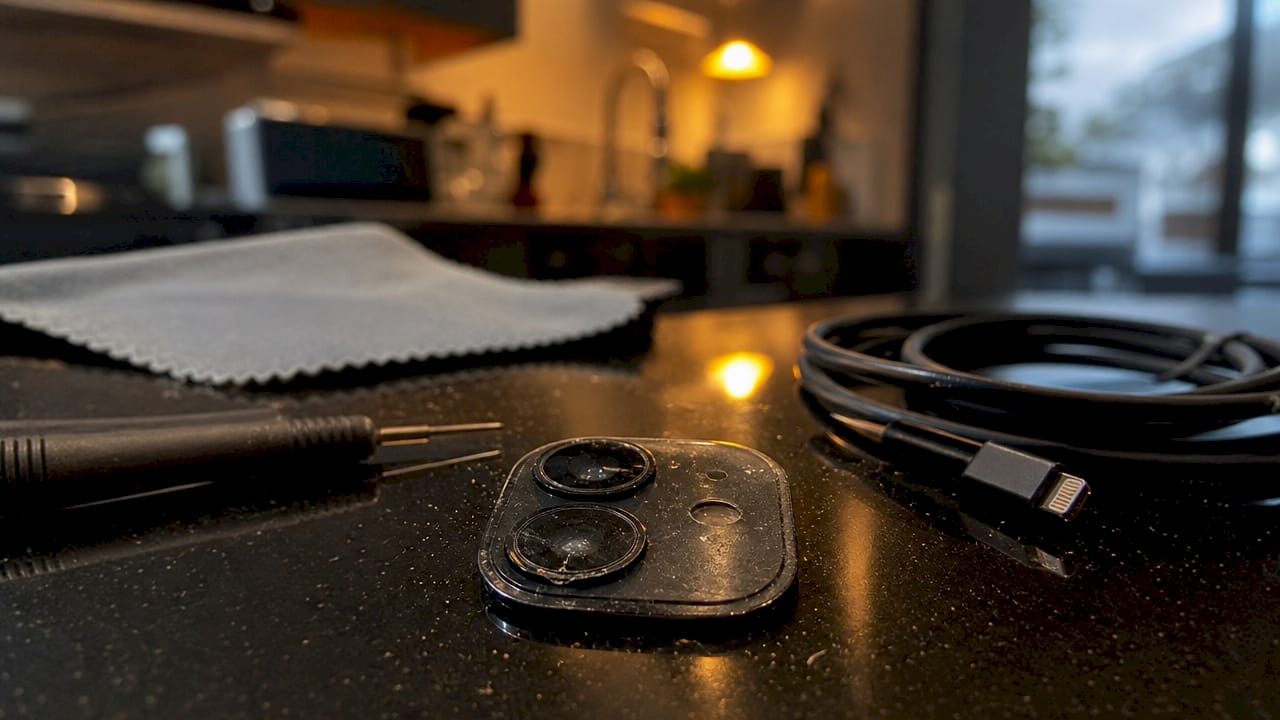
Pro Tip: If your camera produces blurry images only in low light or when photographing moving subjects, this may be a performance limitation rather than a fault. Test in good daylight first to confirm whether the issue persists across all conditions.
How do software updates and non-genuine parts affect camera performance?
Apple’s camera system on the iPhone 12 is not simply a hardware component you can swap out freely. It is tied to proprietary software authorisation, and this has significant consequences for anyone who has had an unofficial repair.
When a replacement camera module is fitted outside Apple’s authorised channels, the iPhone 12 triggers persistent warnings and functional restrictions. Specifically, non-genuine parts cause an “Important Camera Message” or “Unknown Part” notification that cannot be dismissed permanently. Beyond the warning, ultra-wide mode may be disabled entirely, and Portrait mode can fail to function correctly. Third-party camera apps are also more likely to crash when the module is not properly authorised.
iOS updates add another layer of complexity. Apple’s updates can detect unofficial repairs and introduce further restrictions, or they can resolve existing software-related camera glitches such as green tints and frozen previews. The outcome depends entirely on what caused the problem in the first place.
Here is how the authorisation issue typically unfolds after an unofficial repair:
- A third-party camera module is fitted without Apple’s software pairing process
- The iPhone detects the unrecognised component and displays a persistent warning
- Camera modes including ultra-wide and Portrait become partially or fully unavailable
- A subsequent iOS update may lock down functionality further
- The only resolution is a replacement using a genuine or Apple-authorised part, followed by proper software configuration
Replacing an iPhone 12 camera outside official Apple processes produces persistent ‘Important Camera Message’ or ‘Unknown Part’ warnings and causes partial functionality loss, notably disabling ultra-wide mode without proprietary software authorisation. — Apple Support
For anyone sourcing replacement camera parts, understanding this authorisation requirement is critical. Using a genuine Apple-compatible module and having it configured correctly is the only way to avoid these restrictions.
What are the repair options and costs for iPhone 12 camera issues in the UK?
Professional camera module replacement for the iPhone 12 in the UK costs approximately £90 including parts, labour, and return shipping. This pricing applies across the iPhone 12 range including the Mini, Pro, and Pro Max variants. At that price point, repair is almost always more cost-effective than replacing the handset outright, particularly given that a used iPhone 12 in good condition still holds reasonable resale value.
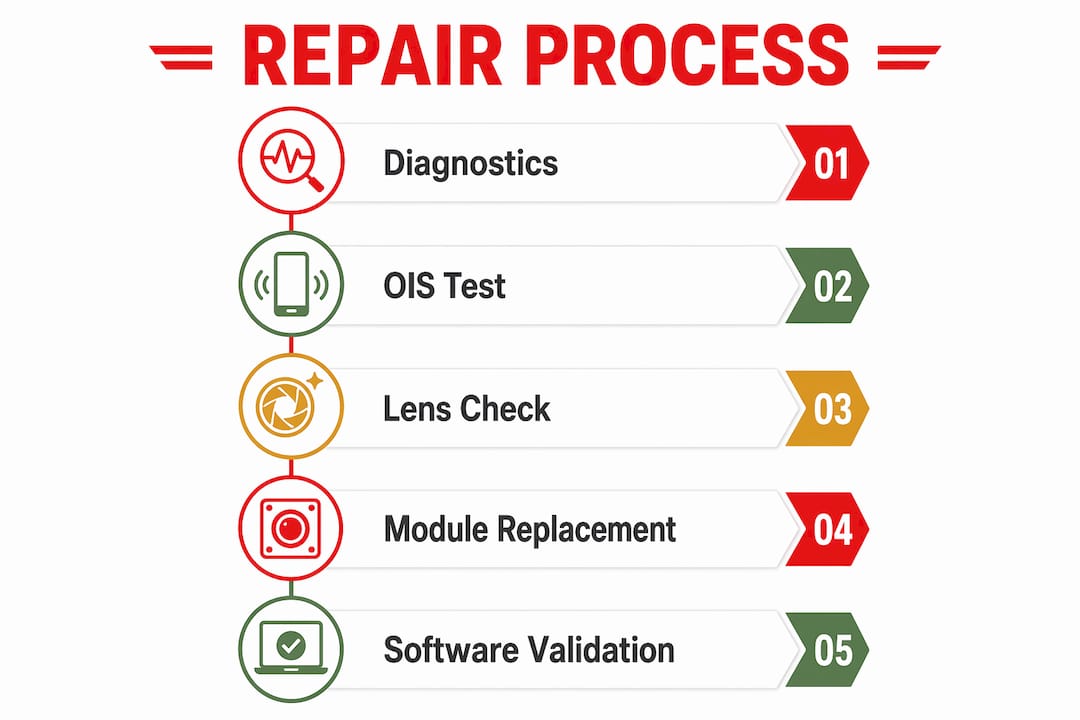
A proper professional repair involves more than simply swapping the camera module. The diagnostic and repair process typically covers:
| Stage | What it involves |
|---|---|
| Initial diagnostics | Testing OIS function, lens condition, and camera software status |
| OLED display removal | Careful removal to access the camera assembly without screen damage |
| Module replacement | Fitting a premium, genuine-compatible camera unit |
| OIS stress testing | Verifying stabilisation performance post-repair |
| Software validation | Confirming camera modes and app compatibility are fully restored |
| Screen protection | Fitting a tempered glass protector as standard on completion |
The comprehensive repair process matters because a camera swap without proper OIS testing and software validation can leave you with a phone that appears fixed but fails again within weeks.
UK users have two main routes: postal repair services, where you send the device and receive it back within a few days, and local repair workshops. Postal services are convenient if no authorised workshop is nearby, though you should always confirm the repairer uses genuine or Apple-authorised parts before sending your device.
Pro Tip: Before committing to any repair service, ask specifically whether they use genuine Apple-compatible modules and whether they perform software authorisation after fitting. A repairer who cannot answer both questions clearly is one to avoid.
For a detailed breakdown of what camera glass repairs involve separately from module replacement, the iPhone 12 camera glass cost guide covers pricing and quality considerations in full.
How to troubleshoot iPhone 12 camera problems at home
Not every camera fault requires a professional repair. Several common iPhone 12 camera glitches respond well to basic troubleshooting, and working through these steps first can save you time and money.
Start with the simplest fixes and work towards the more involved options:
- Restart the iPhone — a full power cycle clears temporary software states that cause black screens and frozen previews. Hold the side button and either volume button, then slide to power off
- Force quit the camera app — swipe up from the bottom of the screen, find the Camera app in the switcher, and swipe it away. Relaunch and test
- Clean the camera lens — use a microfibre cloth to remove fingerprints, dust, or moisture from the lens glass. A dirty lens is a surprisingly common cause of blurry iPhone 12 photos
- Update iOS — go to Settings, then General, then Software Update. Apple regularly patches camera-related bugs in point releases, and software updates resolve issues such as green tints and app crashes
- Reset all settings — go to Settings, then General, then Transfer or Reset iPhone, then Reset All Settings. This clears any misconfigured camera or accessibility settings without deleting your data
- Inspect for physical damage — check the camera lens glass for cracks or chips. Even a hairline crack can scatter light and produce consistently blurry images
If none of these steps resolve the problem, the fault is almost certainly hardware in origin. Persistent shaky images, a camera that will not focus regardless of conditions, or a black screen that survives multiple restarts all point to a module replacement being necessary. At that stage, attempting further DIY fixes risks making the situation worse, particularly if the OIS motor is involved.
Pro Tip: If your camera worked perfectly before a drop and now produces shaky or unfocused images, do not waste time on software fixes. OIS motor damage is mechanical and no software update will correct it. Book a diagnostic straight away.
For users who have already replaced their camera and are still experiencing issues, the iPhone camera glass replacement guide explains how glass damage interacts with module performance and what a proper repair should include.
Key takeaways
iPhone 12 camera problems are almost always traceable to OIS motor failure, physical lens damage, or a software conflict, and the correct fix depends entirely on identifying which of these applies to your device.
| Point | Details |
|---|---|
| OIS failure is the main hardware cause | Drops and vibration damage the OIS motor, causing persistent blur and focus failure. |
| Software updates can fix or complicate issues | iOS updates resolve some glitches but can restrict cameras repaired with non-genuine parts. |
| Non-genuine parts trigger warnings | Unofficial replacements cause “Important Camera Message” alerts and disable key camera modes. |
| UK repairs cost around £90 | Professional module replacement including parts, labour, and return shipping is typically £90. |
| Troubleshoot before booking a repair | Restarting, cleaning the lens, and updating iOS resolves many software-related camera faults. |
The OIS problem nobody warns you about
By Adewale
After years of handling mobile repair queries, the fault I see most often misdiagnosed on the iPhone 12 is OIS motor failure. Users assume their photos are blurry because of a dirty lens or a bad update. They clean the glass, update iOS, reset settings, and then book a repair frustrated that nothing worked. The OIS motor was the problem from the start.
What makes this particularly frustrating is that the iPhone 12’s OIS system is genuinely sensitive. It was not designed to survive being mounted on a motorbike handlebar or dropped repeatedly onto hard surfaces. Once the motor is damaged, no software in the world will stabilise your images. The physics simply do not work that way.
My honest advice on repairs is this: the £90 fixed-price repair is good value, but only if the repairer uses genuine Apple-compatible parts and performs proper software authorisation. I have seen phones come back from cheap repairs with the warning message still active and Portrait mode broken. The owner paid less upfront and then paid again to have it done properly.
The cost-versus-replacement calculation is also worth thinking through carefully. A professionally repaired iPhone 12 with a genuine camera module is a reliable device. A phone with a non-authorised repair and persistent software warnings is a liability, especially when the next iOS update arrives.
Protect the camera module. Use a case with a raised lip around the camera. Keep the software current. And if something goes wrong, spend the money on a repair that is actually done right.
— Adewale
Get your iPhone 12 camera repaired with confidence
If troubleshooting has not resolved your camera fault, Buy2fix stocks genuine-compatible iPhone 12 camera parts and supplies professional repair technicians across the UK. Whether you need a full camera module replacement or guidance on sourcing the right parts for a workshop repair, Buy2fix offers free UK mainland shipping, a 30-day return policy, and quality-checked stock across the full iPhone 12 range including Mini, Pro, and Pro Max variants. Fixed pricing, genuine parts, and no surprises make it a straightforward choice for getting your camera back to full performance.
FAQ
What causes an iPhone 12 camera to stop working?
The most common causes are OIS motor failure from drops or vibration, physical lens damage, and software conflicts following an iOS update. A black camera screen is usually a software fault, while persistent blur or focus failure points to hardware damage.
Can I fix iPhone 12 camera problems myself?
Basic troubleshooting including restarting the phone, cleaning the lens, and updating iOS resolves many software-related faults. Hardware faults such as OIS motor failure require professional module replacement and cannot be fixed through settings or software.
Why does my iPhone 12 show an “Important Camera Message”?
This warning appears when a non-genuine camera part has been fitted without Apple’s proprietary software authorisation. It causes functional restrictions including disabled ultra-wide mode and Portrait mode failure, and persists until the device is repaired with an authorised component.
How much does iPhone 12 camera repair cost in the UK?
Professional camera module replacement in the UK costs around £90, covering parts, labour, and return shipping. This applies across the iPhone 12 Mini, standard, Pro, and Pro Max models.
Does updating iOS fix iPhone 12 camera issues?
iOS updates resolve some camera glitches such as green tints, frozen previews, and app crashes. However, persistent hardware faults including OIS motor failure will not respond to software updates and require a professional repair.
Recommended
Let customers speak for us
The acid test of any company is how they respond when things go wrong. The Buy2Fix team were efficient in dealing with my emails and resolved the issue to my complete satisfaction

For Samsung Galaxy A26 SM-A266B Original Earpiece Speaker with Cable

Very good communication throught. Good product

Well made part very strong easy to fit great value for the money

Well packed, with fast shipping :)

Exactly what the doctor ordered…great color, comfort, and durability. Trust this watch band!

Brilliant strap, second purchase, bought bracelet before. Excellent value. Thank you

Great item for splitting your Audio signal

Outstanding product!
Next level customer service.

Very satisfied but the delivery needs to get more faster...

Good price,quick delivery

Best phone case ever! This is my second one as I broke my first. Would defo recommend

Great fitting Apple Watch bands

For Apple Watch Ultra 3 / 2 / 1 49mm RedPepper Armor Metal Case Integrated Silicone Watch Band(Steel Black White)

Good price and quick postage
