

iPhone 6s overheating: causes, fixes, and when to repair
TL;DR:
- iPhone 6s overheating is mainly caused by battery degradation and software processes that increase internal heat.
- Replacing the degraded battery with a genuine part is the most effective solution to restore normal thermal behavior and prevent damage.
iPhone 6s overheating is defined as the device generating more heat than it can safely dissipate, triggering protective system actions that slow performance or shut the phone down entirely. Apple’s guidelines specify a safe operating range of 0°C to 35°C for the iPhone 6s, with storage temperatures not exceeding 45°C before protective measures kick in. For a phone released in 2015, the combination of an ageing A9 chip, a battery well past its prime, and increasingly demanding iOS processes makes thermal problems far more common than on newer models. Understanding what drives the heat is the first step to fixing it properly.
Why does iPhone 6s overheating happen so often?
Battery degradation is the single most common cause of iPhone 6s heat issues, and it compounds with every passing year. Battery health below 80% increases internal resistance inside the cell. Higher resistance means more energy is lost as heat during every charge and discharge cycle, rather than being converted into useful power. The result is a phone that runs warm even during light tasks, and one that may shut down unexpectedly under load.

The iPhone 6s is now over a decade old. Most units in daily use have batteries that have cycled hundreds of times beyond their design life. That degradation does not just produce heat. It also triggers thermal throttling, a deliberate iOS safeguard that reduces CPU frequency and power draw when temperatures climb too high. Throttling protects the hardware, but it also explains why an overheating iPhone 6s suddenly feels sluggish mid-task.
Understanding how long iPhone 6s batteries last in real-world use helps set realistic expectations. A battery at 75% health is not just less capable. It is actively working harder to deliver the same output, and that extra effort shows up as heat.
Key battery warning signs
- Battery health reading below 80% in Settings > Battery > Battery Health
- Unexpected shutdowns during calls, navigation, or gaming
- Phone warm to the touch during basic tasks like browsing or messaging
- Charging taking noticeably longer than it used to
Pro Tip: Check your battery health before blaming software. Go to Settings > Battery > Battery Health and Charging. If the figure is below 80%, the battery is the most likely source of your heat problem.
How do software and background processes cause heat?
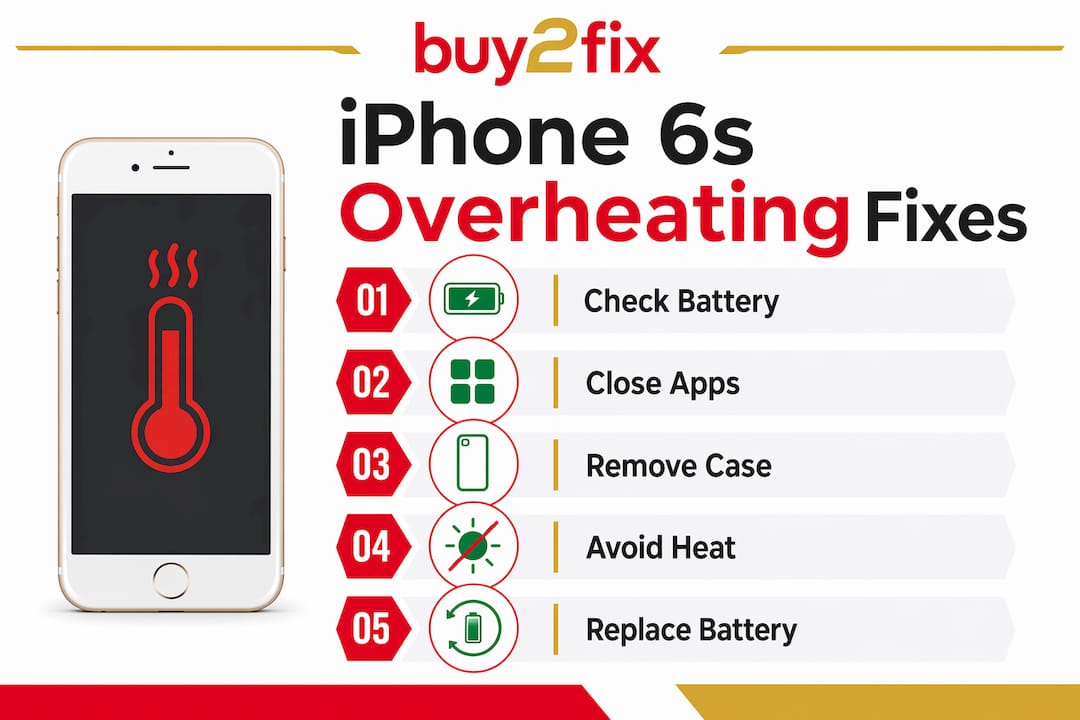
Software is the second major driver of iPhone 6s temperature problems, and it is often misread as a hardware fault. After an iOS update, the system runs intensive background tasks including re-indexing Spotlight, re-optimising photos, and rebuilding caches. This background activity typically causes temporary overheating for 48–72 hours after the update completes. Restarting the phone repeatedly during this window can actually slow the process down and prolong the heat.
High-demand apps accelerate the problem significantly. Games with 3D graphics, turn-by-turn navigation apps, and video streaming all push the A9 processor hard. On a newer phone with a healthy battery, the chip handles this without issue. On an ageing iPhone 6s, the same workload generates noticeably more heat because the battery is supplying power less efficiently and the processor has less thermal headroom.
Background App Refresh is a quieter culprit. When dozens of apps refresh their content simultaneously in the background, CPU load spikes without any visible activity on screen. Disabling Background App Refresh for non-essential apps in Settings > General reduces this load meaningfully.
- Turn off Background App Refresh for apps that do not need live updates
- Close apps that use GPS or camera continuously when not in active use
- Avoid running navigation and music streaming simultaneously during charging
- Wait 48–72 hours after an iOS update before concluding the phone has a fault
What environmental and accessory factors make heat worse?
External conditions play a larger role in iPhone 6s temperature problems than most people realise. Leaving the phone on a car dashboard in summer, using it in direct sunlight, or placing it near a radiator all push the ambient temperature beyond Apple’s recommended 35°C ceiling. Once the device is already warm from processor activity, even moderate environmental heat can tip it into the warning zone.
Cases are a particularly common and overlooked factor. Thick protective cases trap heat against the phone’s aluminium body, which normally acts as a passive heat sink. When that surface is insulated by rubber or plastic, the phone cannot shed heat effectively. The same applies to wireless charging misalignment, where the coils generate excess heat when the phone and charger are not properly positioned.
Pro Tip: Remove your case when charging or running a demanding app for an extended period. The aluminium back of the iPhone 6s is designed to radiate heat. Covering it defeats that mechanism entirely.
Avoid leaving the phone in a parked car, on a sunny windowsill, or tucked under a pillow during charging. These situations combine environmental heat with restricted airflow, which is the fastest way to trigger Apple’s temperature warning screen.
How to fix iPhone 6s overheating: step-by-step
Work through these steps in order. Each one addresses a specific cause, so the fix that works depends on what is actually driving the heat.
- Check battery health first. Go to Settings > Battery > Battery Health and Charging. A reading below 80% points to battery replacement as the primary fix, not a software tweak.
- Wait after an iOS update. If the phone became hot immediately after updating, give it 48–72 hours of normal use before taking further action.
- Force restart only when a process is stuck. A force restart clears looping processes but does not address hardware or battery-caused heat. Use it once, not repeatedly.
- Clear storage. Full storage drives high CPU usage as the system constantly manages and compresses data. Aim to keep at least 1–2 GB free at all times.
- Reduce screen brightness. The display is one of the largest power consumers on the iPhone 6s. Dropping brightness to 50% or below reduces both battery draw and heat output.
- Disable Background App Refresh. Settings > General > Background App Refresh. Turn it off globally or selectively for apps that do not need it.
- Remove the case during charging. Allow the aluminium body to radiate heat freely, especially during overnight charging.
- Seek professional repair if heat persists. Persistent warmth after all software steps points to a hardware fault, most commonly the battery.
| Step | Target cause | Expected result |
|---|---|---|
| Check battery health | Battery degradation | Identifies whether replacement is needed |
| Clear storage | High CPU from system data | Reduces background processor load |
| Disable Background App Refresh | Software processes | Lowers idle CPU activity |
| Remove case during charging | Trapped heat | Improves passive heat dissipation |
| Professional battery replacement | Worn cell with high resistance | Restores normal thermal behaviour |
When should you get a professional battery replacement?
Some signs go beyond what software fixes can address. A bulging battery is a safety issue that requires immediate professional attention. Unexpected shutdowns at 20–40% battery, persistent heat during light use, and a battery health reading below 75% all indicate the cell is past the point where software management helps.
The quality of the replacement battery matters as much as the decision to replace it. Non-genuine batteries lack the original power management integrated circuits (PMICs) that regulate charge and discharge precisely. Without proper PMICs, the replacement cell discharges inefficiently and generates more heat than the original, not less. This is why some users find their phone runs hotter after a cheap battery swap than it did before.
Certified repair services using genuine or high-quality compatible parts restore the thermal behaviour the phone was designed to deliver. For context on what to expect from a professional repair, iPhone repair guidance covers the full scope of hardware faults and what a proper fix involves.
Signs that require professional repair rather than DIY troubleshooting:
- Battery health below 75% with persistent heat during light tasks
- Unexpected shutdowns at moderate battery levels
- Visible swelling or deformation of the battery or rear case
- Heat concentrated around the charging port or battery area
- Temperature warning screen appearing during normal use
For users considering professional iPhone repair, choosing a service that uses verified parts and offers a warranty on the repair is the clearest way to avoid the same problem recurring within months.
Key takeaways
iPhone 6s overheating is almost always caused by battery degradation, and a genuine replacement is the most effective long-term fix.
| Point | Details |
|---|---|
| Battery health threshold | Replace the battery when health drops below 80% to restore normal thermal behaviour. |
| Software heat is temporary | Post-update background activity causes heat for 48–72 hours and resolves without intervention. |
| Cases trap heat | Remove protective cases during charging or intensive use to allow passive heat dissipation. |
| Storage affects CPU load | Keeping at least 1–2 GB of free storage reduces the background processing that drives heat. |
| Genuine parts matter | Non-genuine batteries lack proper PMICs and can increase heat rather than reduce it. |
What I have learned from years of watching iPhones age
People consistently misread warmth as danger. An iPhone 6s that feels slightly warm during a long video call is behaving normally. The phone only has a genuine problem when it displays a temperature warning, becomes too hot to hold comfortably, or shuts down without warning. That distinction matters because chasing phantom overheating with factory resets and software tweaks wastes time and can mask the real issue.
The real issue, in the vast majority of cases I have seen, is the battery. Apple’s design trade-offs on the iPhone 6s prioritised thinness over thermal mass. The phone has very little room to absorb or shed heat, which means a degraded battery has nowhere to hide. A fresh, genuine battery transforms the experience. The phone runs cooler, lasts longer, and stops throttling mid-task.
What surprises me is how many people accept a hot, sluggish iPhone 6s as inevitable. It is not. Preventative habits, specifically monitoring battery health monthly and keeping storage clear, extend the useful life of the phone considerably. Reactive fixes only work if you have correctly identified the cause. Most people have not, which is why the same problems keep returning.
— Adewale
How Buy2fix can help with your iPhone 6s heat problems
Buy2fix stocks genuine-grade replacement batteries and repair parts for the iPhone 6s, supplied with quality checks before dispatch and backed by warranty support on eligible items. If your battery health has dropped below 80% or you are experiencing persistent heat despite software fixes, a battery replacement is the most direct solution. Buy2fix offers free UK mainland shipping and a 30-day return policy, making it a practical choice for both DIY repairs and professional technicians sourcing parts. Visit Buy2fix to check current stock and find the right battery or repair part for your device before the problem worsens.
FAQ
What temperature is too hot for an iPhone 6s?
Apple specifies a safe operating range of 0°C to 35°C for the iPhone 6s. Above 35°C, the device triggers protective measures including slowed charging and a temperature warning screen.
How do I know if my iPhone 6s battery is causing overheating?
Check Settings > Battery > Battery Health and Charging. A reading below 80% indicates significant degradation, which increases internal resistance and heat generation during normal use.
Will a factory reset fix iPhone 6s overheating?
A factory reset addresses software-related heat causes but does not fix battery degradation or hardware faults. If the phone still runs hot after a reset, the battery is the most likely culprit.
Is it safe to use an iPhone 6s that keeps overheating?
Persistent overheating is a sign of battery degradation or a hardware fault. Continued use risks unexpected shutdowns and, in cases of battery swelling, a safety hazard. Professional assessment is advisable.
Does a cheap replacement battery make overheating worse?
Non-genuine batteries often lack the original power management circuits that regulate heat. They can generate more heat than the original battery, making the problem worse rather than better.
Recommended
Let customers speak for us
The acid test of any company is how they respond when things go wrong. The Buy2Fix team were efficient in dealing with my emails and resolved the issue to my complete satisfaction

For Samsung Galaxy A26 SM-A266B Original Earpiece Speaker with Cable

Very good communication throught. Good product

Well made part very strong easy to fit great value for the money

Well packed, with fast shipping :)

Exactly what the doctor ordered…great color, comfort, and durability. Trust this watch band!

Brilliant strap, second purchase, bought bracelet before. Excellent value. Thank you

Great item for splitting your Audio signal

Outstanding product!
Next level customer service.

Very satisfied but the delivery needs to get more faster...

Good price,quick delivery

Best phone case ever! This is my second one as I broke my first. Would defo recommend

Great fitting Apple Watch bands

For Apple Watch Ultra 3 / 2 / 1 49mm RedPepper Armor Metal Case Integrated Silicone Watch Band(Steel Black White)

Good price and quick postage
