

Phone Screen Replacement Near Me: Step-by-Step Guide
Every british smartphone owner dreads the moment a cracked screen turns their essential device into a source of frustration. With over 40 million phones in the United Kingdom alone, screen damage is a leading reason for repair requests. Navigating a phone screen replacement can feel intimidating, but knowing each step saves time and money while preventing costly mistakes. This guide breaks down the process, empowering british users to confidently assess damage, find reliable parts, and restore their device’s functionality like new.
Table of Contents
- Stage 1: Assess Damage and Identify Device Model
- Stage 2: Source Reliable Replacement Parts Locally
- Stage 3: Prepare Workspace and Gather Tools
- Stage 4: Remove Damaged Screen Safely
- Stage 5: Install the New Screen Correctly
- Stage 6: Test Device Functionality and Display
Quick Summary
| Main Insight | Explanation |
|---|---|
| 1. Accurately assess screen damage | Use AI image recognition tools for quick and accurate evaluation of your smartphone screen’s condition before sourcing parts. |
| 2. Verify device model diligently | Closely inspect the physical characteristics and unique identifiers of your phone to ensure compatibility with replacement parts. |
| 3. Source parts from credible suppliers | Always research and ensure you are obtaining replacement screens from trusted local repair centres to avoid counterfeit components. |
| 4. Prepare a clean and organised workspace | Set up a well-lit area with anti-static mats and gather necessary tools to create a safe environment for your repair. |
| 5. Test functionality after installation | Conduct thorough tests of the new screen’s responsiveness and accuracy following installation to confirm proper functionality before use. |
Stage 1: Assess Damage and Identify Device Model
When preparing for a phone screen replacement, your first task is carefully examining the screen damage and confirming your precise device model. Modern smartphone users can leverage innovative diagnostic techniques to accurately assess screen condition before purchasing replacement parts. Using advanced AI image recognition technologies allows for quick and objective screen damage assessment without requiring extensive technical expertise.
To effectively identify your device model, inspect the physical characteristics thoroughly. Start by checking the device settings under “About Phone” or examining the rear casing for model numbers. Forensic identification guidelines recommend closely examining unique device identifiers which can help prevent purchasing incompatible replacement screens. Look for specific markings like model number, serial number, and manufacturing region which provide crucial information about screen compatibility.
Pro tip: Take clear, well-lit photographs of your damaged screen from multiple angles. These images will help repair professionals or online retailers recommend the most suitable replacement part. Remember that accurate device identification prevents costly mistakes and ensures you purchase the exact screen matching your smartphone’s precise specifications.
Stage 2: Source Reliable Replacement Parts Locally
Successfully sourcing replacement phone screens requires strategic research and careful component selection. Various community resources offer reliable electronic components for mobile repairs, including electronics recycling centres, specialised repair shops, and local technology surplus sales. When searching for high-quality replacement parts, consider multiple potential sources that provide genuine components matching your specific device specifications.
Local repair centres and specialist retailers remain the most trustworthy options for obtaining smartphone screens. Verifying supplier credibility becomes crucial when seeking authentic phone screen replacements, as counterfeit components can compromise device performance and potentially cause additional damage. Research potential suppliers thoroughly by checking customer reviews, warranty offerings, and return policies. Look for sellers who provide detailed product specifications, clear images of replacement parts, and transparent information about component origins.
Pro tip: Always request compatibility verification before purchasing a replacement screen. Ask the supplier to confirm the exact model match for your specific smartphone, checking details like screen resolution, touch sensitivity, and connector type. A small investment in verification can prevent costly mistakes and ensure you receive a perfectly matched replacement part that restores your device to its optimal functioning condition.
Stage 3: Prepare Workspace and Gather Tools
Creating a controlled workspace for phone screen replacement requires meticulous preparation and organisation. Your work area should be clean, well-lit, and free from static electricity that could potentially damage sensitive electronic components. Select a flat, stable surface like a wooden table or workbench with ample space to spread out your tools and device components. Cover the workspace with an anti static mat or clean white cloth to protect both your workspace and the delicate phone parts during the repair process.
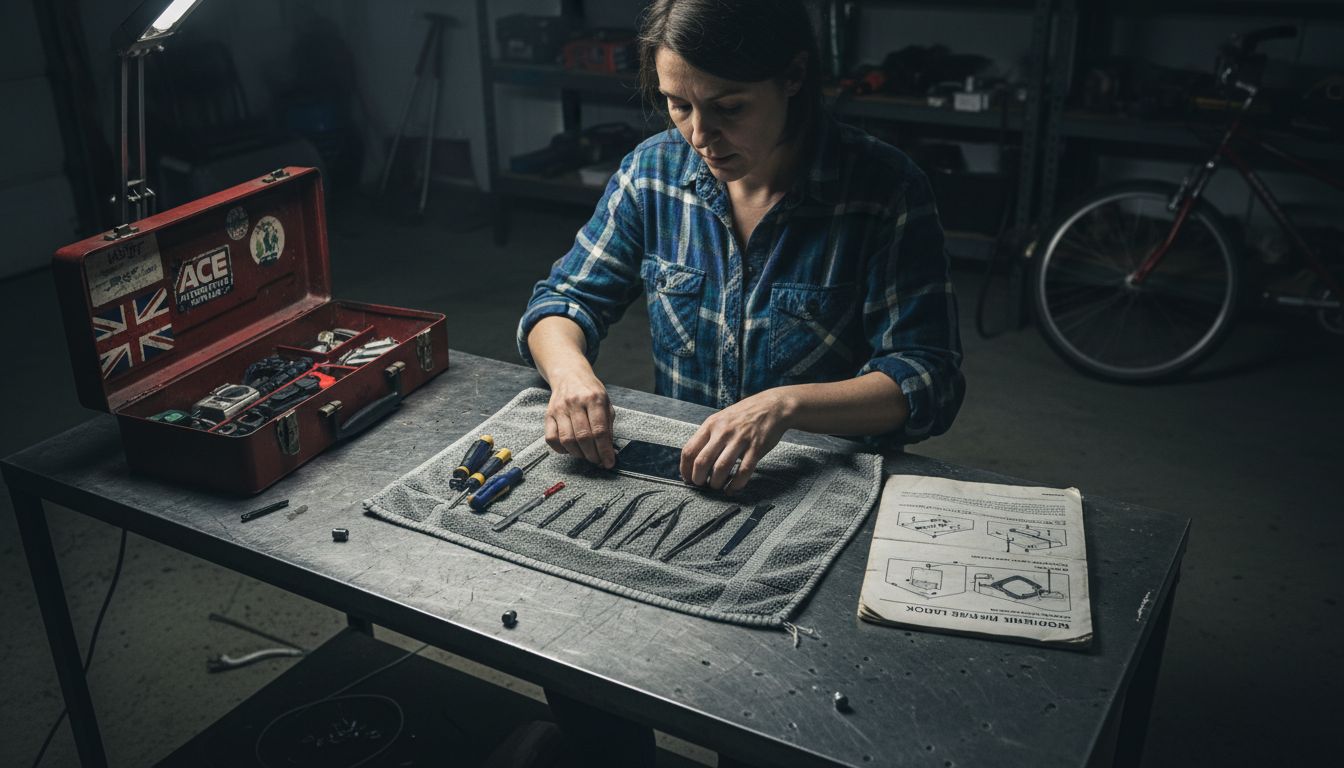
Gather all necessary tools before beginning your repair. Essential equipment includes precision screwdrivers, plastic prying tools, tweezers, magnifying glass, cleaning microfibre cloth, and an organisational tray to keep small screws and components secure. When preparing to check for potential device damage, ensure you have proper lighting and a clean workspace that allows careful visual inspection. Consider wearing anti static wrist straps to prevent potential electrical discharge that could harm electronic components.
Pro tip: Organisation is key to a successful repair. Before disassembling your device, take clear photographs of each stage of deconstruction. These images will serve as a valuable reference when reassembling the phone, helping you remember exactly where each component belongs. Keep your workspace calm, focused, and methodical to minimise the risk of mistakes during this delicate process.
Stage 4: Remove Damaged Screen Safely
Removing a damaged smartphone screen requires precision and careful technique to prevent additional device damage. Following manufacturer guidelines for handling physically damaged devices helps ensure a safe removal process. Begin by powering down your device completely and removing any external accessories like cases or screen protectors. Gather your precision tools including plastic prying tools, tweezers, and a small screwdriver set specifically designed for electronics repairs.
Approach the screen removal process methodically by first locating and carefully removing any screws securing the screen assembly. Use gentle pressure with plastic prying tools to gradually separate the damaged screen from the device frame, working slowly around the edges to minimise potential internal component stress. Take care to avoid applying excessive force that could crack additional sections of the screen or damage underlying electronic connections.
Pro tip: Document each stage of the disassembly process by taking clear photographs from multiple angles. These reference images will prove invaluable when reinstalling the new screen, helping you remember exact component placement and connection points. Work in a well-lit area with good visibility, and keep a small organisational tray nearby to store screws and small components safely during the removal process.
Stage 5: Install the New Screen Correctly
Adhering to manufacturer guidelines during screen installation is crucial for maintaining your smartphone’s integrity and functionality. Begin by carefully aligning the new screen with the device frame, ensuring all connection points and mounting brackets match precisely. Gently place the screen at a slight angle, starting with one edge and gradually lowering it to minimise potential misalignment or component stress.
Precisely reconnect all electrical connectors and ribbon cables, using tweezers to ensure secure and accurate placement. Apply gentle pressure to lock connectors into their designated slots, being mindful not to bend or damage delicate electronic interfaces. Verify that each connection sits flush and properly seated before proceeding with the next step of the installation process.
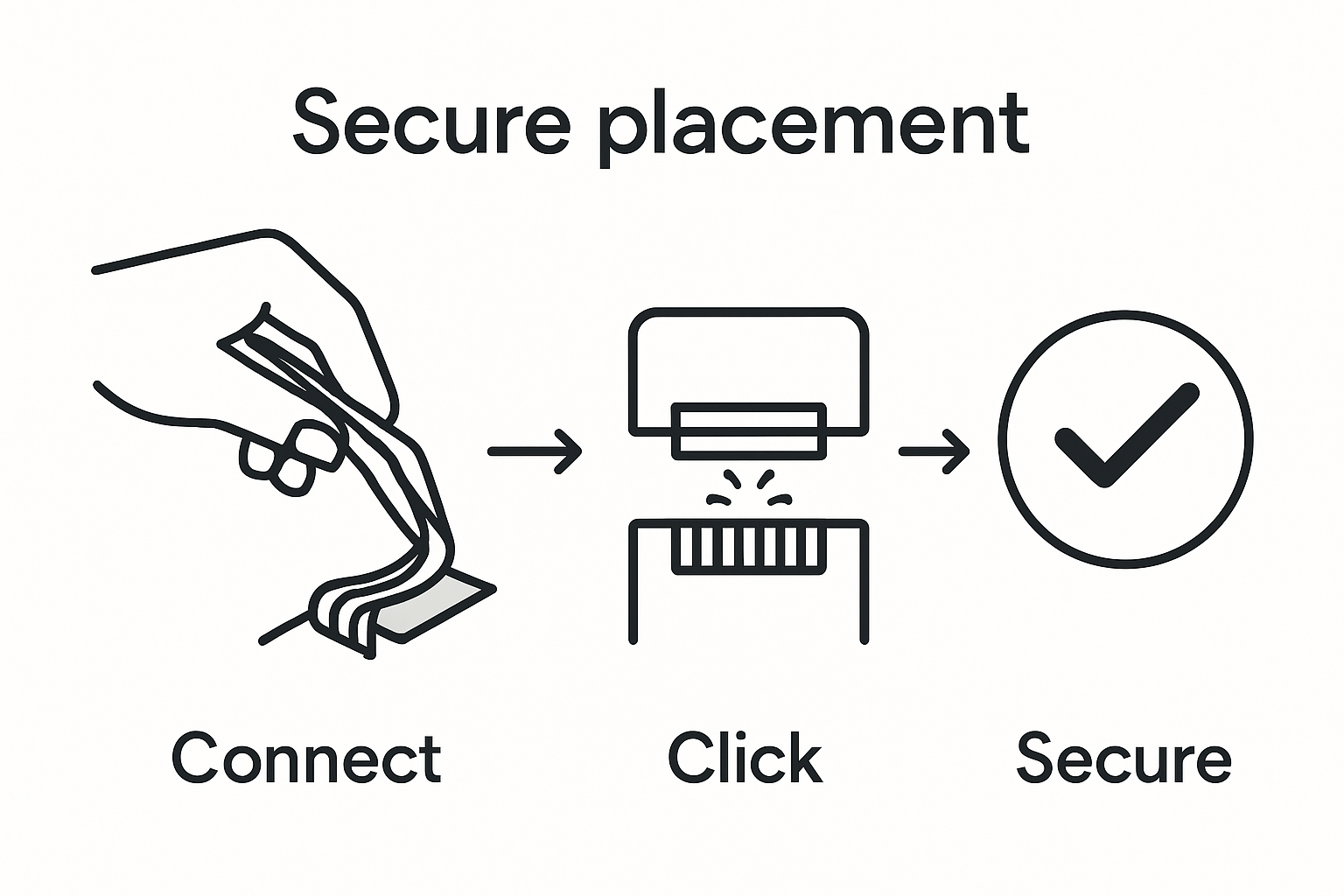
Pro tip: Work in a clean, well-lit environment and refer to your earlier documentation photos to confirm correct component positioning. If any resistance is encountered during installation, stop immediately and reassess your approach rather than forcing components. Take your time and maintain a methodical approach to ensure a successful screen replacement that preserves your device’s functionality and structural integrity.
Stage 6: Test Device Functionality and Display
Utilising advanced diagnostic technologies allows for comprehensive verification of your newly installed smartphone screen. Begin by powering on the device and conducting a systematic functionality test across multiple system features. Check the display for uniform colour distribution, touch responsiveness, brightness levels, and colour accuracy by navigating through different applications and screen settings.
Following manufacturer recommended testing protocols ensures thorough evaluation of your device’s performance. Test critical functions including touchscreen sensitivity, pixel integrity, colour rendering, and screen responsiveness by opening various applications, scrolling through menus, and running display calibration tools. Pay close attention to potential dead pixels, colour inconsistencies, or unresponsive screen areas that might indicate improper installation.
Pro tip: Capture screenshots during your testing process to document any potential anomalies. If unexpected issues arise, do not attempt further repairs yourself. Contact professional technicians who can diagnose and resolve complex screen installation problems with precision and expertise. Remember that careful testing now can prevent more significant complications in the future.
Find Quality Replacement Screens and Parts with Buy2fix Today
Facing the challenge of accurately assessing your phone screen damage and sourcing the right replacement part is crucial for a successful repair. As the article highlights, identifying your exact device model and ensuring compatibility are key to avoiding costly mistakes and preserving your smartphone’s functionality. You want parts that fit perfectly and restore your device’s performance without compromise.
At Buy2fix, we understand these challenges and offer a comprehensive range of mobile phone repair parts including LCD screens, flex cables, connectors and more for major brands like Apple iPhone, Samsung Galaxy, Huawei and Xiaomi. Our products come with quality assurance, a one-year warranty and free UK Mainland delivery so you can be confident your replacement parts meet the highest standards. Whether you are a DIY enthusiast or a professional technician, our extensive inventory and expert support ensure you get exactly what you need to complete your screen replacement with confidence and ease.
Ready to restore your device to full working order? Explore our selection of mobile phone repair parts and order your genuine or premium aftermarket screen components today. Don’t delay your repair and risk further damage. Visit Buy2fix now and take the next step towards a flawless phone screen replacement.
Frequently Asked Questions
What steps should I follow for phone screen replacement near me?
To replace your phone screen, start by assessing the damage and identifying your device model. Next, source reliable replacement parts locally, prepare a clean workspace, and gather the necessary tools before removing the damaged screen safely and installing the new one. Finally, test your device’s functionality to ensure everything works correctly.
How can I accurately identify my phone model for screen replacement?
Accurately identify your phone model by checking the settings under ‘About Phone’ or inspecting the rear casing for specific model numbers. Taking clear photographs of your device can also help you clarify model details when seeking replacement parts.
What tools do I need for phone screen replacement?
You’ll need precision screwdrivers, plastic prying tools, tweezers, a magnifying glass, a cleaning microfibre cloth, and an organisational tray. Gather all these tools before you begin the replacement process to streamline your repair.
How can I ensure I purchase the correct replacement screen?
To ensure you purchase the correct replacement screen, verify compatibility with your specific phone model. Request detailed product specifications from suppliers and check for matching screen resolution, touch sensitivity, and connector type before making a purchase.
What should I do if my new screen isn’t functioning properly after installation?
If your new screen isn’t functioning properly, power off the device and recheck all connections to ensure they are secure and properly seated. If issues persist, consider consulting a professional technician for further diagnosis and repair options.
Why is it important to document the disassembly process?
Documenting the disassembly process is important because it provides a visual reference for reassembling your device. Taking clear photographs at each stage helps ensure you remember the placement of components and can prevent mistakes during reinstallation.
Recommended
- How to Fix My Phone Screen: Complete Step-by-Step Guide – buy2fix
- How to Install a New Phone Screen Like a Pro – buy2fix
- How to Do Cell Phone Screen Replacement Near Me Easily – buy2fix
- Ultimate Mobile Device Screen Replacement Guide for 2025 – buy2fix
- Akkus reparieren Guide: So bringen Sie Ihre Akkus zurück ins Leben - accu.blog
Let customers speak for us
For Samsung Galaxy A26 SM-A266B Original Earpiece Speaker with Cable

Very good communication throught. Good product

Well made part very strong easy to fit great value for the money

Well packed, with fast shipping :)

Exactly what the doctor ordered…great color, comfort, and durability. Trust this watch band!

Brilliant strap, second purchase, bought bracelet before. Excellent value. Thank you

Great item for splitting your Audio signal

Outstanding product!
Next level customer service.

Very satisfied but the delivery needs to get more faster...

Good price,quick delivery

Best phone case ever! This is my second one as I broke my first. Would defo recommend

Great fitting Apple Watch bands

For Apple Watch Ultra 3 / 2 / 1 49mm RedPepper Armor Metal Case Integrated Silicone Watch Band(Steel Black White)

Good price and quick postage

