

What is LCD on a camera: a photographer's guide
TL;DR:
- The LCD on a camera displays real-time footage from the sensor, influencing composition and review. Panel quality, touch features, and design affect its accuracy and usability in various shooting conditions. Using an LCD or viewfinder depends on lighting, angle, and personal workflow preferences.
An LCD (Liquid Crystal Display) on a camera is a flat-panel screen that shows you exactly what the sensor is capturing in real time. Every DSLR, mirrorless camera, and point-and-shoot made in the last two decades carries one. The first camera LCD appeared on the Casio VS-101 in 1995, and screens have grown from postage-stamp novelties to displays typically measuring 2.5–3.5 inches today. Understanding what this screen does, and how it does it, changes how you shoot.
What is LCD on a camera and how does it work?
An LCD screen works by controlling how light passes through a layer of liquid crystals. The crystals do not produce light themselves. Instead, a backlight sits behind them, and an electrical signal tells each crystal how much to rotate, which determines how much light gets through to form the image you see.
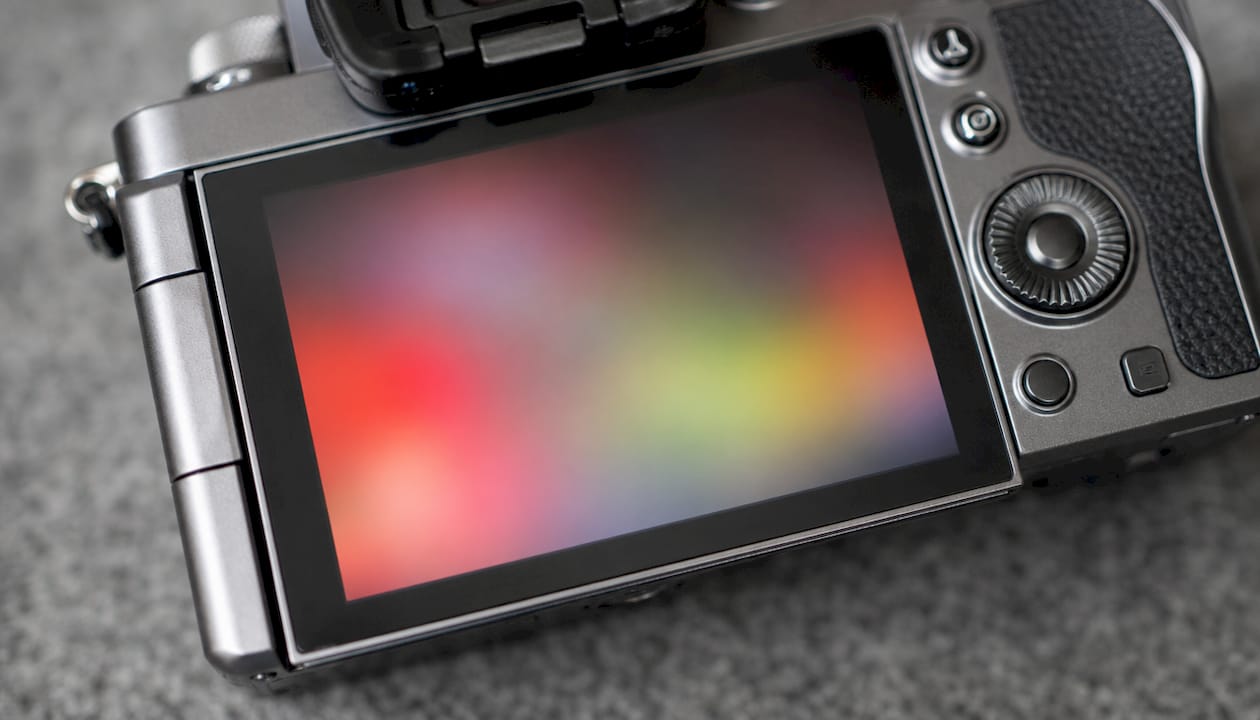
The screen is divided into millions of tiny pixels, each with red, green, and blue sub-pixels. Together they mix to produce every colour in the image. The speed and accuracy of this process depends heavily on the panel technology used.
Panel types found in camera LCDs
Camera manufacturers use several panel types, each with different trade-offs:
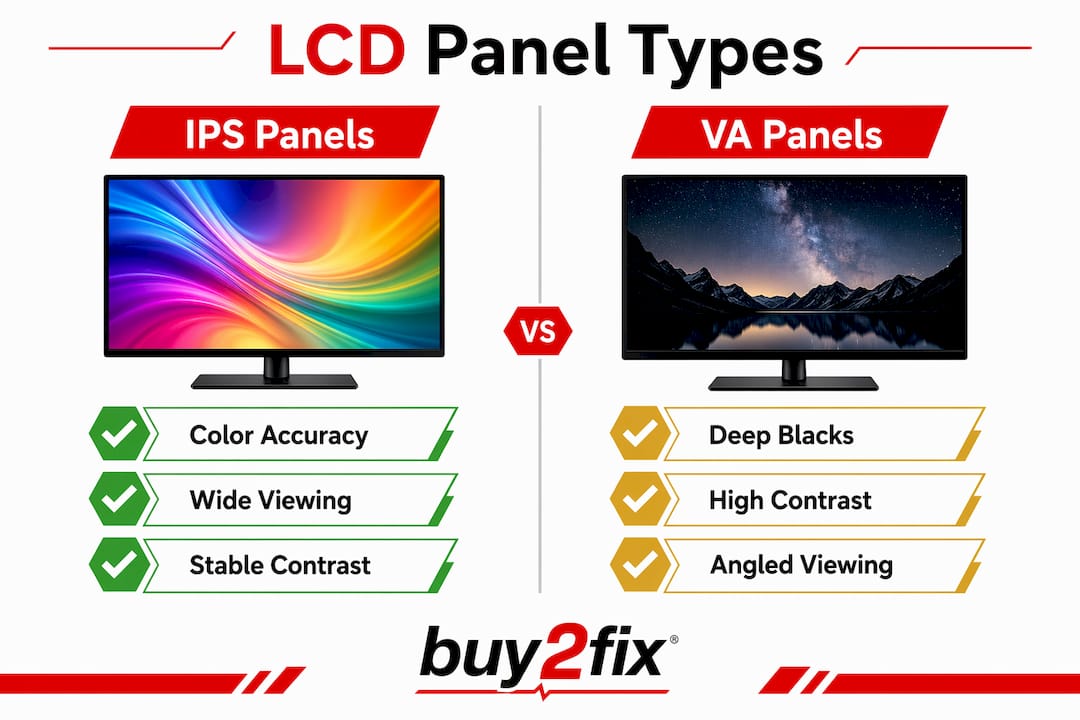
- IPS (In-Plane Switching): IPS panels deliver viewing angles up to 178° and consistent colour from almost any position. This makes them the preferred choice for professional camera displays where accurate colour assessment matters.
- TN (Twisted Nematic): TN panels respond quickly and cost less to produce, but colours shift noticeably when you view the screen from an angle. They appear in budget cameras where cost is the priority.
- VA (Vertical Alignment): VA panels sit between IPS and TN on most measures. They offer better contrast than IPS but narrower viewing angles.
- TFT Active-Matrix: TFT active-matrix displays use a dedicated transistor for each pixel. This enables faster response times and higher resolution, which is why TFT IPS is the standard in professional-grade camera screens used for live video monitoring.
Pro Tip: When buying a camera, check whether the LCD uses an IPS panel. The difference in colour accuracy between IPS and TN becomes obvious the moment you try to judge skin tones or white balance on the screen.
Touch capability adds another layer to LCD screen function. A capacitive touch layer sits over the panel and registers your finger’s position. This lets you tap to set focus, drag to reposition the focus point, or tap the shutter icon to fire the camera.
What practical benefits does the LCD offer during shooting?
The LCD screen does far more than display a pretty picture. It is a working tool that affects every stage of the photographic process, from composition to post-shoot review.
Live View and frame accuracy
The Live View feature lets you preview exposure, white balance, and depth of field on the LCD before you press the shutter. Live View delivers 100% frame accuracy, meaning you see precisely what the sensor will capture. Many DSLR optical viewfinders show only 95–98% of the actual frame. That missing 2–5% can place an unwanted object at the edge of your final image.
Reviewing and editing in the field
After each shot, the LCD lets you review the image immediately. You can zoom in to check sharpness, examine the histogram for exposure accuracy, and delete frames you do not want. Some cameras allow basic in-camera editing directly on the LCD, including cropping, adjusting brightness, and applying filters. This reduces the editing workload back at your desk.
Ergonomic advantages of tilting and articulating screens
The articulating LCD screen is one of the most practical advances in digital camera design. A screen that tilts or fully articulates lets you shoot from positions that would otherwise require lying on the ground or holding the camera above your head with no idea what you are capturing.
Here is how different screen types help in practice:
- Fixed LCD: Standard on entry-level cameras. Useful for eye-level shooting and quick review but offers no angle flexibility.
- Tilting LCD: Flips up or down on a single axis. Ideal for low-angle street photography or shooting over a crowd without raising the viewfinder to your eye.
- Fully articulating LCD: Rotates on two axes and can face forward completely. Useful for vlogging, self-portraits, and extreme high or low angles.
- Side-opening articulating screen: Swings out to the side before tilting. Preferred by videographers because it does not block a top-mounted microphone.
Pro Tip: When shooting at waist level with a tilting screen, slow your shutter speed slightly. The steadier hold you get from keeping the camera low often compensates for the reduced stability compared to pressing the viewfinder to your face.
Heat and sensor noise
Prolonged LCD use generates heat that can increase sensor noise during long shooting sessions. This is a subtle but real effect. Articulating screens reduce the problem by physically separating the screen from the camera body, which limits how much heat transfers to the sensor. If you shoot long exposures or extended video, this matters.
Touch-enabled LCDs also speed up focus and capture in fast-moving situations. Street photographers in particular benefit from touch-to-focus: you tap the subject on the screen, the camera locks focus, and fires. The whole process takes a fraction of a second less than navigating a joystick or directional pad.
LCD vs viewfinder: which should you use?
The LCD and the viewfinder solve different problems. Knowing when to use each one makes you a more adaptable photographer.
| Situation | Best choice | Reason |
|---|---|---|
| Bright outdoor sunlight | Viewfinder (EVF or optical) | Anti-reflective coatings help but rarely eliminate glare in strong light |
| Low or high angle shots | LCD | Tilting or articulating screen lets you compose without contorting your body |
| Precise manual focus check | LCD (zoomed in) | Larger image area makes focus peaking and magnification easier to read |
| Long handheld sessions | Viewfinder | Pressing the camera to your face adds a third point of contact, reducing camera shake |
| Vlogging or self-recording | Articulating LCD | Forward-facing screen lets you monitor your own framing |
| Studio or controlled light | Either | Personal preference and workflow determine the better option |
Many professionals treat the LCD and EVF as complementary tools rather than alternatives. The EVF wins in harsh outdoor light where reflections make the LCD unreadable. The LCD wins for flexibility, convenience, and any shot where you cannot raise the camera to your eye. Carrying an external LCD shade is a practical solution for photographers who prefer the screen outdoors but shoot in variable light.
How do LCD panel types affect your image assessment?
The panel technology in your camera’s LCD directly affects how accurately you judge your images in the field. A poor panel can mislead you about colour, exposure, and sharpness, leading to corrections you do not actually need.
IPS TFT displays are the professional standard because colour remains stable as the viewing angle changes. When you tilt a camera with a TN panel to review a shot, the colours shift. You might correct a white balance that was actually fine, or miss a colour cast that only appears at a direct viewing angle.
Contrast performance also varies by panel type. VA panels produce deeper blacks than IPS, which can make shadow detail look better on screen than it actually is in the file. IPS panels render contrast more honestly, which is why they are preferred for critical image assessment.
Skin tone accuracy is the most practical test. Hold a camera with a TN panel next to one with an IPS panel and display the same portrait. The TN version will show a colour shift the moment you move your eye slightly off-axis. For portrait photographers who review shots on location with clients present, this difference is not trivial.
Response time matters most for video. A slow-responding panel shows motion blur on the LCD during video recording, making it harder to judge whether your footage is sharp. TFT IPS panels handle motion well enough for most video monitoring tasks.
Pro Tip: Before buying a camera, view a test image on the LCD from a 45° angle. If the colours shift significantly, the camera uses a TN or lower-grade VA panel. An IPS panel will hold its colour almost perfectly from that angle.
Key takeaways
The LCD on a camera is a real-time display tool that directly shapes how you compose, expose, and review your images, with panel technology and screen design determining how reliably it supports that process.
| Point | Details |
|---|---|
| LCD definition | A flat-panel screen showing real-time sensor output for composing, reviewing, and controlling the camera. |
| Panel quality matters | IPS panels deliver consistent colour at wide angles; TN and VA panels compromise accuracy off-axis. |
| Live View accuracy | Live View on an LCD shows 100% of the captured frame, outperforming many optical viewfinders. |
| Articulating screens | Tilting and fully articulating LCDs allow comfortable shooting from high, low, and forward-facing angles. |
| LCD vs viewfinder | Use the LCD for flexibility and angle shots; switch to the viewfinder in strong sunlight to avoid glare. |
Why the LCD changed how I actually shoot
I spent years pressing a viewfinder to my face out of habit, convinced it was the “proper” way to work. The LCD felt like a concession to beginners. I was wrong about that.
The shift happened during a low-light street session. I needed a shot from knee height, pointing slightly upward. With a tilting screen, I set the camera on a step, composed on the LCD, and fired. The image was exactly what I wanted. No guessing, no lying on wet pavement. That single shot changed my relationship with the screen.
What I have noticed since is that the LCD makes me slower in one sense and faster in another. I spend more time composing because I can see the full frame accurately. I spend less time deleting and reshooting because I catch exposure problems before I press the shutter. The histogram on the LCD is more useful than any instinct I have developed over years of shooting.
The panel quality genuinely matters more than most photographers admit. I have reviewed shots on a TN-panel camera and thought the white balance was off, only to open the file on a calibrated monitor and find it was fine. The screen was lying to me. An IPS camera display does not do that. If you are serious about judging your work in the field, the panel type in your LCD deserves as much attention as the sensor resolution.
My practical advice: use the LCD as your primary composition tool in controlled or indoor conditions, switch to the viewfinder when sunlight makes the screen unreadable, and never trust a TN panel for colour-critical decisions.
— Adewale
Camera LCD screens and Buy2fix
Buy2fix covers the full range of camera display technology across its guides and product listings. Whether you want to understand LCD display features in more depth, compare panel types before a purchase, or find replacement screen components for a device you already own, Buy2fix has the information and stock to help. The site carries parts and accessories for a wide range of consumer electronics, backed by free UK mainland shipping and a 30-day return policy. Visit buy2fix.co.uk for guides, product listings, and practical advice on camera displays and beyond.
FAQ
What does LCD stand for on a camera?
LCD stands for Liquid Crystal Display. It is the flat-panel screen on a camera that shows the live sensor feed and allows image review and menu navigation.
Is the LCD the same as the viewfinder?
No. The LCD is the rear screen on the camera body, while the viewfinder is the small eyepiece you press to your face. Many cameras include both, and they serve different purposes depending on shooting conditions.
Why is my camera LCD hard to see in sunlight?
Strong sunlight creates glare on the LCD surface that anti-reflective coatings reduce but cannot fully eliminate. Switching to the electronic or optical viewfinder, or attaching an external LCD shade, solves the problem.
Does using the LCD drain the battery faster?
Yes. The LCD backlight draws continuous power during Live View and video recording. Using the viewfinder instead of the LCD extends battery life noticeably, particularly in cold weather when battery capacity drops.
What is the difference between a tilting and an articulating LCD?
A tilting LCD moves up and down on a single axis, which suits most photo angles. A fully articulating LCD rotates on two axes and can face forward completely, making it the preferred option for video creators and self-recording.
Recommended
Let customers speak for us
The acid test of any company is how they respond when things go wrong. The Buy2Fix team were efficient in dealing with my emails and resolved the issue to my complete satisfaction

For Samsung Galaxy A26 SM-A266B Original Earpiece Speaker with Cable

Very good communication throught. Good product

Well made part very strong easy to fit great value for the money

Well packed, with fast shipping :)

Exactly what the doctor ordered…great color, comfort, and durability. Trust this watch band!

Brilliant strap, second purchase, bought bracelet before. Excellent value. Thank you

Great item for splitting your Audio signal

Outstanding product!
Next level customer service.

Very satisfied but the delivery needs to get more faster...

Good price,quick delivery

Best phone case ever! This is my second one as I broke my first. Would defo recommend

Great fitting Apple Watch bands

For Apple Watch Ultra 3 / 2 / 1 49mm RedPepper Armor Metal Case Integrated Silicone Watch Band(Steel Black White)

Good price and quick postage
