


News
What is LCD display in mobile: essential guide for repairs
Many repair enthusiasts mistakenly assume all LCD mobile screens offer identical quality and interchangeability, leading to poor replacement outcomes and frustrated customers. Understanding the critical differences between TFT, IPS, and VA panel technologies directly impacts repair success and customer satisfaction. This guide clarifies how LCD screens in mobile phones use liquid crystals modulated by electric fields to produce images, the distinct panel types you will encounter, and the practical repair knowledge needed to deliver professional results every time.
Table of Contents
- Introduction To Lcd Displays In Mobile Phones
- How Lcd Displays Work In Smartphones
- Types Of Lcd Displays Commonly Found In Mobile Phones
- Advantages And Disadvantages Of Mobile Lcd Displays
- Common Misconceptions About Lcd Screens In Mobile Devices
- Recent Technological Advances And Future Trends In Mobile Lcds
- Practical Considerations For Repairing Lcd Displays In Mobile Phones
- Summary And Actionable Next Steps For Repair Enthusiasts And Businesses
- Explore High Quality Lcd Screens And Repair Resources
- Frequently Asked Questions
Key takeaways
| Point | Details |
|---|---|
| LCD technology basics | LCD displays use liquid crystals and LED backlights to produce images in mobiles, with layers including the liquid crystal matrix, TFT array, and backlight unit. |
| Panel type variations | Multiple LCD panel types exist including TFT, IPS, and VA, each with distinct viewing angles, colour accuracy, and repair implications requiring careful matching. |
| Cost and performance tradeoffs | LCD displays are cost effective but have limitations like lower contrast compared to OLED, though recent advances like mini LED and quantum dots narrow the gap. |
| Repair considerations | Understanding common LCD faults, backlight testing, and sourcing quality matched replacement parts is essential for successful smartphone screen repairs. |
Introduction to LCD displays in mobile phones
LCD stands for Liquid Crystal Display, a screen technology that dominates budget and mid range mobile devices due to manufacturing cost advantages and proven reliability. An LCD screen in mobile phones uses liquid crystals that align under electric fields to modulate light, producing visible images when illuminated by a separate backlight source. Unlike self emissive OLED screens where each pixel generates its own light, LCD panels require dedicated LED backlighting to function.
The prevalence of LCD technology in mobile repair work means understanding its components and operation is fundamental for anyone sourcing replacement parts or diagnosing screen issues. The LCD working principle involves precise coordination between multiple layers working together to create the images you see on screen.
A typical mobile LCD display comprises these essential components:
- Liquid crystal layer containing molecules that twist and align based on electrical signals
- LED backlight unit providing consistent illumination across the entire screen
- TFT (thin film transistor) matrix controlling individual pixel voltages
- Colour filter array separating light into red, green, and blue subpixels
- Protective glass or plastic front panel and rear diffuser layers
Each component plays a specific role in image formation, and understanding this architecture helps diagnose which element has failed when a screen malfunctions. For repair professionals, recognising these layers informs better troubleshooting decisions and prevents unnecessary full assembly replacements when only the backlight or digitiser needs attention.
How LCD displays work in smartphones
The layered structure of LCD mobile screens creates images through coordinated light modulation rather than direct emission. At the base sits the LED backlight unit, which modern LCD mobile displays use due to energy efficiency and compact size compared to older cold cathode fluorescent lamps. This backlight provides constant illumination that travels upward through subsequent layers.
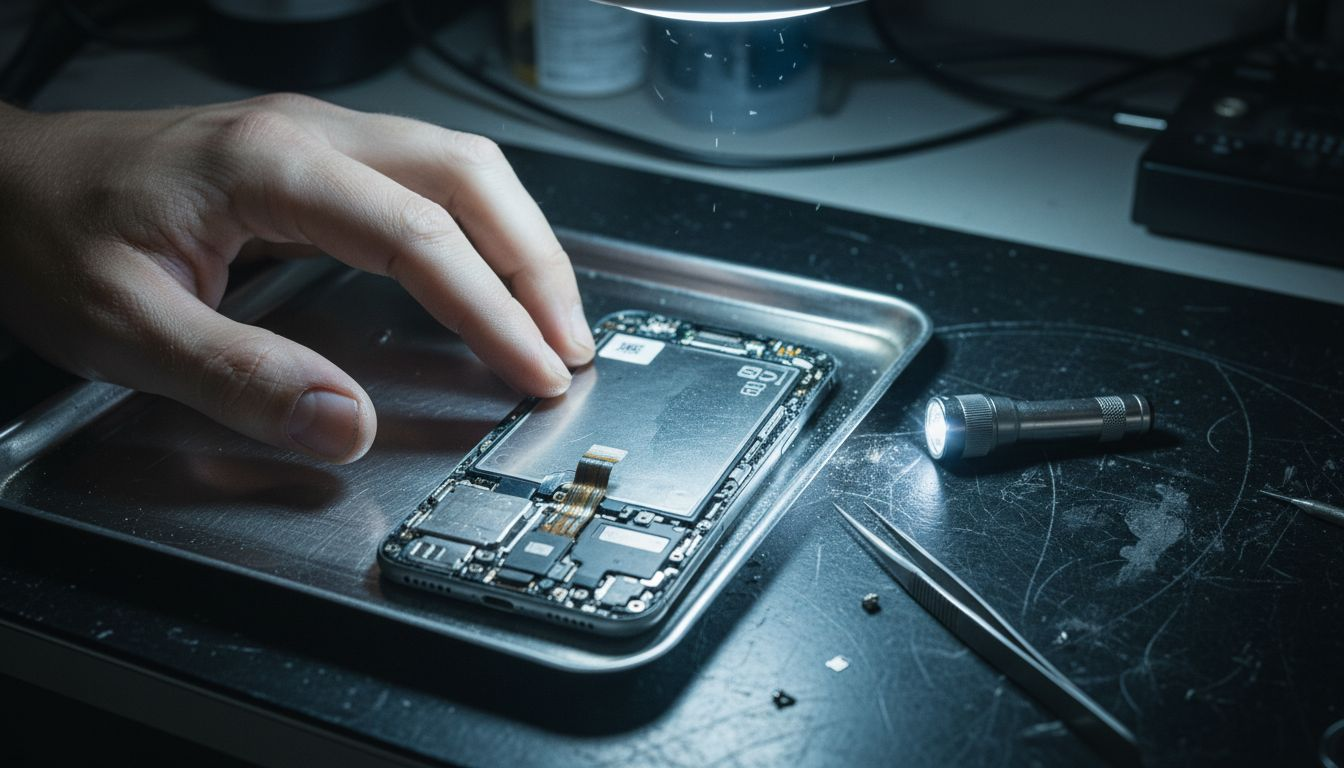
Above the backlight, the liquid crystal layer contains rod shaped molecules suspended between two polarising filters oriented perpendicular to each other. When no voltage is applied, these molecules twist in a helical pattern that rotates polarised light by 90 degrees, allowing it to pass through the second polariser. Applying voltage straightens the molecules, blocking light passage and creating dark pixels.
The TFT array sits between the liquid crystal layer and colour filters, functioning as millions of microscopic switches controlling individual subpixels. Each transistor receives signals from the display controller specifying precise voltage levels that determine how much the liquid crystals twist, creating grayscale levels. Combined with red, green, and blue colour filters, this produces the full spectrum of visible colours.
The LCD working mechanism differs fundamentally from emissive displays in power consumption patterns and repair implications:
- Backlight runs continuously regardless of screen content, consuming steady power
- Black pixels still require backlight illumination, reducing contrast ratios
- Backlight failure causes complete screen darkness even if liquid crystals function properly
- Liquid crystal degradation appears as stuck pixels or colour shifts rather than burn in
This backlight dependency creates specific diagnostic opportunities for repair work. A completely dark screen with faint images visible under bright light typically indicates backlight failure rather than total display assembly failure, potentially saving significant repair costs by replacing only the LED strip or driver circuit.
Types of LCD displays commonly found in mobile phones
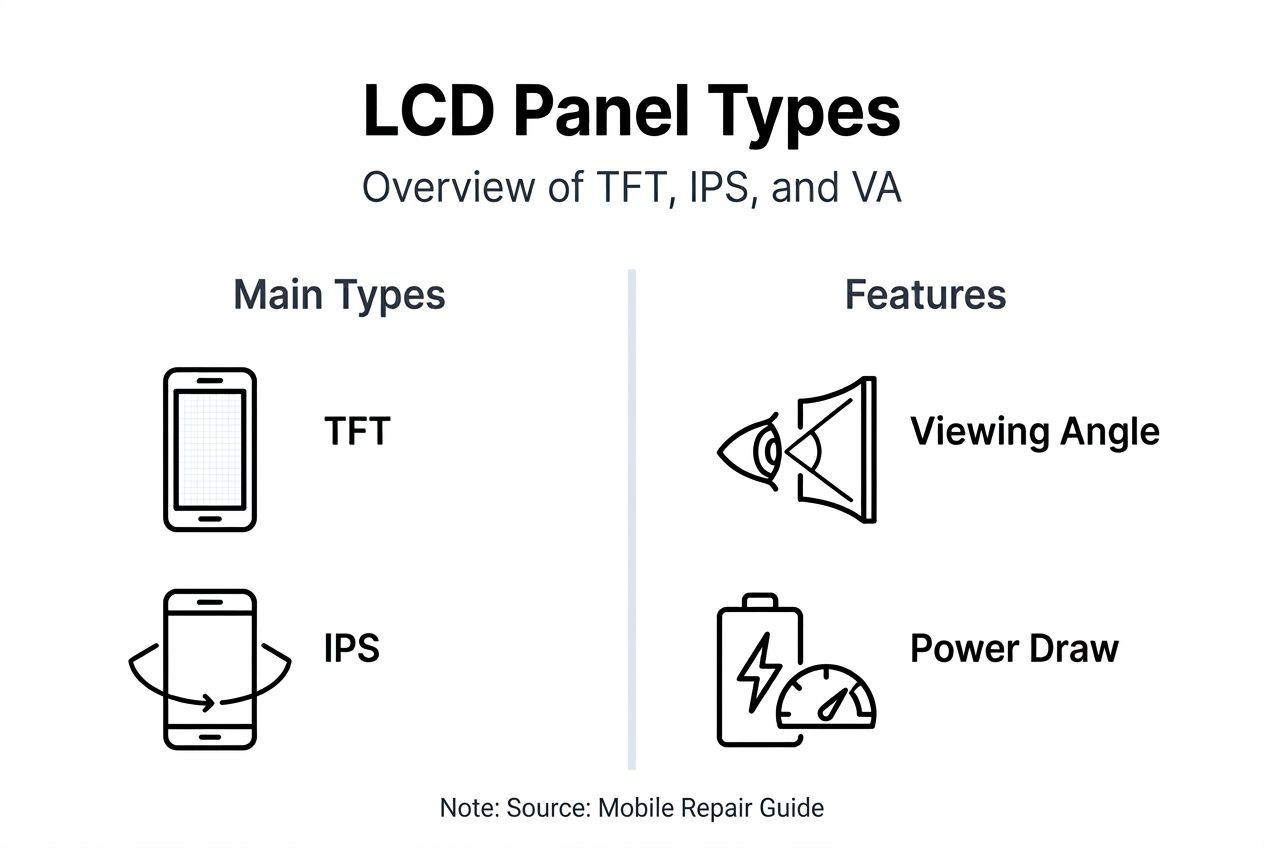
Understanding LCD panel variations prevents costly mistakes when sourcing replacement screens and sets realistic expectations for display quality. Types of LCD panels used in smartphones include TFT, IPS, and VA, each offering distinct tradeoffs in colour accuracy, viewing angles, and power consumption that directly impact repair decisions and customer satisfaction.
| Panel Type | Viewing Angle | Colour Accuracy | Power Draw | Typical Application |
|---|---|---|---|---|
| TFT (TN) | 90-120° | Fair | Low | Budget phones |
| IPS | 160-178° | Excellent | Moderate | Mid to high end |
| VA | 160-170° | Good | Moderate | Some mid range |
TFT displays using twisted nematic liquid crystal alignment offer the most affordable option but suffer from narrow viewing angles and colour shift when viewed off axis. These panels appear in entry level smartphones where cost constraints override image quality concerns. When repairing budget devices, matching the original TFT specification ensures consistency without overspending on premium IPS replacements.
IPS (in plane switching) panels revolutionised mobile displays by rotating liquid crystals parallel to the screen plane rather than perpendicular, dramatically improving viewing angles and colour reproduction. Most mid range and flagship LCD phones use IPS technology, and customers expect this quality level when receiving repairs. The LCD screen types you source must match original specifications to maintain display performance.
VA (vertical alignment) panels offer deeper blacks than IPS due to better light blocking when pixels are off, but slower response times limit their use in mobile devices. Some manufacturers use VA panels in specific models targeting media consumption over gaming responsiveness.
Pro Tip: Always verify the exact panel type before sourcing replacement screens by checking device specifications or disassembly guides, as installing a TFT panel in a device originally equipped with IPS creates immediately noticeable quality degradation that damages your repair reputation.
Advantages and disadvantages of mobile LCD displays
Balancing LCD strengths against limitations helps you advise customers appropriately and select the right devices for repair business focus. LCD technology offers several compelling advantages for mobile applications:
- Manufacturing cost efficiency enables affordable device pricing and replacement parts
- Energy efficient LED backlighting extends battery life compared to older CCFL systems
- Proven durability with no organic material degradation or burn in concerns
- Wide market availability ensures replacement parts remain accessible for years
- Established repair procedures with extensive documentation and training resources
These benefits explain why LCD remains dominant in budget and mid tier smartphones despite OLED’s premium positioning. For repair businesses, LCD’s widespread adoption and stable supply chains reduce inventory risk and simplify parts sourcing across multiple brands and models.
However, LCD technology faces inherent limitations affecting user experience and repair considerations:
- Lower contrast ratios since LCDs require a backlight illuminating the screen rather than per pixel light control
- Reduced peak brightness in direct sunlight compared to modern OLED panels
- Thicker display assemblies due to separate backlight layer requirements
- Light bleed along screen edges, particularly visible on dark backgrounds
- Slower response times than OLED, potentially causing motion blur in fast content
LCDs require a backlight illuminating the screen since liquid crystals do not emit light, which leads to lower contrast ratios compared to self emissive OLED displays, a disadvantage relevant for mobile display quality assessments.
From a repair perspective, LCD’s lower risk of burn in and absence of organic degradation actually works in your favour. Customers rarely complain about permanent image retention on LCD devices, and properly stored replacement LCD panels maintain quality indefinitely unlike OLED components that can degrade even unused. The LCD vs OLED display comparison reveals how each technology suits different repair scenarios and customer priorities.
Common misconceptions about LCD screens in mobile devices
Several persistent myths about LCD displays lead repair technicians and customers astray, causing poor sourcing decisions and unrealistic expectations. Addressing these misconceptions builds trust and demonstrates your technical expertise.
-
All LCD screens deliver identical image quality regardless of panel type or manufacturer. Reality check: TFT displays have narrower viewing angles and less accurate colour rendering compared to IPS panels, dramatically affecting user experience even at identical resolutions.
-
LCD technology cannot match OLED brightness or colour vibrancy under any circumstances. Modern premium LCD panels with quantum dot enhancement and mini LED backlighting approach OLED performance in many scenarios, particularly peak brightness in well lit environments.
-
LCD screens generate their own light similar to OLED displays. This fundamental misunderstanding of LCD operation causes diagnostic errors, as technicians may overlook backlight failures and unnecessarily replace entire display assemblies.
-
Aftermarket LCD replacements always match original equipment quality if specifications appear identical. Manufacturing quality variations significantly impact colour accuracy, touch response, and durability even when paper specifications match perfectly.
-
LCD panels offer unlimited viewing angles without colour shift or brightness loss. Only IPS panels achieve wide viewing angles, whilst TFT technology exhibits substantial colour and brightness degradation beyond 60 degrees off axis.
Pro Tip: When customers request “the same quality as original”, clarify which specific panel technology their device used originally and explain quality differences between available replacement options, as LCD misconceptions often stem from conflating different panel technologies under the generic “LCD” label.
Recent technological advances and future trends in mobile LCDs
LCD technology continues evolving despite OLED’s premium market dominance, with innovations addressing traditional LCD weaknesses and extending the technology’s competitive lifespan. Recent advancements such as mini LED backlighting and quantum dot enhancements are improving LCD colour accuracy and energy efficiency, narrowing the performance gap with OLED displays in mobile devices.
Mini LED backlighting represents the most significant LCD advancement, using thousands of tiny LEDs instead of conventional edge lighting to enable local dimming zones. This approach dramatically improves contrast ratios by dimming or turning off backlight zones behind dark image areas, approaching OLED’s infinite contrast whilst maintaining LCD’s burn in immunity. Several flagship tablets now incorporate mini LED technology, and the approach will gradually reach premium smartphones.
Quantum dot colour filters enhance LCD colour gamut by converting blue LED backlight into precise red and green wavelengths, achieving wider colour spaces than traditional phosphor filters. These QD enhanced displays reproduce more accurate and vibrant colours, particularly beneficial for photography and video applications. Repair implications remain minimal as quantum dot films integrate into the backlight assembly rather than requiring separate replacement components.
Other notable improvements affecting repair work include:
- Advanced in cell touch integration reducing display assembly thickness and simplifying repairs
- Improved polariser films increasing outdoor visibility and reducing glare
- Higher refresh rate panels (90Hz, 120Hz) for smoother scrolling and gaming
- Adaptive brightness technologies matching ambient lighting conditions more intelligently
These latest LCD technology trends inform parts sourcing decisions as newer replacement panels incorporate features that may not have existed when older devices originally launched. When repairing recent mid range devices, verify whether the original panel included advanced features like high refresh rates to avoid customer dissatisfaction with standard 60Hz replacements.
Practical considerations for repairing LCD displays in mobile phones
Successful LCD repairs require systematic diagnosis, quality parts sourcing, and careful installation procedures that many rushed technicians overlook. Understanding common failure patterns helps you troubleshoot efficiently and recommend appropriate solutions.
The most frequent LCD faults present with these characteristic symptoms:
- Dead or stuck pixels appearing as always lit or always dark spots
- Backlight failure causing completely dark screens with faint images visible under bright light
- Screen bleeding visible as bright patches along edges or corners
- Touch response failure despite visible display function
- Colour distortion or lines running vertically or horizontally
- Flickering or dimming backlight indicating driver circuit issues
Follow this diagnosis workflow before committing to full screen replacement:
- Verify the device powers on by listening for boot sounds or feeling vibration
- Shine a bright torch at the screen from various angles checking for faint images
- Test touch functionality using areas where the screen still displays properly
- Examine for physical damage like cracks that definitively require replacement
- Assess whether symptoms suggest backlight, LCD panel, or digitiser failure
Pro Tip: Common LCD faults include dead pixels and backlight failure, but testing the backlight separately using a multimeter or visual inspection during disassembly prevents misdiagnosis of total display failure when only the LED strip needs replacement, potentially saving 60 to 70 percent of repair costs.
Sourcing quality LCD replacement screens requires more diligence than simply matching model numbers. Verify these critical specifications:
- Panel type (TFT, IPS, VA) matches original equipment for consistent quality
- Touch layer integration (in cell, on cell, external digitiser) matches original design
- Connector type and pin configuration precisely match your device revision
- Manufacturer reputation based on reviews from other repair professionals
- Warranty coverage and return policies protecting against defective parts
During installation, following these practices ensures repair longevity and prevents common failures:
- Disconnect battery before beginning any screen replacement to prevent short circuits
- Clean adhesive residue thoroughly using appropriate solvents without damaging frame
- Apply even pressure when seating new screen to ensure proper adhesive contact
- Test all functions before final reassembly, including touch accuracy, brightness levels, and colour uniformity
- Allow adhesive to cure fully before returning device to customer
Understanding replacement LCD basics helps you explain to customers why premium parts cost more and deliver better long term satisfaction compared to bargain components that fail prematurely or never match original display quality.
Summary and actionable next steps for repair enthusiasts and businesses
Mastering LCD display technology positions you ahead of competitors who treat all screens as interchangeable commodities. The critical knowledge points shaping successful LCD repairs include:
- Recognising fundamental differences between TFT, IPS, and VA panel technologies and their repair implications
- Understanding how backlight, liquid crystal layer, and TFT matrix function together enables accurate diagnosis
- Distinguishing between backlight failures, LCD panel damage, and digitiser issues prevents unnecessary part replacement
- Sourcing replacement parts matching original panel type and quality specifications maintains customer satisfaction
- Staying informed about advances like mini LED and quantum dots helps you discuss upgrade options intelligently
Apply these insights immediately by auditing your current replacement parts inventory, verifying panel types match device specifications rather than just model numbers. Develop diagnostic checklists incorporating backlight testing to catch simple failures before ordering expensive display assemblies. Build relationships with suppliers who provide detailed panel specifications rather than generic “LCD screen” descriptions.
Explore comprehensive LCD repair insights and quality replacement screen selection guides to deepen your technical expertise and improve repair outcomes. Every repair represents an opportunity to demonstrate superior knowledge that keeps customers returning and referring others to your service.
Explore high quality LCD screens and repair resources
Finding reliable replacement LCD screens matching original specifications challenges many repair businesses navigating inconsistent supplier quality. Buy2fix stocks mobile LCD repair parts for iPhone, Samsung Galaxy, Huawei, Xiaomi, and other major brands, with detailed specifications helping you select precisely matched components. Each screen undergoes quality testing before shipping, backed by one year warranty coverage and 30 day return policy protecting your investment. Explore LCD repair guides offering step by step procedures, diagnostic tips, and troubleshooting advice developed by experienced technicians who understand the practical challenges you face daily.
Frequently asked questions
What is the difference between LCD and OLED displays in mobiles?
LCD screens use liquid crystals modulated by electric fields with separate LED backlighting, whilst OLED displays contain organic materials that emit light individually per pixel without requiring backlights. This fundamental difference affects contrast ratios, thickness, power consumption, and repair approaches, with LCD and OLED differences impacting parts sourcing and customer expectations significantly.
How can I diagnose a backlight failure on an LCD mobile screen?
Shine a bright torch directly at the darkened screen from various angles whilst displaying known content. If you can faintly see images or text, the LCD panel and digitiser function properly whilst only the backlight has failed. Alternatively, during disassembly, visually inspect the LED strip for physical damage or use a multimeter to test continuity in the backlight circuit before replacing the entire display assembly.
Are all LCD replacement screens interchangeable across mobile phone models?
No, LCD screens vary by panel type, resolution, connector configuration, and physical dimensions even between similar models from the same manufacturer. Device revisions sometimes change screen specifications mid production, requiring verification of exact part numbers rather than relying solely on model names. Always confirm compatibility through detailed specification matching or supplier compatibility charts before purchasing replacement components.
Recommended
Let customers speak for us
I ❤️ love it, it's absolutely amazing I'm sooo happy 😊

Great

I saw this item and it was just what I was looking for. I found it here but not in Amazon or e-bay. However, it was in UK, I was surprised to find that they were able to ship it to the US. Excellent company, would do business with again

This is great for when out and about, to sharpen either coloured pencils, or watercolour pencils….would order again.

Great items would bye again

I have purchased several items from this store before. Recently, I encountered an issue with my latest order. After reporting the problem to customer support, they were consistently attentive and made every effort to resolve the situation. Upon investigation, they acknowledged the issue and promptly fixed it. This experience has increased my level of trust in this store.
Thank you so much. I'm so happy.

très bien

BC70 Car Bluetooth 5.0 FM Transmitter Radio Adapter Dual Display Wireless Handsfree Call MP3 Music Player QC3.0 PD USB Charger

A quite sturdy cover, if you are looking for full protection and a more business-like style, this cover perfectly fulfills its purpose.
The shipping was fast, and it was delivered in perfect condition.

For LG TV Bluetooth Handheld Infrared Voice Multi-Function Remote Control(AKB75855501)

Tusen tack för bästa service och produkt som jag vänlig önskar dig tack

Works correctly and no issues so far

Took a while to get here but it was all good, watch looks brand new after replacement

What a fantastic 👏🏻 stylish case that has helped my phones temperature in the heatwave!!
Perfect 👌🏻 also it's cool as f##k
