

Phone parts buying tips: get it right first time
TL;DR:
- Choosing the right phone parts depends on exact model identification, verified quality, and transparent suppliers.
- Always obtain the full technical model number, such as the A-number or SM-serial, to ensure compatibility.
- Verify display grades and IC chip details directly from suppliers to avoid low-quality or incompatible components.
Buying the right phone parts is defined by three factors: exact model compatibility, verified component quality, and supplier transparency. Get any one of these wrong and you risk a failed repair, a wasted part, and a frustrated customer. Whether you are a DIY buyer fixing your own iPhone or a small repair business sourcing Samsung Galaxy screens in volume, these phone parts buying tips will save you money and prevent the most common mistakes. The industry term for this process is “component sourcing,” and it covers everything from reading a model number correctly to testing a display before you seal the device shut.
1. Why exact model identification is the foundation of buying phone parts
The single biggest cause of a wrong part arriving at your door is using a generic device name instead of the full technical model number. “iPhone 14” is not enough. “Samsung Galaxy S22” is not enough. You need the exact technical model number to source the right component every time.
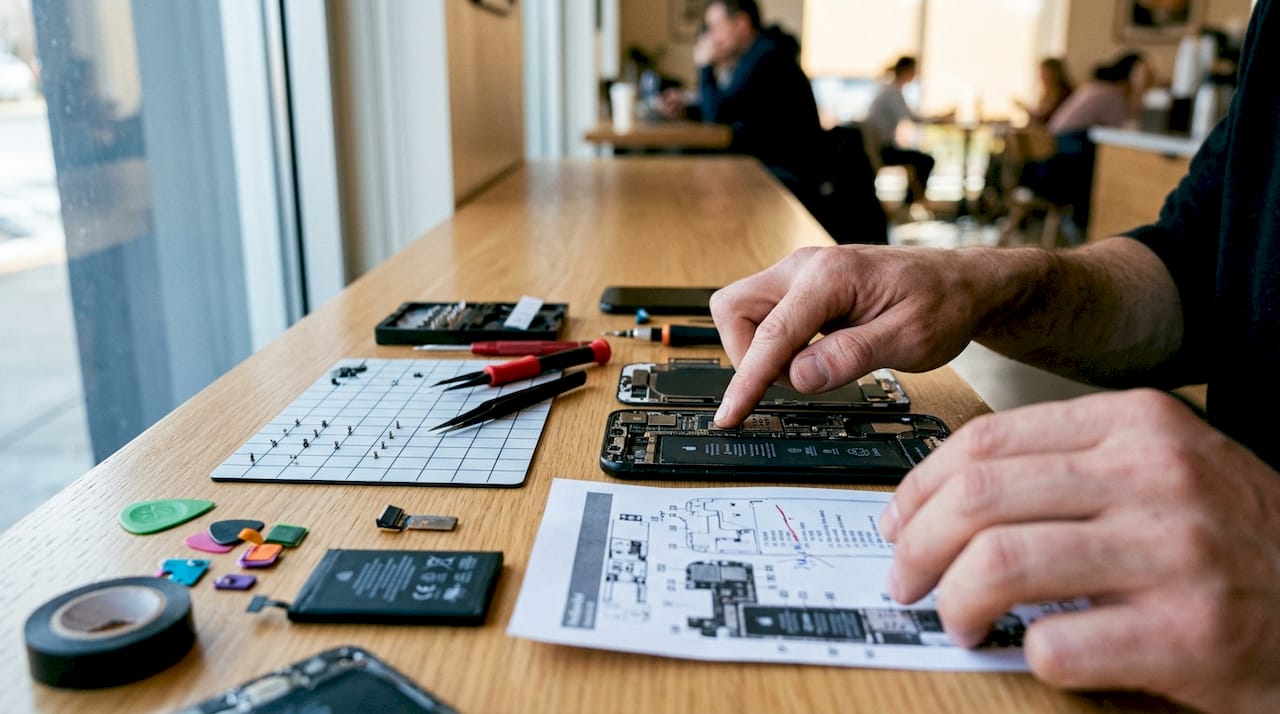
Here is why this matters in practice. An iPhone 14 sold in the UK carries a different A-number to the same phone sold in the US. Those variants can differ in antenna layout, NFC tuning, and even screw pitch. Regional hardware variations mean a screen assembly built for one variant may physically fit another but fail to pair correctly with the device’s software.
Where to find your exact model number:
- Settings: On iPhone, go to Settings > General > About and look for the Model Number. Tap it once to reveal the A-number.
- SIM tray: Many Samsung and Xiaomi devices print the SM-number or model code on the SIM tray itself.
- Rear housing: The full model string is often laser-etched on the back of the device, near the regulatory text.
- Original packaging: The box barcode label carries the complete model and regional variant code.
Pro Tip: Never order from a listing that only asks for “iPhone 14” or “Galaxy S22.” A reputable supplier will ask for your A-number or SM-serial. If they do not, that is a warning sign.
2. How to read quality grades without being misled by marketing
Marketing claims such as “AAA+,” “premium grade,” and “original quality” are unreliable indicators of actual component quality. These terms have no industry standard definition. A supplier who uses them without further explanation is giving you nothing useful.
Reliable suppliers specify the display technology and chipset in plain language. The grades that actually mean something are Incell, Hard OLED, Soft OLED, and Original OEM. Each describes a different manufacturing process and a different performance level.
What these grades mean in practice: Incell panels are LCD technology with the touch layer fused inside the display. Hard OLED uses a rigid substrate and is common in mid-range replacements. Soft OLED matches the flexible construction of original flagship screens. Original OEM parts come from the device manufacturer’s supply chain and carry the highest price and the most consistent performance.
When you ask a supplier which grade a part is, they should answer without hesitation. If they deflect with “it’s premium quality” or “same as original,” walk away.
Pro Tip: Ask suppliers to confirm the IC chip brand used in the display driver. Suppliers who can answer this question have genuine product knowledge. Those who cannot are reselling without proper quality checks.
Avoiding common repair mistakes often starts here, before you even place an order.
3. Price versus quality: where to spend and where to save
The price gap between OEM and certified compatible parts is real and significant. For OLED screens, OEM and compatible parts can differ by 30–40% in cost. That difference is worth understanding before you decide which route to take.
| Part type | OEM or certified | Aftermarket suitable? |
|---|---|---|
| OLED display (flagship) | Strongly recommended | Only for secondary devices |
| Battery | OEM spec preferred | Generic acceptable for low-use devices |
| Logic board | OEM only | No |
| Back glass / housing | Either | Yes |
| Charging port flex | Either | Yes for most repairs |
Safety-critical parts demand OEM or certified quality. OEM-spec batteries deliver validated cycle counts above 500 charges and include thermal cutoffs that generic batteries often omit. A generic battery that lacks a thermal cutoff is a fire risk, not a cost saving.
For non-critical parts like back glass, housing, and charging port assemblies, certified compatible aftermarket parts are cost-effective and reliable. The key word is “certified compatible,” meaning the supplier has documented the part’s specifications rather than simply claiming it fits.
Pro Tip: For small repair businesses buying screens in volume, order a sample batch first. Test each grade across five to seven live devices before committing to bulk stock. This one step prevents the most expensive sourcing mistakes.
4. What supplier policies tell you about their reliability
A supplier’s return and warranty policy is a direct signal of how confident they are in their own stock. Reputable suppliers offer 14–30 day return windows and do not charge restocking fees above 15% on opened parts. Anything more restrictive than that shifts the risk entirely onto you.
Here is what to check before placing any order:
- Return window: Confirm the policy covers opened parts, not just sealed packaging. A part you cannot test is a part you cannot return.
- Restocking fees: Fees above 15% on opened electronics are a red flag. They indicate a supplier who expects returns and wants to penalise you for them.
- Warranty coverage: Ask whether the warranty covers defects discovered after installation, not just dead-on-arrival parts.
- Pre-purchase technical support: Supplier responsiveness to specific technical questions before you buy is one of the strongest indicators of professional service. Send a question about the display IC or battery cycle rating and measure the quality of the reply.
- Business registration: For UK buyers, check that the supplier has a registered business address and a VAT number if they are trading at scale. This protects you if a dispute arises.
Pro Tip: Before placing a first order with any new supplier, send them a technical question you already know the answer to. Their reply will tell you everything about their product knowledge and customer service standards.
5. Testing parts before you seal the device
Fitting a part without testing it first is the most avoidable mistake in phone repair. Power the device on with the new component loosely connected before you apply any adhesive. Check brightness, touch response, colour accuracy, and True Tone or ambient light sensor function at this stage.
Post-installation testing should cover the following:
- Touch dead zones: Swipe across every corner and edge of the display. Dead zones in corners are a common defect in lower-grade Incell panels.
- Colour drift: Compare the replacement screen to a known-good device under the same lighting. A warm or green tint indicates a panel that will not satisfy a customer.
- Brightness consistency: Check for backlight bleed or uneven brightness at low settings. This is easier to spot in a dim room.
- True Tone and Face ID: On iPhone 13 and later, these features require firmware pairing to function after a screen replacement. Without the correct software calibration, True Tone will be permanently disabled.
Sample testing on live devices for five to seven days catches subtle defects that a quick bench test misses. Colour drift and touch inconsistency often appear only after the device has been used normally for a few days.
Pro Tip: Never reuse old adhesive after heating it off. Reused adhesive loses around 40% of its bond strength after the first heat application. Use fresh pre-cut adhesive strips or a B7000 or LOCA UV-cure adhesive for a durable seal.
6. Firmware pairing and calibration: the hidden compatibility layer
Physical fit is not the same as functional compatibility. Modern smartphones from Apple, Samsung, and Xiaomi pair certain components to the device at the firmware level. A screen or battery that fits perfectly can still cause feature loss if the pairing step is skipped.
Firmware lock-in affects displays, batteries, and biometric sensors on iPhone 14 and later, as well as selected Samsung Galaxy and Xiaomi models. On iPhone, True Tone calibration data is stored in the original display’s IC chip. When you fit a replacement screen, you need a programmer tool to transfer that data to the new panel. Without it, True Tone is gone permanently.
Battery calibration is equally important. On iPhone 15 and later, the battery health percentage displayed in Settings is tied to the battery’s serial number. Fitting an uncalibrated battery will show “Unknown Part” in Settings, which undermines customer confidence even if the battery itself performs correctly. Check the phone replacement parts checklist before starting any repair on a modern device.
7. Avoiding bundled kit traps and missing consumables
Bundled repair kits look attractive on paper. One price, everything included. The reality is that the accessories bundled with cheap kits are often the weakest link in the repair. Screwdrivers strip easily, spudgers crack, and the adhesive included is frequently the wrong grade for the device.
Buy your tools and consumables separately from a specialist supplier. A quality set of JIS screwdrivers, a proper suction cup, and the correct adhesive for your target device will outlast dozens of bundled kits and produce cleaner results. For mobile phone spare parts sourcing tips, you can also find useful guidance on compatible spare parts from specialist repair resources.
Most DIY repair failures stem from poor diagnostics rather than parts quality. Before ordering any component, isolate the fault. A screen that appears dead may have a failed backlight driver on the logic board, not a broken panel. Replacing the screen in that case wastes money and time.
Key takeaways
Reliable phone repairs depend on matching the exact device model, verifying component grades beyond marketing claims, and choosing suppliers with clear policies and genuine technical knowledge.
| Point | Details |
|---|---|
| Use exact model numbers | Always source parts using the A-number or SM-serial, not the generic device name. |
| Verify technical grades | Ask suppliers to confirm display technology (Incell, Hard OLED, Soft OLED) and IC chip details. |
| Match spend to risk | Use OEM or certified parts for batteries and logic boards; aftermarket is suitable for housing and ports. |
| Check supplier policies | Confirm 14–30 day returns, restocking fees below 15%, and pre-purchase technical support. |
| Test before sealing | Power on loosely fitted parts first and run firmware pairing on iPhone 13+ and Samsung devices. |
What I have learned from getting phone parts sourcing wrong
By Adewale
The mistake I see most often is buyers treating a part number as a guarantee. They find the right A-number, order the screen, and assume the job is done. Then the display arrives with a green tint at low brightness, or True Tone refuses to work, and suddenly a straightforward repair becomes a customer complaint.
The fix is not complicated, but it requires a shift in how you think about sourcing. Treat your first order from any new supplier as a paid test. Order one unit, fit it to a live device, and use it for a week. That week of real-world use will reveal defects that no bench test catches. I have seen screens pass every quick check and then develop touch inconsistency after three days of normal use.
The other thing I would push back on is the idea that aftermarket parts are inherently inferior. Aftermarket parts can be reliable for volume repairs when paired with rigorous testing and transparent documentation. The word “aftermarket” is not the problem. Lack of documentation is the problem. If a supplier cannot tell you the display grade, the IC chip brand, and the defect rate from their last batch, that is the real red flag.
Cost matters, especially for small repair businesses operating on thin margins. But the cheapest part is never cheap if it comes back as a warranty return. One failed repair can cost more in time and replacement parts than the saving you made on the original component. Buy once, buy right.
— Adewale
Parts and tools for your next repair, sorted
Buy2fix stocks replacement parts for iPhone, Samsung Galaxy, Huawei, Xiaomi, and OPPO, with clear technical descriptions covering display grade, compatibility notes, and warranty terms. Every order to UK mainland addresses ships free, and the 30-day return policy covers parts that do not perform as described. Whether you are a DIY buyer replacing a cracked screen or a repair technician sourcing components in volume, Buy2fix provides the product detail and customer support you need to get the repair right. Browse the full range of phone repair parts and find exactly what your device needs, with the technical information to back it up.
FAQ
What is the most important phone parts buying tip?
Always use the full technical model number, such as an iPhone A-number or Samsung SM-serial, rather than the generic device name. Regional variants affect antenna layout, screw pitch, and software pairing, so the wrong variant means the wrong part.
How do I know if a phone part is good quality?
Ask the supplier to confirm the display technology grade (Incell, Hard OLED, or Soft OLED) and the IC chip brand. Suppliers who can answer these questions specifically are more trustworthy than those who rely on terms like “AAA+” or “premium grade.”
Is aftermarket always worse than OEM for phone repairs?
Not always. Aftermarket parts are cost-effective and reliable for non-critical components like back glass and charging ports. For batteries and flagship OLED screens, OEM or certified compatible parts offer better safety margins and consistent performance.
What return policy should I expect from a phone parts supplier?
Reputable suppliers offer 14–30 day return windows and charge restocking fees no higher than 15% on opened parts. Policies more restrictive than this place the risk on the buyer rather than the supplier.
Do I need special software to fit a replacement screen on an iPhone?
Yes, on iPhone 13 and later. True Tone calibration data must be transferred from the original display to the replacement using a programmer tool. Skipping this step permanently disables True Tone, even if the screen itself functions correctly.
Recommended
Let customers speak for us
Well made part very strong easy to fit great value for the money

Well packed, with fast shipping :)

Exactly what the doctor ordered…great color, comfort, and durability. Trust this watch band!

Brilliant strap, second purchase, bought bracelet before. Excellent value. Thank you

Great item for splitting your Audio signal

Outstanding product!
Next level customer service.

Very satisfied but the delivery needs to get more faster...

Good price,quick delivery

Best phone case ever! This is my second one as I broke my first. Would defo recommend

Great fitting Apple Watch bands

For Apple Watch Ultra 3 / 2 / 1 49mm RedPepper Armor Metal Case Integrated Silicone Watch Band(Steel Black White)

Good price and quick postage

Perfect fit.

Absolutely necessary

Second Purchase and still a very happy customer. Keep up the good work.
