

Solve common Motorola phone issues: DIY fixes & tips
TL;DR:
- Software issues like launcher crashes and glitches often require safe troubleshooting steps or professional repair.
- Physical screen or hinge damage in foldable models demands careful handling and genuine replacement parts.
- Knowing when to seek expert help prevents further damage and ensures more reliable, long-term fixes.
Your Motorola phone freezes mid-call, the screen goes black for no reason, or the launcher crashes right after an update. Sound familiar? These moments are deeply frustrating, especially when you can’t tell whether the fault is a quick software fix or a sign that something physical has broken inside. Motorola devices are popular in the UK for good reason, but like any smartphone, they develop quirks and faults over time. This guide walks you through the most common Motorola problems, how to diagnose them properly, and when it makes sense to fix things yourself versus calling in extra help.
Table of Contents
- Top software issues: updates, crashes and security gaps
- Identifying and fixing common display problems
- DIY troubleshooting: distinguish between hardware and software faults
- Motorola foldable and advanced screens: high-risk repairs and best practices
- What most guides miss: why lasting fixes mean knowing when to walk away
- Find trusted parts and repair solutions for your Motorola
- Frequently asked questions
Key Takeaways
| Point | Details |
|---|---|
| Diagnose before fixing | Always confirm if your Motorola issue is software or hardware before starting a repair. |
| Screen problems need clarity | Green tinting, black screens, and touch failures usually need full screen assemblies, not just software resets. |
| Use genuine parts for safety | Relying on authentic Motorola parts avoids repeat breakdowns and maintains device safety. |
| Foldable repairs are high risk | Foldable models require assembly packs and professional help due to their complex internals. |
Top software issues: updates, crashes and security gaps
Software problems are the most frequent complaints from Motorola users, and they can range from mildly annoying to genuinely disruptive. The tricky part is that many software faults look and feel identical to hardware failures at first glance, which sends a lot of people down the wrong repair path.
The most reported issue in recent months has been launcher instability following major Android updates. Launcher crashes after updates have left some Motorola phones in a loop of restarts, effectively unusable until a patch arrives. This is not a minor inconvenience. If your home screen refuses to load, you can’t access apps, contacts, or even make calls.
Update delays are another sore point. Unlike Samsung or Google, Motorola has historically been slower to push security patches and major OS upgrades. The Moto G17 and G06 have limited OS and security update support, which creates real long-term risk for users who keep their phones for two or three years. According to the Which? security support guide, knowing how long a device receives security updates is essential when assessing whether to repair or replace it.
Here are the most common software-related symptoms and initial DIY steps to try:
- Launcher keeps crashing: Force-stop the launcher app via Settings, then restart. If it persists, boot into safe mode (hold Power, then long-press ‘Power off’) to check whether a third-party app is causing it.
- Phone freezes or lags severely: Perform a force restart by holding the Power and Volume Down buttons simultaneously for 10 seconds.
- App instability after update: Clear the app cache from Settings, or check for a patch in the Software Update menu. Sometimes reverting to a previous launcher helps temporarily.
- Security patch gaps: Monitor Motorola’s official security bulletin page and consider whether your model is still within its support window.
Pro Tip: If your phone only crashes in safe mode, the problem is almost certainly hardware-related rather than a rogue app. At that point, chasing a software fix will waste your time.
One thing worth noting: not all software crashes are pure software. If a launcher fault appears immediately after a phone has been dropped or exposed to water, the underlying cause may be physical damage. That’s when genuine phone parts become relevant, because patching a crash with a software reset won’t solve a damaged connector or faulty memory chip.
Identifying and fixing common display problems
With software issues covered, the next most widespread complaints are display faults and screen failures. Motorola display problems range from software-driven glitches that a reboot can sort out, to physical panel failures that need hardware replacement.
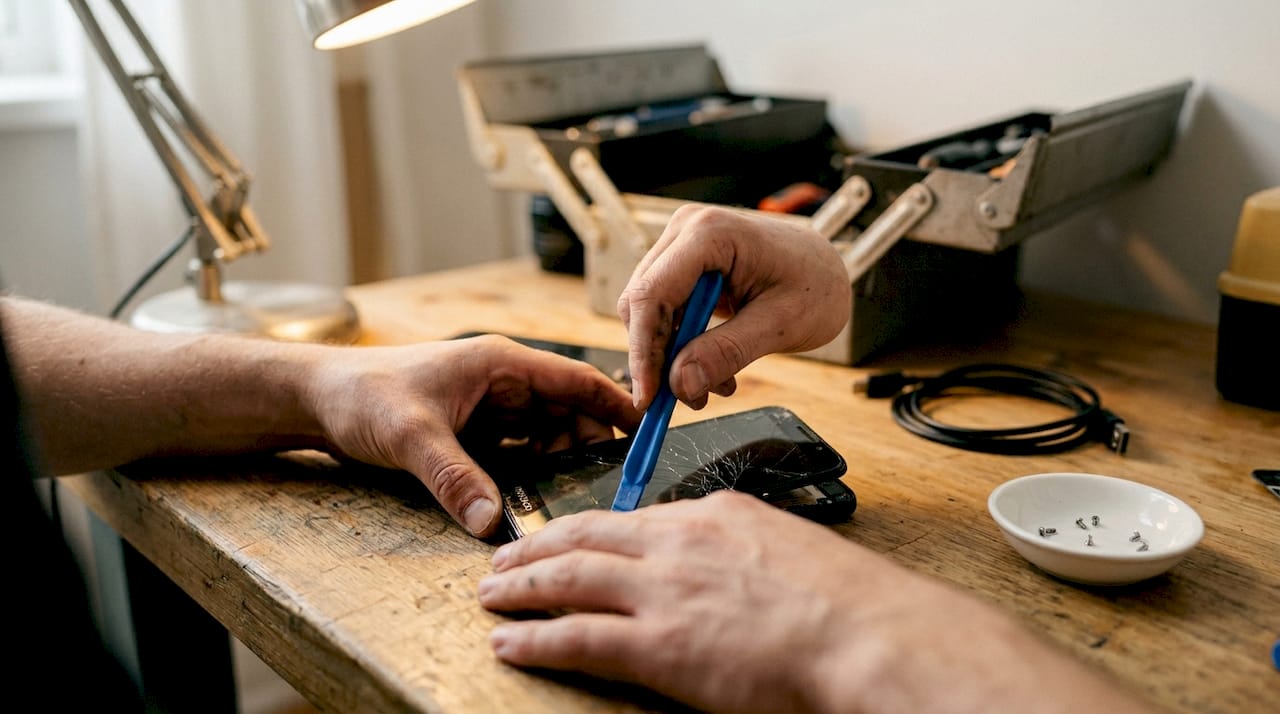
The most alarming of these are the display faults seen on premium Motorola models. Edge+ display problems including tinting, purple spots, and uneven brightness are often unfixable through software updates alone, pointing squarely at panel-level hardware faults. These symptoms typically appear gradually, which sometimes tricks users into expecting a patch to resolve them.
Common display symptoms and what they mean:
- Green or purple tinting: Usually a panel fault. Try adjusting colour profile in Display Settings first, but if it persists, replacement is likely needed.
- Black screen but phone responds: Often software. Try a force restart. If the phone vibrates or rings but shows nothing, the display connector may be loose.
- Unresponsive touch: Can be software (try reboot) or digitiser hardware. Screen troubleshooting experts note that touch failure after a drop is nearly always physical damage.
- Flickering or lines across the screen: Strongly indicates display hardware damage.
| Symptom | Likely cause | Recommended action |
|---|---|---|
| Black screen, phone rings | Software freeze or loose connector | Force restart, check connector |
| Green or purple tint | Panel hardware fault | Screen replacement |
| Touch not responding | Digitiser damage or software glitch | Reboot first, then hardware check |
| Screen flickering | LCD or OLED panel damage | Hardware replacement |
“If display artefacts persist after a full factory reset and software update, the panel itself has failed. There is no software workaround for a broken display.”
For a deeper walk-through on tackling screen repairs yourself, our DIY screen replacement guide covers the process step by step. Before you order any parts, it’s also worth reading up on identifying genuine phone parts to avoid counterfeit screens that fail within weeks.
DIY troubleshooting: distinguish between hardware and software faults
But how can you tell for sure whether you’re facing a simple software bug or a serious hardware failure? Here’s a user-friendly diagnostic process.
The key principle is this: software symptoms differ greatly from hardware symptoms, and mixing up the two leads to wasted money and failed repairs. A launcher crash looks dramatic but may be sorted with a single patch. A cracked digitiser, however, will never respond to a factory reset.
Follow these steps in order:
- Check for obvious physical damage. Look for cracks, dents, or signs of water exposure. If present, assume hardware involvement.
- Attempt a force restart. Hold Power and Volume Down for 10 seconds. If the phone recovers, software was likely the culprit.
- Boot into safe mode. This disables third-party apps. If the fault disappears in safe mode, a downloaded app is causing it.
- Check for pending updates. Go to Settings and look for system or security updates. Apply them and monitor.
- Factory reset as a last software step. Back up your data first. If problems persist after a full reset, move on to hardware diagnosis.
- Test individual hardware components. Does the touchscreen respond in some areas and not others? Does the camera open? These tests narrow down which hardware component may be failing.
| Symptom | Likely cause | First action |
|---|---|---|
| Crashes only after recent update | Software bug | Clear cache, apply patch |
| Black screen after a drop | Hardware (screen or connector) | Hardware inspection |
| Freezes but recovers with restart | RAM or software glitch | Factory reset |
| Touch works in safe mode only | Rogue app | Identify and uninstall app |
| No response to touch after drop | Digitiser failure | Screen replacement |
Pro Tip: If you reach step five and a factory reset does not resolve the issue, do not attempt another reset. You’ve confirmed this is hardware. Head to our DIY phone screen repair guide for the next stage.
Motorola foldable and advanced screens: high-risk repairs and best practices
For users with Motorola foldable or premium display models, repair options can be even more daunting. Here’s what you need to know.
The Motorola Razr range and similar foldables represent a genuinely different category of repair challenge. The folding display, hinge mechanism, and ultra-thin OLED panel are tightly integrated in a way that makes standard repair techniques unreliable at best and destructive at worst.
The key risks when attempting DIY on a foldable include:
- Folding display damage: The plastic OLED panel on foldables is extremely thin and tears easily if any prying tool is used incorrectly.
- Hinge mechanism misalignment: The hinge is calibrated at the factory. Disassembling it without proper tools often results in a phone that won’t fold or unfold smoothly.
- Battery and ribbon cable damage: Components are layered and cramped. Puncturing the battery during a screen repair is a fire risk.
- Adhesive bond failure: Re-sealing a foldable display requires specialist adhesive. Standard bonding tape will not maintain the correct tension through thousands of fold cycles.
“For recent Motorola foldables, a full assembly kit is the safest DIY option, as piecemeal repairs dramatically increase the risk of secondary damage to internals.”
Pro Tip: If you own a Razr or similar foldable model and the inner screen is showing faults, resist the urge to peel up the display protector yourself. It is part of the panel structure, not a removable film, and lifting it causes irreversible damage.
For those willing to attempt repair, buying a full service assembly (screen, digitiser, and adhesive together) is strongly recommended over ordering components separately. Our guide on safe Motorola screen fixing walks through when this approach is appropriate and what tools you’ll need to do it safely.
What most guides miss: why lasting fixes mean knowing when to walk away
After weighing up the various fixes and routes, it’s time for a frank perspective on risk and reward when approaching Motorola repairs.
Conventional repair wisdom suggests that anyone with enough patience and a YouTube tutorial can fix their own phone. That’s only partly true, and the part that’s false can cost you significantly more than a professional repair would have. We see it regularly: a user attempts a screen fix on a Motorola Edge or Razr, damages a ribbon cable in the process, and ends up needing a far more expensive board-level repair.
The real calculation is not just parts cost versus labour. It’s parts cost, plus your time, plus the realistic probability of success, plus the potential cost of making it worse. For mid-range Motorola models with widely available genuine parts, DIY often makes excellent sense. For foldables or phones where the internals are cramped and proprietary, the honest answer is that professional help is usually cheaper in the long run.
Long-term reliability depends on two things: sourcing quality components, and being honest about your skill level. There’s no shame in recognising when a repair exceeds what’s reasonable to attempt at home.
Find trusted parts and repair solutions for your Motorola
You’ve seen the main Motorola phone problems and how to tackle them. Whether you’re dealing with a post-update crash, a tinted display, or a foldable with a failing inner screen, the quality of your replacement parts makes a significant difference to how long your repair lasts.
At Buy2fix, we stock a broad range of Motorola replacement parts and accessories, quality-checked before dispatch and shipped free to UK mainland addresses. We also offer a 30-day return policy and warranty support on eligible items, so you’re not left out of pocket if something isn’t right. For guided help on screen replacements, our step-by-step screen replacement guide is a reliable starting point for DIY repairs of all skill levels.
Frequently asked questions
Why does my Motorola phone keep crashing after a software update?
Crashes after updates are typically caused by compatibility bugs between the new OS and the device’s launcher; Motorola has seen this particularly with Android 15, and the fix usually involves waiting for an official patch or manually clearing the launcher cache.
Can I fix a green or tinted Motorola screen myself?
Persistent tinting issues on Motorola Edge models are almost always panel-level hardware faults, meaning a screen replacement is required rather than a software adjustment.
How do I know if my Motorola’s screen problem is hardware or software?
If the phone powers on, makes sounds, and responds to buttons but shows nothing, try a force restart first as it may be a software freeze; if the screen is physically damaged or dead after a drop, that’s hardware.
Are DIY repairs recommended for Motorola foldable models?
DIY on Motorola foldables carries significant risk due to fragile panels and complex internals; a full assembly kit is the safest approach if you do choose to repair at home.
Recommended
Let customers speak for us
The acid test of any company is how they respond when things go wrong. The Buy2Fix team were efficient in dealing with my emails and resolved the issue to my complete satisfaction

For Samsung Galaxy A26 SM-A266B Original Earpiece Speaker with Cable

Very good communication throught. Good product

Well made part very strong easy to fit great value for the money

Well packed, with fast shipping :)

Exactly what the doctor ordered…great color, comfort, and durability. Trust this watch band!

Brilliant strap, second purchase, bought bracelet before. Excellent value. Thank you

Great item for splitting your Audio signal

Outstanding product!
Next level customer service.

Very satisfied but the delivery needs to get more faster...

Good price,quick delivery

Best phone case ever! This is my second one as I broke my first. Would defo recommend

Great fitting Apple Watch bands

For Apple Watch Ultra 3 / 2 / 1 49mm RedPepper Armor Metal Case Integrated Silicone Watch Band(Steel Black White)

Good price and quick postage
