

iPhone 7 battery issue: causes, fixes, and replacements
TL;DR:
- Many iPhone 7 battery issues stem from software settings or health decline, not just aging batteries.
- Checking battery health and adjusting background activity can often resolve power drain before considering replacement.
If your iPhone 7 is dying halfway through the day, shutting down unexpectedly, or barely making it to lunchtime, you are not imagining things. The iPhone 7 battery issue is one of the most searched problems for this device, and it affects far more users than Apple’s support forums let on. What most guides miss is that not every battery problem comes down to a worn-out cell. Software behaviour, iOS update cycles, and Apple’s own performance management system all play a role. This article cuts through the noise and gives you a clear path from diagnosis to fix.
Table of Contents
- Key takeaways
- Understanding your iPhone 7 battery health
- Software and usage causes behind battery drain
- Practical troubleshooting steps for iPhone 7 battery problems
- iPhone 7 battery replacement options
- My honest take on fixing iPhone 7 battery problems
- Get a reliable fix for your iPhone 7 battery
- FAQ
Key takeaways
| Point | Details |
|---|---|
| Check battery health first | Navigate to Settings > Battery > Battery Health to see your current capacity and any service warnings. |
| iOS updates cause temporary drain | Battery drain after an update is often normal. Apple advises waiting a few days before assuming hardware failure. |
| Software settings matter more than most realise | Background App Refresh, location services, and push notifications are frequent culprits behind an iPhone 7 power draining issue. |
| Replacement restores full performance | A new battery can bring your iPhone 7 back to normal speed and reliability, particularly if health has dropped below 80%. |
| DIY is possible but carries risks | Replacing the battery yourself saves money, but using a poor-quality cell can create new problems. Source parts carefully. |
Understanding your iPhone 7 battery health
The single most useful thing you can do before spending a penny on repairs is check your battery health. Go to Settings > Battery > Battery Health and Charging. The percentage shown reflects your battery’s maximum capacity relative to when it was new. A reading of 100% means the battery is performing as it should. Once that figure drops below 80%, you will likely notice real-world consequences.
Apple’s performance management feature adds another layer worth understanding. Performance management activates only after your iPhone 7 has experienced an unexpected shutdown caused by a battery that can no longer deliver sufficient peak power. Once triggered, the system dynamically limits processor performance to prevent future shutdowns. This is not a fault. It is Apple’s way of keeping the phone usable when the battery can no longer cope with demanding tasks.
What confuses many users is the timing. Your phone might feel noticeably sluggish, and you assume the battery has simply aged. In reality, performance management on iPhone 7 was introduced with iOS 12.1, and it only kicks in after that first unexpected shutdown. Before that point, your phone runs at full speed regardless of battery health.
Environmental conditions also matter. Older batteries struggle to deliver required peak power in cold temperatures or after long use, which means your iPhone 7 might behave perfectly indoors but drop off a cliff during a winter commute. This is a chemical ageing effect, not a software bug, and it gets worse over time.
Pro Tip: If you see a “Service” message next to Battery Health, Apple is telling you directly that the battery needs replacing. Do not ignore it or assume it will sort itself out.
Software and usage causes behind battery drain
Here is where most iPhone 7 users get it wrong. They assume the battery is dead and book a repair, when the actual problem is a handful of settings that are quietly running in the background every minute of the day.
Understanding the most common software causes helps you fix things without spending anything. Work through the following in order:
-
Recent iOS updates. Battery life may temporarily decrease after an iOS update because the system runs background tasks like photo re-indexing and app optimisation. Apple recommends waiting a few days post-update before drawing conclusions. If drain continues beyond a week, something else is going on.
-
Background App Refresh. This feature allows apps to update their content even when you are not using them. Social media apps, news apps, and email clients are the worst offenders. Go to Settings > General > Background App Refresh and switch it off entirely, or toggle it per app.
-
Location services running constantly. Multiple apps requesting “Always On” location access will drain your battery steadily throughout the day. Go to Settings > Privacy > Location Services and set most apps to “While Using” rather than “Always.”
-
Screen brightness and auto-lock. A screen set to maximum brightness with a long auto-lock timeout is a battery killer. Enable auto-brightness under Settings > Accessibility > Display and Text Size and set auto-lock to 30 seconds under Settings > Display and Brightness.
-
Push notifications and email fetch. Every app that pings your screen wakes the processor. Disable notifications for apps that do not need to reach you instantly. For email, switch from Push to Fetch, and set it to every 15 or 30 minutes.
Low Power Mode is your quickest fix if you need to preserve charge in the short term. It disables Background App Refresh, reduces visual effects, and limits mail fetch until you turn it off or charge your phone above 80%. Enable it under Settings > Battery.
Pro Tip: After adjusting these settings, give your iPhone 7 a full charge cycle (100% down to 0%, then back to 100%) before judging whether the changes have made a difference. One day’s data is not enough.
Practical troubleshooting steps for iPhone 7 battery problems
Before you pay anyone to look at your phone, run through these steps yourself. Many Apple iPhone 7 battery issues resolve at this stage, and the process costs nothing.
-
Restart your device. A full restart clears minor software glitches that can cause abnormal battery behaviour. Press and hold the Sleep/Wake button, then swipe to power off. Restarting resolves software glitches more often than people expect.
-
Force restart if unresponsive. If your iPhone 7 is frozen or not responding to a normal restart, press and quickly release Volume Up, press and quickly release Volume Down, then press and hold the Side button until the Apple logo appears. This clears temporary bugs without deleting any data.
-
Check the battery usage chart. The battery usage chart in Settings shows you exactly which apps are consuming power across the past 24 hours and 10 days. Tap any bar to see whether an app is active on screen or running in the background. If one app is consuming 40% of your battery, that is your problem.
-
Review app permissions. Go through your apps and disable permissions they do not need. Microphone, camera, and location access all draw power when active. Removing unnecessary permissions also improves your privacy as a bonus.
-
Reset network settings. If your phone is constantly hunting for signal or struggling with Wi-Fi connectivity, it drains battery faster than normal. Go to Settings > General > Transfer or Reset iPhone > Reset > Reset Network Settings. You will need to re-enter Wi-Fi passwords, but it often resolves connectivity-related battery drain.
-
Consider a full reset as a last resort. If every other step fails and your phone is still not behaving normally, a factory reset followed by a fresh setup (rather than restoring from a backup) can eliminate any corrupted software causing the drain. Back up your data first.
Many users mistake heavy app usage for hardware failure. Running through these steps properly takes about 20 minutes and can save you the cost and inconvenience of a repair visit.
iPhone 7 battery replacement options

If you have worked through every software fix and your battery health is sitting below 80% with a service warning, replacement is the right call. A new battery restores full performance and capacity. Here is how the main options compare:
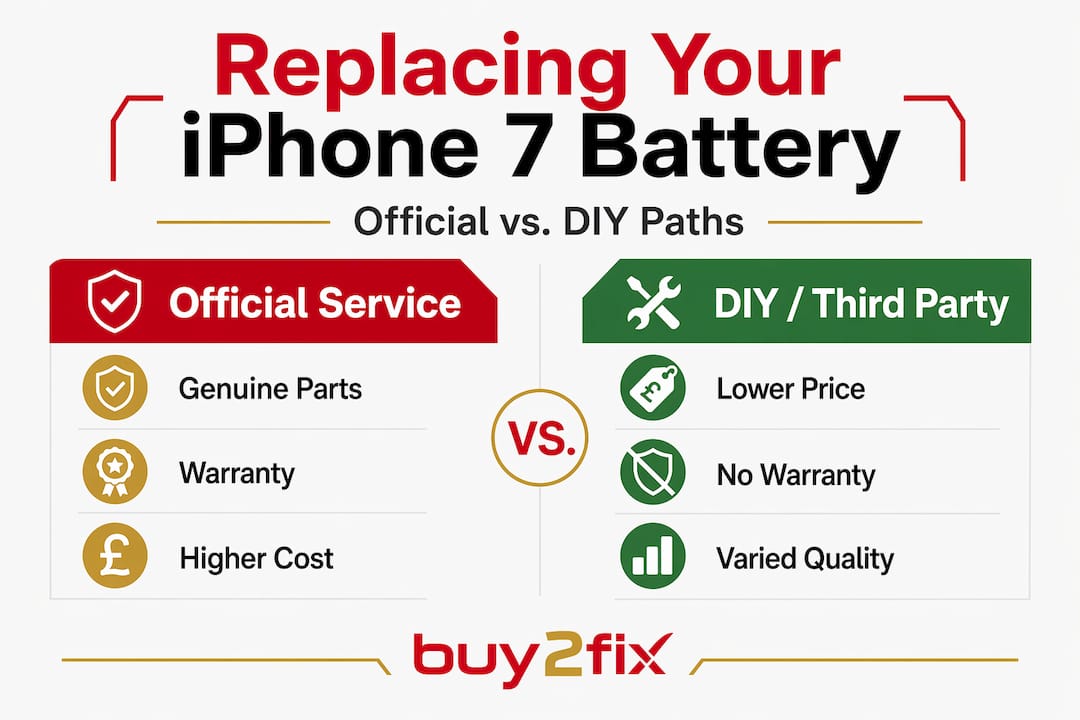
| Option | Typical UK cost | Pros | Cons |
|---|---|---|---|
| Apple Authorised Service | £65 to £85 | Genuine Apple battery, warranty included | Most expensive option |
| Third-party repair shop | £25 to £55 | Lower cost, often same-day | Quality of parts varies widely |
| DIY replacement | £10 to £30 for parts | Cheapest overall | Requires tools, skill, and voids remaining warranty |
For context on what to expect to pay across these routes, the iPhone battery replacement cost UK guide from Buy2fix breaks down each option in detail, including which scenarios suit each approach.
A few things worth knowing before choosing:
- Authorised service providers use genuine Apple parts and their repairs come with a 90-day warranty as a minimum. The cost is higher, but the result is predictable.
- Third-party shops vary enormously. A reputable independent repair shop using quality cells is often excellent value. A cheap market-stall repair using an unbranded battery can leave you worse off.
- DIY replacement is possible with the right tools and a genuine or high-quality aftermarket battery. The risk is not so much the skill required as the quality of the part. A poor-quality cell can swell, drain fast, or lose capacity within months.
If you are going the DIY route or sourcing parts for a repair technician, Buy2fix stocks replacement components for the iPhone 7 with quality checks before dispatch and free UK mainland shipping. You can also explore the broader iPhone 7 repair guide for context on other common hardware issues while you are at it.
My honest take on fixing iPhone 7 battery problems
I have seen a lot of iPhone 7s come in for battery replacement that did not actually need one. The pattern is almost always the same. Someone installs an iOS update, notices their phone getting warm and draining faster, and immediately assumes the battery has given up. What they did not know is that post-update battery drain is often temporary as the system does its housekeeping in the background.
In my experience, waiting three to five days after an iOS update before deciding anything is almost always the right move. I have talked to people who spent £40 on a battery replacement only for the same behaviour to return, because the real cause was Background App Refresh hammering a social media app every few minutes.
That said, I am not suggesting you ignore genuine signs of battery ageing. If your phone is shutting down at 30%, struggling in cold weather, or showing a service warning, that is real. Get it sorted. What I would push back on is the instinct to treat every drop in battery life as a hardware problem. The built-in tools Apple provides, the battery health screen and the usage chart, give you enough information to diagnose the situation properly before spending anything.
If you do decide to replace the battery, do not cut corners on the part itself. The phone is old enough that paying a premium for genuine Apple service may not make financial sense, but paying for a poor-quality cell makes even less.
— Adewale
Get a reliable fix for your iPhone 7 battery
If your troubleshooting points to a battery that genuinely needs replacing, Buy2fix can help you move forward without overpaying. Buy2fix is a UK-based specialist in mobile repair parts, and the iPhone 7 battery replacement options guide covers current pricing, what to look for in a replacement cell, and how to choose between professional service and a confident DIY repair. All parts dispatched by Buy2fix go through quality checks before leaving the warehouse, and UK mainland orders ship free. If you are weighing up whether it is worth fixing or selling the device, the advice on selling used electronics can help you get the best return if you decide to move on.
FAQ
How do I check my iPhone 7 battery health?
Go to Settings > Battery > Battery Health and Charging. The percentage shown is your battery’s maximum capacity relative to when it was new. A reading below 80% usually warrants replacement.
Why is my iPhone 7 battery draining so fast after an iOS update?
Post-update drain is often temporary. Apple advises waiting a few days as the system completes background tasks like photo indexing before normal battery behaviour returns.
What causes unexpected shutdowns on iPhone 7?
Unexpected shutdowns usually occur when an aged battery cannot deliver the peak power the processor demands, particularly in cold temperatures. Apple’s performance management feature activates after the first such shutdown to prevent it from happening again.
Is it worth replacing the battery on an iPhone 7 in 2026?
Yes, if the phone is otherwise working well. A replacement battery costs between £10 and £85 depending on the route you choose, and it can significantly extend the useful life of the device.
Can I fix iPhone 7 battery problems without replacing the battery?
In many cases, yes. Disabling Background App Refresh, reducing screen brightness, enabling Low Power Mode, and clearing app permissions can dramatically improve battery life without any hardware repair.
Recommended
Let customers speak for us
The acid test of any company is how they respond when things go wrong. The Buy2Fix team were efficient in dealing with my emails and resolved the issue to my complete satisfaction

For Samsung Galaxy A26 SM-A266B Original Earpiece Speaker with Cable

Very good communication throught. Good product

Well made part very strong easy to fit great value for the money

Well packed, with fast shipping :)

Exactly what the doctor ordered…great color, comfort, and durability. Trust this watch band!

Brilliant strap, second purchase, bought bracelet before. Excellent value. Thank you

Great item for splitting your Audio signal

Outstanding product!
Next level customer service.

Very satisfied but the delivery needs to get more faster...

Good price,quick delivery

Best phone case ever! This is my second one as I broke my first. Would defo recommend

Great fitting Apple Watch bands

For Apple Watch Ultra 3 / 2 / 1 49mm RedPepper Armor Metal Case Integrated Silicone Watch Band(Steel Black White)

Good price and quick postage
