

What is an LCD camera? features, benefits, and tips
TL;DR:
- An LCD camera uses a liquid crystal display screen to show live images, menus, and reviews in real time. These screens offer flexible composition, touch controls, and instant feedback but are limited outdoors by glare, heat, and colour accuracy. Recent advancements have improved resolution, connectivity, and usability, making LCD screens a central feature in modern digital cameras.
An LCD camera is a digital camera equipped with a liquid crystal display screen that lets you view, compose, and review images in real time. The LCD screen serves as the primary interface between you and your camera, replacing the need to squint through a small optical viewfinder for every shot. LCD screens have been standard on digital cameras since the 1995 Casio VS-101, and the technology has advanced dramatically since then. Understanding what LCD means on a camera helps you make smarter buying decisions and get more from the gear you already own.
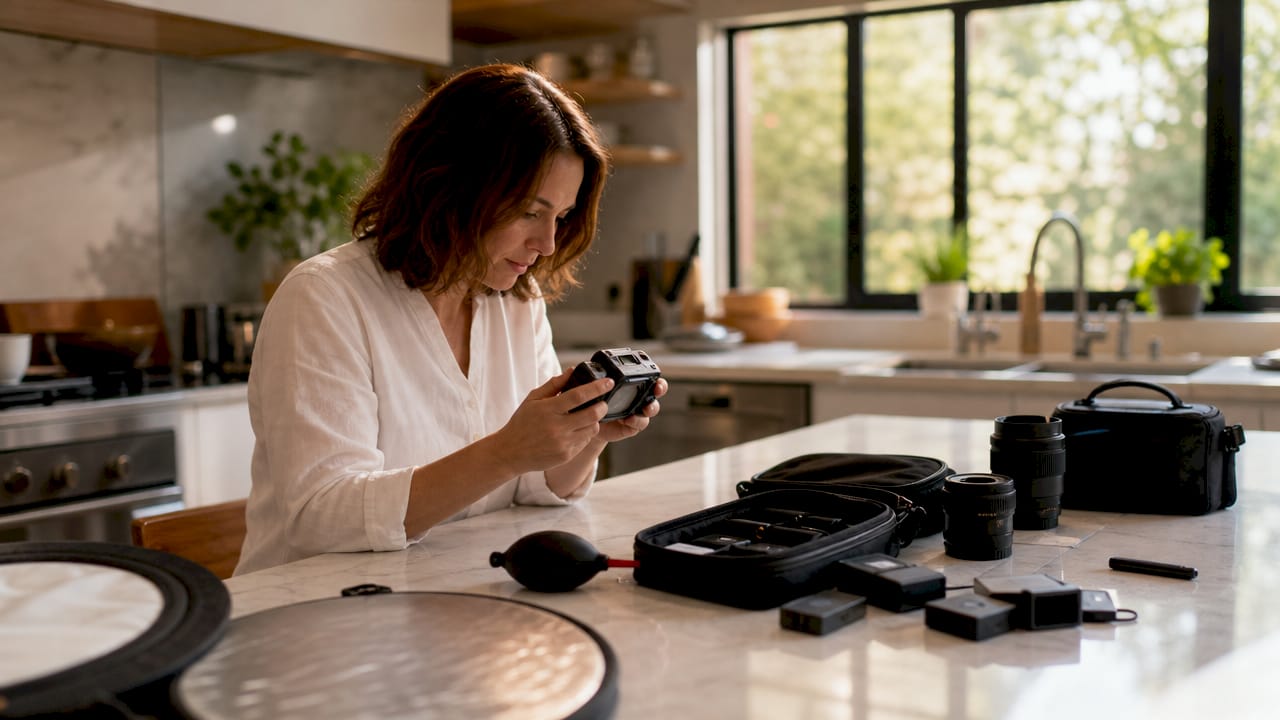
What is an LCD camera and how does it work?
An LCD camera uses a liquid crystal display panel mounted on the camera body to show a live feed from the image sensor, camera menus, and captured photos. Liquid crystals sit between two glass layers and control how light passes through them, producing the image you see on screen. The display connects directly to the camera’s processor, so what you see updates in near real time as you move the camera or adjust settings.
Typical LCD screens range from 2.5 to 3.5 inches in diagonal size. That range balances portability with enough screen area to judge focus and exposure accurately. Resolution varies by model, but higher pixel density screens make it easier to spot soft focus before you move on to the next shot.
Most modern LCD cameras also integrate touch controls. Full touch control on LCD screens allows you to tap to set focus, trigger the shutter, and swipe through menus without pressing a single physical button. This speeds up your workflow considerably, especially when shooting from awkward angles.
Fixed, tilting, and fully articulating screens
LCD screens come in three physical configurations. Fixed screens sit flat against the camera body and cannot move. Tilting screens pivot up or down on a single axis, which helps when shooting from low or high positions. Fully articulating screens rotate out from the body and swivel to face any direction, including forward for video creators who need to monitor themselves on screen.
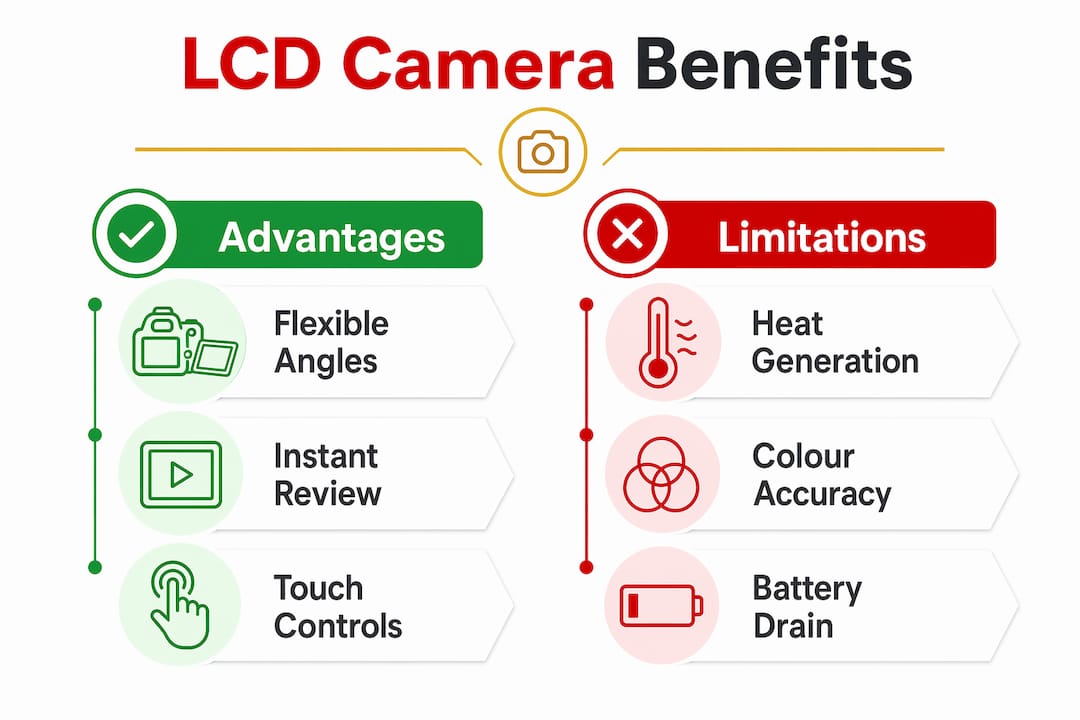
The articulating design does more than add convenience. Tilting screens can mitigate heat transfer from the LCD panel to the image sensor by creating physical separation between the two components. That matters for long video shoots where heat build-up can increase sensor noise.
Pro Tip: If you shoot a lot of video or overhead photography, prioritise a fully articulating screen over a fixed one. The flexibility pays off far more than a marginal resolution upgrade.
What are the benefits of LCD cameras over traditional viewfinders?
The most direct benefit of an LCD camera is instant image review. You can check exposure, composition, and focus immediately after each shot without waiting to download files. Photographer Gavin Stoker notes that real-time LCD feedback improved keeper shot success rates for photographers transitioning from film and early digital cameras. Seeing your mistakes on a 3-inch screen while still on location means you can correct them before the moment passes.
LCD screens also make composition far more flexible. You can hold the camera above a crowd, down at ground level, or around a corner and still see exactly what the sensor sees. An optical viewfinder locks you into a single eye-level position.
Here is a direct comparison of LCD screens versus optical viewfinders across the most relevant practical criteria:
| Feature | LCD screen | Optical viewfinder |
|---|---|---|
| Composition angles | Any angle, including overhead and low | Eye level only |
| Bright sunlight visibility | Reduced, even with anti-glare coating | Unaffected |
| Battery consumption | Higher due to screen power draw | Minimal |
| Touch input | Available on most modern cameras | Not applicable |
| Menu navigation | Full on-screen access | Limited or none |
| Live histogram | Visible on screen | Not available |
The advantages of LCD use extend beyond composition. Touch input lets you select a focus point by tapping the screen, which is faster than navigating a joystick or directional pad. Menu access is also more intuitive on a touchscreen, particularly for beginners who are still learning where settings live.
The key practical benefits of LCD cameras, in order of impact for most photographers:
- Instant review of every shot without leaving the shooting position
- Flexible composition from any physical angle
- Touch-to-focus for faster and more accurate subject selection
- Live histogram and exposure data visible before you press the shutter
- Easier menu navigation, particularly for beginners
What limitations should you know about LCD cameras?
LCD screens are not without drawbacks, and knowing them helps you work around them rather than be caught out. High ambient light limits LCD visibility even on screens with anti-reflective coatings. Shooting in direct sunlight on a bright summer day often makes the screen difficult to read, and the optical viewfinder remains the better tool in those conditions.
Heat is a less obvious but genuine concern. LCD screens generate heat during extended use, which can increase sensor noise. This is most relevant during long video recordings or time-lapse sequences. Cameras with articulating screens handle this better because the physical separation reduces thermal transfer to the sensor.
Colour accuracy on the LCD is another issue photographers overlook. The screen brightness and colour temperature on most cameras are not calibrated to match a colour-graded monitor. Judging white balance or subtle colour shifts on the camera screen alone is unreliable. Always treat the LCD as a guide, not a final colour reference.
Several features that make the LCD genuinely useful are switched off by default. Zebra patterns and focus peaking require manual activation in the camera menu. Zebra patterns overlay a striped warning on overexposed areas of the frame. Focus peaking highlights in-focus edges with a coloured outline. Both tools dramatically improve accuracy, but most photographers never turn them on because they do not know they exist.
Pro Tip: Spend 20 minutes in your camera’s menu and activate zebra patterns, focus peaking, and the live histogram. These three settings alone will improve your exposure and focus accuracy more than any lens upgrade.
Key limitations to keep in mind:
- Screen glare in bright sunlight reduces usability outdoors
- Heat from the LCD can affect sensor performance during long sessions
- Colour on the LCD screen is not a reliable reference for post-processing
- Advanced display tools like zebra patterns are disabled by default
- Battery life drops faster when the LCD is in constant use
How have LCD cameras evolved with recent technology?
LCD camera technology has moved well beyond a basic review screen. Manufacturers now integrate touch controls that function like a trackpad, letting you move the focus point with your thumb while keeping your eye to the viewfinder. This combines the precision of touch input with the glare-free benefit of the optical viewfinder at the same time.
Screen resolution and latency have also improved significantly. The JBM-L13 microscope camera, for example, features a 13.3-inch integrated LCD with 40ms latency, demonstrating how far LCD integration has come even in specialist imaging equipment. Consumer camera screens now offer low enough latency that the live view feed feels genuinely responsive rather than slightly delayed.
Connectivity has become part of the LCD camera conversation too. Photographer Alex Cooke argues that touchscreen LCDs, USB-C charging, and fully articulating screens should be standard features, not premium additions. The photography industry has historically prioritised megapixel counts over usability features, but buyer expectations have shifted. Photographers now expect the same quality of screen interaction from a camera that they get from a smartphone.
| Feature | Early LCD cameras (pre-2010) | Modern LCD cameras (2020 onwards) |
|---|---|---|
| Screen size | 1.8–2.5 inches | 3.0–3.5 inches |
| Touch input | Absent | Standard on most models |
| Screen articulation | Fixed or basic tilt | Fully articulating on many models |
| Latency | Noticeable lag | Near real-time response |
| Charging | Proprietary connectors | USB-C on newer models |
The photography industry increasingly treats LCD usability as a core buying criterion rather than a secondary spec. That shift reflects how central the screen has become to the entire shooting experience, from composition through to in-camera editing.
For a deeper understanding of how LCD panels are built and what makes them fail, the Buy2fix guide on LCD screen technology types covers the key variants and their vulnerabilities in practical detail.
Key takeaways
An LCD camera gives photographers real-time visual control over composition, exposure, and focus through a liquid crystal display screen that has been standard on digital cameras since 1995.
| Point | Details |
|---|---|
| LCD definition | An LCD camera uses a liquid crystal display to show live sensor output and camera data in real time. |
| Screen size range | Most camera LCD screens measure between 2.5 and 3.5 inches diagonally for practical usability. |
| Hidden features | Zebra patterns and focus peaking are disabled by default and must be activated manually in camera menus. |
| Sunlight limitation | Anti-reflective coatings help but do not fully solve outdoor visibility issues; a viewfinder remains better in bright light. |
| Modern expectations | Touch control, articulating screens, and USB-C charging are now standard user expectations, not luxury additions. |
The LCD screen changed how I think about composition
I spent years shooting with an eye glued to the viewfinder, convinced that was the serious photographer’s approach. The LCD screen felt like a shortcut, something beginners used because they had not learned proper technique. That view was wrong, and it cost me shots.
The moment I started using a tilting screen for low-angle street photography, I realised the LCD was not a crutch. It was a tool I had been ignoring out of habit. Getting the camera down to pavement level and still seeing a clean, composed frame changed what I was able to capture. The viewfinder simply cannot do that.
Where I still reach for the viewfinder is in harsh midday sunlight. No amount of screen brightness compensates for direct glare, and squinting at a washed-out LCD costs you time and accuracy. The practical answer is to use both, switching based on conditions rather than loyalty to one approach.
The feature that made the biggest difference was not the screen itself but what I activated on it. Turning on focus peaking and the live histogram transformed the LCD from a review tool into an active shooting aid. If you have not explored your camera’s display settings, you are likely leaving the most useful features switched off.
— Adewale
Camera screen care and repair support from Buy2fix
Camera LCD screens take more physical stress than most photographers expect. Dust, pressure, and impact can all degrade screen performance over time, and a damaged or discoloured display affects every decision you make in the field. Buy2fix stocks LCD screen repair essentials and replacement parts for a wide range of devices, with free UK mainland shipping and a 30-day return policy on eligible items. Whether you are a DIY repairer or a professional technician, the Buy2fix catalogue covers the components and accessories you need to keep your screens performing accurately. Visit Buy2fix to browse the full range.
FAQ
What does LCD stand for on a camera?
LCD stands for liquid crystal display. It is the screen on a camera body used to compose shots, review images, and navigate menus.
Is an LCD screen better than a viewfinder?
Neither is universally better. LCD screens offer flexible composition and touch control, while optical viewfinders perform better in bright sunlight and use less battery power.
Why is my camera LCD hard to see outdoors?
High ambient light reduces LCD visibility even with anti-reflective coatings. Increasing screen brightness or switching to the optical viewfinder resolves the issue in most cases.
What is focus peaking on an LCD camera?
Focus peaking is a display tool that highlights in-focus edges with a coloured outline on the LCD screen. It is disabled by default on most cameras and must be activated manually in the menu.
Do LCD cameras drain battery faster?
Yes. Keeping the LCD screen active draws more power than using the optical viewfinder alone. Reducing screen brightness or switching to viewfinder-only mode extends battery life during long shoots.
Recommended
Let customers speak for us
The acid test of any company is how they respond when things go wrong. The Buy2Fix team were efficient in dealing with my emails and resolved the issue to my complete satisfaction

For Samsung Galaxy A26 SM-A266B Original Earpiece Speaker with Cable

Very good communication throught. Good product

Well made part very strong easy to fit great value for the money

Well packed, with fast shipping :)

Exactly what the doctor ordered…great color, comfort, and durability. Trust this watch band!

Brilliant strap, second purchase, bought bracelet before. Excellent value. Thank you

Great item for splitting your Audio signal

Outstanding product!
Next level customer service.

Very satisfied but the delivery needs to get more faster...

Good price,quick delivery

Best phone case ever! This is my second one as I broke my first. Would defo recommend

Great fitting Apple Watch bands

For Apple Watch Ultra 3 / 2 / 1 49mm RedPepper Armor Metal Case Integrated Silicone Watch Band(Steel Black White)

Good price and quick postage
