

iPhone battery replacement costs UK: best options 2026
TL;DR:
- Battery replacements can cost between £15 and £130 depending on method and model.
- Replacing a battery below 80% capacity prevents unexpected shutdowns and performance issues.
- Professional and genuine repairs ensure safety and longer-lasting results over DIY or third-party options.
Most iPhone users assume battery replacement means either a costly trip to Apple or living with a phone that dies before lunch. That assumption is costing people money. In reality, the UK market in 2026 offers a surprisingly wide range of options, from official Apple service to trusted third-party shops and confident DIY kits, each with very different price tags and trade-offs. Whether your iPhone 8 is gasping by 3pm or your iPhone 15 Pro is shutting down unexpectedly, understanding your choices before you commit could save you anywhere from £30 to over £80.
Table of Contents
- When should you replace your iPhone battery?
- Apple vs third-party vs DIY: iPhone battery replacement cost comparison
- Hidden costs and common pitfalls to avoid
- How to choose the most cost-effective replacement route
- What most iPhone users don’t realise about battery replacement
- Find the best iPhone battery replacement for you
- Frequently asked questions
Key Takeaways
| Point | Details |
|---|---|
| Apple vs third-party cost | Apple battery replacements cost £79–£119, while third-party shops start from £25 for older models but may risk warranty coverage. |
| Know when to replace | Replace your iPhone battery if health falls below 80% or it’s swollen, to avoid performance and safety issues. |
| Hidden risks matter | Non-genuine batteries or poor workmanship can lead to warnings, degraded performance, and voided warranties. |
| Best value choice | Choose Apple for new models under warranty, third-party for older phones, and DIY only if you’re skilled and willing to risk it. |
When should you replace your iPhone battery?
Knowing when to replace your battery is just as important as knowing how. Acting too early wastes money. Waiting too long risks data loss, unexpected shutdowns, or worse, a swollen battery that becomes a genuine safety hazard.
The easiest starting point is your iPhone’s built-in health monitor. Go to Settings > Battery > Battery Health & Charging. You’ll see a percentage figure representing your battery’s maximum capacity compared to when it was new. Apple’s own guidance and independent consumer advice both confirm you should replace battery if health drops below 80%, as performance degrades noticeably below that threshold.
Here are the most common signs that replacement is overdue:
- Battery health reading below 80%
- Phone shuts down unexpectedly, even at 20-30% charge
- Noticeably faster drain than six months ago
- Slow charging or the phone getting unusually warm while charging
- iPhone throttling performance (you may notice apps launching slowly)
- A visibly swollen or bulging back panel
That last point deserves special attention. A swollen battery is not just an inconvenience. It is a fire and chemical hazard. Stop using the device immediately and take it to a professional. Do not attempt DIY repair on a swollen battery.
A battery that has completed 500 to 800 charge cycles will typically show significant capacity loss. One full cycle equals charging from 0% to 100%, so daily top-ups add up faster than most people realise.
Pro Tip: Don’t wait until your battery hits 79% to start planning. Once you’re approaching 85%, begin comparing your options so you’re not rushing into a decision when the phone becomes unusable.
There are plenty of reasons to replace your battery beyond pure capacity figures, including improved performance consistency and avoiding the frustration of mid-day shutdowns.
Apple vs third-party vs DIY: iPhone battery replacement cost comparison
Once you’ve confirmed you need a replacement, the next question is straightforward: who should do it, and what will it cost?
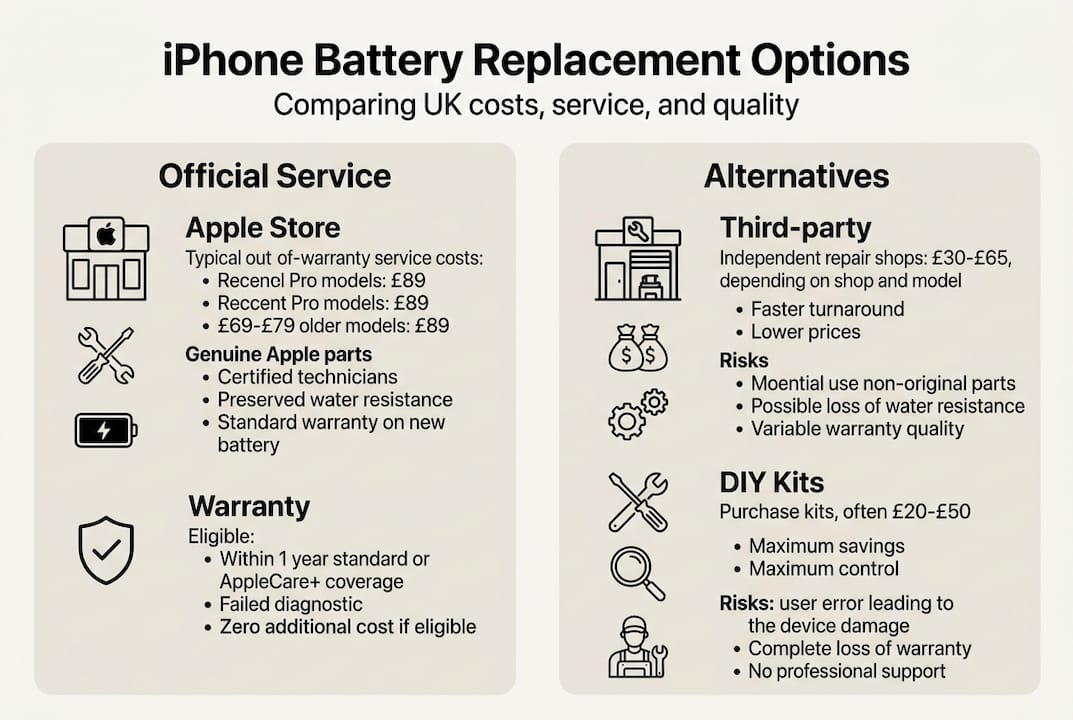
Apple official service is the most expensive route. Out-of-warranty iPhone battery replacement costs in the UK currently range from £79 for older models like the iPhone SE to £99 to £119 for the iPhone 16 and 17 series. If you have AppleCare+, the replacement is free provided your battery health is below 80%. Apple uses genuine parts, maintains your warranty, and the repair is handled by trained technicians.
Third-party repair shops offer a much wider price range. Third-party shops charge £25 to £130 depending on model and location. An iPhone 7 or 8 might cost as little as £35 to £50, while an iPhone 15 could run to £60 to £120. Most offer same-day service, which is genuinely useful. The trade-off is that warranties are shorter (typically 3 to 12 months) and some shops use non-genuine parts, which can trigger an “unknown battery” warning in iOS.
DIY replacement kits are the cheapest option. A quality kit including the battery, tools, and adhesive typically costs £15 to £40 depending on the model. The genuine vs DIY costs difference is substantial, particularly for older handsets.
| Replacement route | Typical UK cost | Warranty | Part quality | Service speed |
|---|---|---|---|---|
| Apple official | £79 to £119 | 90 days to 1 year | Genuine | 1 to 3 days |
| Third-party shop | £25 to £130 | 3 to 12 months | Varies | Same day |
| DIY kit | £15 to £40 | None | Aftermarket | Immediate |
For older models, third-party and DIY savings can reach 30 to 50% compared with Apple pricing. That’s a meaningful difference, especially when the phone itself is worth less than the Apple service fee. For model-specific pricing, see our breakdowns for the cost for iPhone 11 and iPhone 8 battery pricing.
Hidden costs and common pitfalls to avoid
Comparing headline prices is a good start, but several hidden factors can erode your savings or create new problems entirely.
- Non-genuine battery warnings. iOS will flag a battery it cannot verify as genuine. This isn’t just cosmetic. Non-genuine batteries trigger warnings and may degrade faster, meaning you could find yourself back in the same situation within 12 months instead of two to three years.
- Vague or short warranties. Some shops advertise a warranty without specifying what it covers. A 30-day warranty on labour only is very different from a 12-month warranty on both parts and labour. Always ask before you hand over your phone.
- Swollen batteries handled incorrectly. A swollen battery requires immediate professional attention. Attempting DIY on a swollen cell risks puncturing it, which can cause fire or release toxic gases. This is non-negotiable.
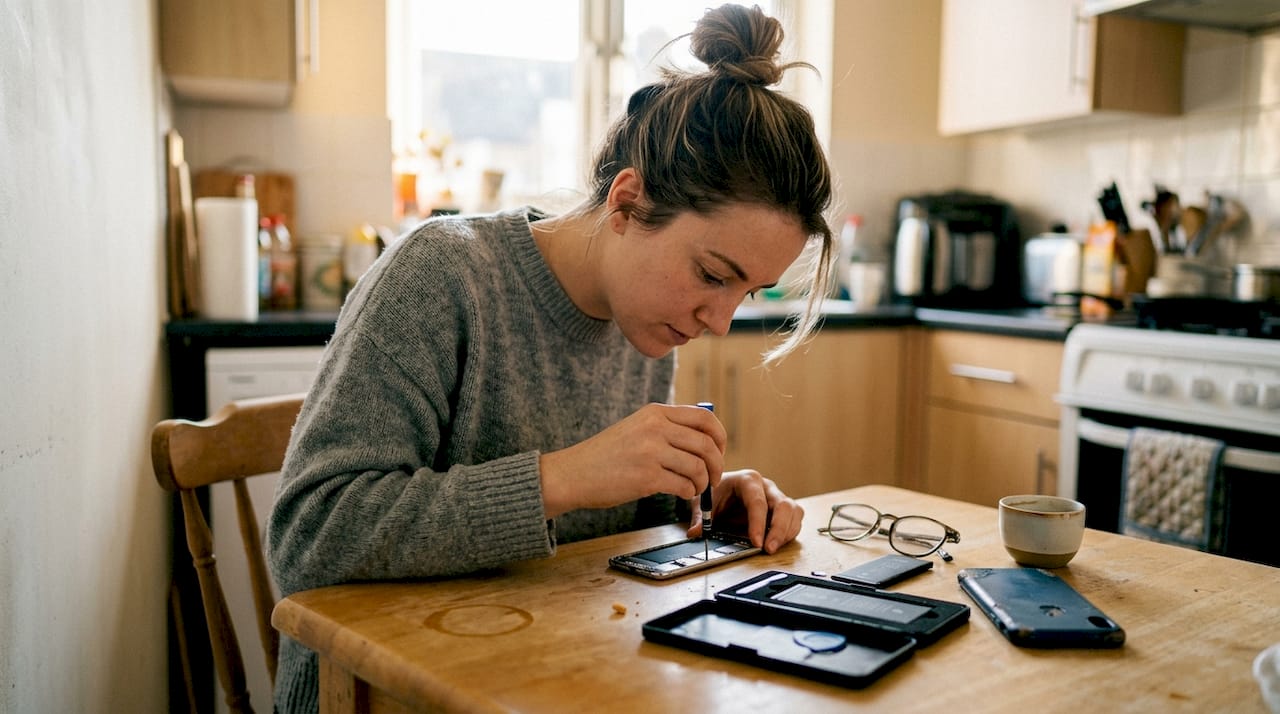
- DIY damage. iPhones are not designed for easy self-repair. Stripped screws, torn flex cables, and broken display connectors are common mistakes. Repair costs for secondary damage can easily exceed the original battery price.
- Loss of water resistance. Opening an iPhone breaks the factory seal. Professional repair shops may re-seal the device, but DIY repairs almost never restore the original IP rating.
Replacing a battery typically extends a phone’s useful life by two to three years at a cost of £50 to £100, compared with a new iPhone costing £800 or more. The maths strongly favours repair.
Pro Tip: Before agreeing to any repair, ask three questions: What brand is the battery? How long is the warranty and what does it cover? Will you re-seal the device afterwards?
For a closer look at model-specific risks, the iPhone X battery pitfalls are worth reviewing, as are the broader considerations around whether a refurbished vs new iPhone might make more financial sense at this stage.
How to choose the most cost-effective replacement route
With the pitfalls clear, here is a practical framework for matching your situation to the right option.
| Your situation | Best route | Why |
|---|---|---|
| iPhone under warranty or AppleCare+ | Apple official | Free or low cost, genuine parts |
| iPhone 12 or newer, no AppleCare+ | Third-party reputable shop | Saves £30 to £60, same-day service |
| iPhone 11 or older | DIY or budget third-party | Phone value may not justify Apple pricing |
| Swollen battery | Professional only | Safety risk, never DIY |
| Confident with tools, older model | DIY kit | Cheapest option if skills are present |
Follow these steps to make your decision:
- Check your battery health in Settings. If it’s above 85%, monitor it for another month before acting.
- Identify your iPhone model and look up the current Apple out-of-warranty price for that model.
- Get two or three quotes from local third-party shops. Ask about battery brand and warranty terms.
- Honestly assess your technical confidence before considering DIY.
- Factor in the phone’s current resale value. Spending £90 on a phone worth £80 rarely makes sense.
Third-party shops offer 30 to 50% savings over Apple for budget and older iPhones, while Apple remains the stronger choice for newer models where warranty preservation matters. If you own an iPhone 11, our iPhone 11 replacement guide and dedicated DIY iPhone 11 replacement walkthrough cover your specific options in detail.
What most iPhone users don’t realise about battery replacement
Here’s the uncomfortable truth: most people shop on price alone and end up paying more in the long run. We see it regularly. A customer saves £25 by choosing the cheapest shop on the high street, gets a no-name battery with a 30-day warranty, and is back within eight months with the same problem.
The real cost of a battery replacement isn’t just the upfront fee. It’s the warranty length, the quality of the part, the workmanship, and whether the repair actually extends your phone’s life by two to three years as it should. A £60 repair with a one-year warranty on a quality battery is better value than a £35 job that fails in six months.
We’d also push back on the idea that DIY is always the smart move for confident users. The understanding value vs cost calculation changes significantly once you factor in the risk of secondary damage, loss of water resistance, and the absence of any warranty. DIY suits a specific type of user: someone with prior repair experience, the right tools already to hand, and an older phone where the stakes are lower.
The smartest customers we encounter don’t ask “what’s the cheapest option?” They ask “what’s the best value for my specific phone and how long I plan to keep it?” That shift in thinking almost always leads to a better outcome.
Find the best iPhone battery replacement for you
Ready to stop guessing and start saving? At Buy2fix, we stock a wide range of quality iPhone battery replacement parts for models from the iPhone SE right through to the latest iPhone 17 series, all with free UK mainland shipping and a one-year warranty. Whether you’re a confident DIY repairer or simply want to understand your options before visiting a shop, our product listings include everything you need, from the battery itself to the tools and adhesive. We also publish detailed cost guides for specific models so you can walk into any repair conversation fully informed. Quality parts, honest pricing, and no surprises.
Frequently asked questions
Is AppleCare+ worth it for iPhone battery replacement in the UK?
If your battery drops below 80% capacity during the coverage period, AppleCare+ provides a free replacement, saving you up to £119 depending on your model. For users who keep their iPhones for three or more years, it can represent excellent value.
Will replacing my iPhone battery with a third-party part affect my phone?
Non-genuine batteries may trigger warnings in iOS settings, degrade faster than genuine parts, and could void your remaining warranty, so it’s worth choosing a reputable supplier with a clear returns policy.
How long should an iPhone battery last before needing to be replaced?
Most iPhone batteries are rated for 500 to 800 charge cycles, after which capacity typically falls below 80% and replacement becomes worthwhile.
Can I replace my iPhone battery myself?
DIY is the cheapest route but carries real risks including secondary damage and loss of water resistance, so it’s best suited to users with prior repair experience working on older iPhone models.
Recommended
Let customers speak for us
Great phone case. Good quality. Exactly as described- thank you

Unfortunately after selecting the correct size of iPhone case for my iPhone 14, I without realising when selecting the colour clicked on the iPhone 14 Pro case.
Fortunately the case was slightly bigger so my phone still fits inside but I’ve had to remove the class from the rear so I still use my camera.

very happy with this item didn't take long to come

Potrivit

Battery direct replacement easy fix thanks to supplied tools.


For Samsung Galaxy Watch6 44mm SM-R940/R945 Original LCD Screen with Digitizer Full Assembly

For HMD Skyline 5G imak Shockproof Airbag TPU Phone Case(Matte Black)

Great product! Durable, light weight and easy to use. Stands up in high winds and weather storms. Covers all of my motorcycle and i have a VT1100. Over all im very happy with this.

Arrived in time, works perfectly.


LCD Flex Cable Adhesive Sticker For Apple Watch Series 5 44mm

For Samsung Galaxy S21 Ultra 5G SM-G998B Original 5G Flex Cable

No complaints at all, I got exactly what I needed, which was the genuine back cover of my mobile device. It was a perfect fit, the camera lenses functioning properly and so I now have a brand-new looking device in a perfect colour.

For Motorola Edge 30 Pro Kalebol Metal Hollow Lens Protection Ring
