

Understand phone battery degradation and extend device life
TL;DR:
- Phone batteries naturally degrade due to chemical and physical processes that begin from first use, despite careful handling.
- Environmental factors like high temperatures, full charges, and deep discharges accelerate capacity loss and internal resistance, shortening battery lifespan.
Every phone you buy comes with an expiry date baked into its battery. Even if you treat your handset with care, never drop it, and charge it methodically, lithium-ion cells begin to lose capacity from the moment they are first used. The frustrating truth is that careful use alone cannot stop this process, it can only slow it. Understanding exactly why batteries degrade, and what genuinely works to limit the damage, puts you in a far stronger position to get more life from your device and make smarter decisions about when to replace a battery rather than an entire phone.
Table of Contents
- What causes phone battery degradation?
- The science behind lithium-ion battery aging
- Cycle vs calendar aging: How usage and storage impact your battery
- How manufacturers and software manage battery health
- Edge cases and advanced insights: Anodes, cell orientation, and resistance
- What repair experts get wrong about battery degradation
- Find solutions and support for battery issues
- Frequently asked questions
Key Takeaways
| Point | Details |
|---|---|
| Battery degradation is inevitable | All lithium-ion batteries lose capacity over time due to chemical and physical changes. |
| Usage and storage matter | Charging practices, storage conditions, and heat significantly affect how quickly batteries degrade. |
| Manufacturer strategies can help | Brands use software and design choices to delay battery aging and extend device lifespan. |
| Early action saves devices | Monitoring battery health and timely replacement can prevent performance loss and device damage. |
What causes phone battery degradation?
Phone batteries degrade because of an unavoidable combination of chemistry and physics. Lithium-ion batteries degrade through two key mechanisms: capacity fade, where the battery stores less energy over time, and internal resistance increase, where the battery struggles to deliver power efficiently. Both processes happen simultaneously and accelerate each other.
Capacity fade means your phone reaches 100% charge faster but runs out of power sooner. Increased resistance means the battery heats up more during use and drops voltage unpredictably under load. These two effects together are why an older phone feels sluggish and unreliable even when the battery indicator shows a reasonable percentage.
Cycle aging is another major factor. Each time you charge and discharge your battery, mechanical stress cracks electrodes inside the cell, and most smartphone batteries retain around 80% of their original capacity after approximately 500 full charge cycles. Five hundred cycles sounds like a lot, but if you charge your phone once daily, that is less than a year and a half of use before noticeable degradation sets in.
Key contributors to early battery degradation include:
- High temperatures during charging, which accelerate chemical side reactions
- Frequent full charges to 100%, which stress the cathode material
- Deep discharges to 0%, which damage the anode structure
- Fast charging used consistently, which generates excess heat inside the cell
- Poor quality or counterfeit chargers, which deliver unstable voltage and current
“A battery that regularly operates at high temperature and high charge levels ages several times faster than one kept in moderate conditions, even if both complete the same number of cycles.”
Understanding these fundamentals is the foundation for everything else. For practical guidance on when and how to act on this, our battery replacement tips article covers the process in detail, and you can also check the signs you need a new battery if you suspect your phone is already showing symptoms.
The science behind lithium-ion battery aging
Inside every lithium-ion battery, a thin protective layer called the Solid Electrolyte Interphase, or SEI, forms on the anode surface during the very first charge. This layer is actually necessary for the battery to function safely. The problem is that it does not stop growing. SEI growth on the anode consumes cyclable lithium, thickening over time and progressively reducing the battery’s capacity. Think of it like a drain slowly clogging: water still flows, but less efficiently with every passing month.
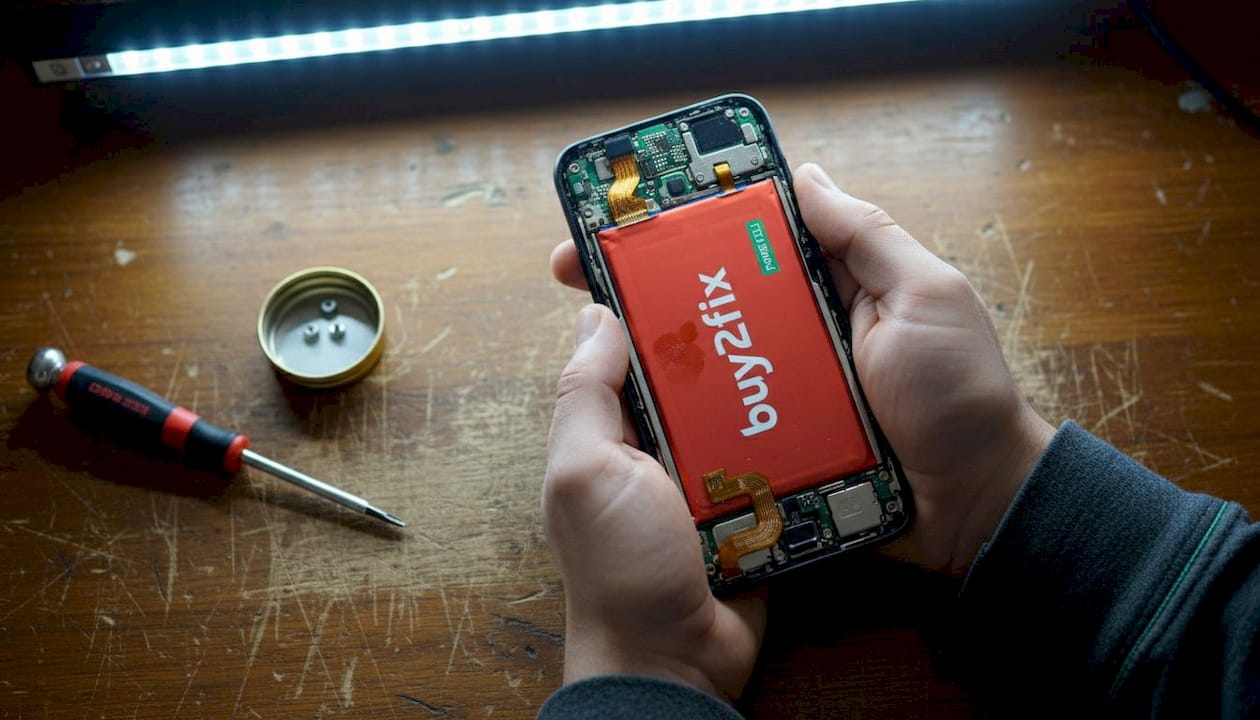
As the SEI thickens, the electrolyte (the liquid medium that carries lithium ions between electrodes) also begins to break down. Electrolyte decomposition and electrode degradation from repeated cycling and high voltage exposure lead to gas formation inside the cell, loss of active electrode material, and a measurable rise in impedance. Impedance is simply resistance to electrical flow, and as it rises, the battery becomes less capable of delivering current on demand.
Here is a simplified look at how these aging mechanisms interact:
| Aging mechanism | Primary cause | Effect on battery |
|---|---|---|
| SEI growth | Cycling and storage | Capacity loss, lithium depletion |
| Electrolyte breakdown | High voltage, heat | Gas formation, impedance rise |
| Electrode cracking | Mechanical stress | Loss of active material |
| Lithium plating | Fast charging, low temperatures | Short circuits, safety risk |
The loss of active material is particularly significant because it is largely irreversible. Once electrode particles crack and become electrically isolated from the rest of the cell, that capacity is gone permanently. No software update, no special charging routine, and no conditioning cycle can bring it back.
“The interaction between SEI growth and electrolyte breakdown creates a compounding effect: as resistance rises, the battery generates more heat during use, which in turn accelerates both processes further.”
Pro Tip: To slow SEI growth meaningfully, try to keep your battery between 20% and 80% charge whenever possible. Avoiding the upper 20% of the charge range reduces the voltage stress that drives SEI formation and electrolyte decomposition. Our detailed guide on how to prolong battery life explains this and other practical strategies.
Cycle vs calendar aging: How usage and storage impact your battery
Most people focus on how they charge their phone, but far fewer think about what happens to the battery when the phone is sitting in a drawer or on a shelf unused. There are actually two distinct types of battery aging, and both matter.
Cycle aging occurs every time you charge and discharge the battery. Each cycle stresses the electrode materials, drives further SEI growth, and gradually reduces the amount of lithium available to carry charge. Shallow cycles (e.g., from 50% to 80%) cause less damage than full cycles from 0% to 100%, which is why the 20-80% rule genuinely works in practice.
Calendar aging is trickier because it happens whether you use the phone or not. Calendar aging accelerates at high charge levels and high temperatures, driven by ongoing SEI growth and chemical side reactions that never fully stop. A battery stored at 100% charge in a warm environment will degrade noticeably faster than one stored at 50% in a cool space, even if neither is ever cycled.
| Factor | Cycle aging | Calendar aging |
|---|---|---|
| Main trigger | Charge/discharge events | Time, temperature, charge level |
| Worst condition | Full 0-100% cycles | 100% SOC at high temperature |
| Best practice | Shallow partial charges | Store at 40-50%, cool and dry |
| Reversible? | No | No |
| Rate of damage | Proportional to cycle depth | Continuous even when idle |
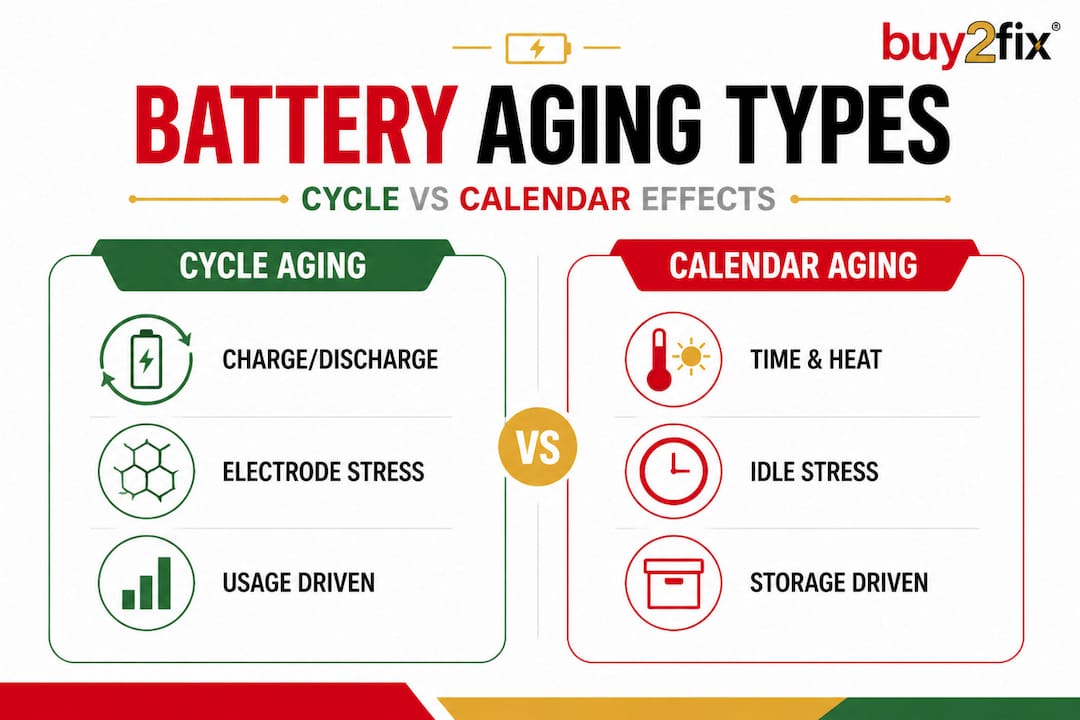
The practical implications are significant. If you plan to store a spare phone or a device you are not actively using, charge it to around 50% first. Do not leave it plugged in continuously or store it in a hot garage. These habits can dramatically reduce calendar aging and preserve battery health for when you need the device again.
Heat is the single most damaging environmental factor for both types of aging. For a deeper look at why temperature management matters so much, our article on why phones overheat explains the causes and how to address them. You can also find a broader set of practical strategies in our guide covering extend battery life tips.
How manufacturers and software manage battery health
Manufacturers are well aware of these degradation processes, and they have developed increasingly sophisticated software strategies to manage battery ageing without requiring the user to think about it.
Google has been particularly transparent about its approach. The Pixel adaptive charging system limits voltage after approximately 200 cycles to slow aging, and the battery health status is flagged as “Reduced” when capacity falls below 80% or after 1,000 cycles on newer Pixel models like the 8a. This is a deliberate trade-off: accept a modest performance ceiling in exchange for longer overall battery lifespan.
Other manufacturers take slightly different approaches:
- Samsung uses its own adaptive charging algorithm and offers a “Battery Protection” mode that caps charging at 85%, reducing stress on the cathode material during overnight charging.
- Apple introduced Optimised Battery Charging on iOS 13, which learns your charging routine and delays charging past 80% until shortly before you typically wake up.
- Xiaomi and OPPO both offer charge limit settings in their software, allowing users to set a maximum charge percentage manually.
- OnePlus uses a dedicated charging management chip in some models to reduce heat generation during fast charging sessions.
Pro Tip: Enable adaptive or optimised charging features on your device as soon as you set it up, not after you have already lost significant capacity. These features are most effective when implemented early in a battery’s life, before compounding degradation has already taken hold.
Software updates can also alter charging behaviour in ways users do not always notice. If you want to get the most out of your phone’s built-in protections while also building good habits, our extend phone lifespan tips article covers both the software and hardware sides of the equation.
Edge cases and advanced insights: Anodes, cell orientation, and resistance
Beyond the standard degradation story, some genuinely surprising research findings are worth knowing about, particularly if you are a repair professional or an enthusiast who follows battery technology closely.
Silicon anodes are increasingly common in newer Android devices because they allow much higher energy density than conventional graphite anodes. The trade-off is that silicon expands significantly during charging (up to 300% volume change), which can cause faster initial degradation due to mechanical cracking. Over time, however, well-engineered silicon-composite anodes can stabilise and offer competitive longevity.
Cell orientation is another factor that rarely gets discussed. Research has shown that vertically oriented battery cells experience more uneven electrolyte distribution, which can accelerate localised degradation and lead to faster capacity fade compared to horizontally mounted cells. This has practical implications for device design and explains why some form factors age differently even when using chemically identical cells.
Perhaps the most striking quantitative finding comes from large-scale cell testing. Capacity fade correlates strongly with resistance increase, with a correlation coefficient below -0.8 observed in 97% of 814 cells tested across NMC, NCA, and LFP battery chemistries. In plain terms: as a battery loses capacity, its resistance almost always rises in lockstep, and this relationship holds across nearly every cell type tested.
Key takeaways from advanced battery research:
- Silicon anodes offer more energy but require careful management of charge rates to minimise initial degradation
- Cell orientation matters more than most users realise and is largely determined by device design
- Resistance and capacity are tightly linked, meaning early resistance monitoring can predict capacity loss before it becomes severe
- LFP (lithium iron phosphate) cells, used in some newer phones, generally degrade more slowly but offer lower energy density
What repair experts get wrong about battery degradation
Here is something that might surprise even experienced technicians: most battery advice in the repair community focuses almost entirely on charging habits, as if following the 20-80% rule will solve everything. It will not. And this misplaced confidence is costing users batteries they could have replaced sooner and phones they replace entirely when a battery swap would have sufficed.
The reality is that battery health is shaped by at least four interacting variables: cell chemistry, manufacturer software policy, usage pattern, and storage conditions. Changing one without understanding the others gives you incomplete results. A user who follows perfect charging discipline but stores their phone at 100% charge in a warm car every afternoon is still degrading their battery at an accelerated rate. Chemistry does not reward partial effort.
There is also a widespread assumption in the repair world that you should wait for dramatic symptoms before replacing a battery. Rapid drain, random shutdowns, visible swelling. But by the time those symptoms appear, the battery has often been operating in a degraded state for months, and in some cases has already caused software throttling that makes the phone feel unusable. Early action on failing batteries is consistently the smarter approach.
A battery at 78% health is not a failing battery in the dramatic sense. But it is a battery that is making every other component in your phone work harder, drawing more current to compensate, and generating more heat in the process. The compounding effect of that additional stress on the logic board and charging circuits is real, even if it is invisible.
Our view, informed by thousands of battery replacements handled across iPhone, Samsung Galaxy, Huawei, and other platforms, is this: monitor your battery health quarterly, act at 80% rather than waiting for 70%, and treat a battery replacement as routine maintenance rather than a last resort.
Find solutions and support for battery issues
If you have been reading through this article and recognising the signs in your own device, you are already ahead of most users. At Buy2fix, we stock replacement batteries for a wide range of smartphones including iPhone, Samsung Galaxy, Huawei, Xiaomi, and OPPO, along with the tools and guides needed to complete a replacement confidently. Whether you are a DIY buyer tackling your first battery swap or a professional technician restocking your workshop, our inventory is checked for quality before dispatch and backed by warranty support on eligible items. Free UK mainland shipping is included as standard, and our 30-day return policy means you can order with confidence. Do not wait for a complete battery failure when a straightforward replacement can restore your phone to full performance today.
Frequently asked questions
How many charge cycles can a typical phone battery last?
Most phone batteries maintain around 80% capacity after 500 cycles, though premium models with advanced battery management may last longer before reaching that threshold.
Does storing a phone at full charge speed up battery aging?
Yes. Calendar aging accelerates at 100% charge and high temperatures, so storing a device at 40-50% in a cool environment significantly slows this process.
Are newer phone batteries less likely to degrade?
Not necessarily. Silicon anodes in newer phones offer higher energy density but can experience faster initial degradation due to the expansion and contraction of silicon during charging cycles.
Can software really slow down battery aging?
Yes. Adaptive charging features that limit voltage after a set number of cycles genuinely reduce electrochemical stress on the cell and extend usable battery life over time.
Recommended
- How to Prolong Battery Life: Essential Tips for Longevity – buy2fix
- 10 Essential Tips for Extend Phone Lifespan Tips – buy2fix
- Phone Battery Replacement Tips: Extending Device Life – buy2fix
- 8 Essential Tips to Extend Battery Life for Any Device – buy2fix
- Beste smartphone functies 2026: 7300 mAh batterij en AI
Let customers speak for us
Well made part very strong easy to fit great value for the money

Well packed, with fast shipping :)

Exactly what the doctor ordered…great color, comfort, and durability. Trust this watch band!

Brilliant strap, second purchase, bought bracelet before. Excellent value. Thank you

Great item for splitting your Audio signal

Outstanding product!
Next level customer service.

Very satisfied but the delivery needs to get more faster...

Good price,quick delivery

Best phone case ever! This is my second one as I broke my first. Would defo recommend

Great fitting Apple Watch bands

For Apple Watch Ultra 3 / 2 / 1 49mm RedPepper Armor Metal Case Integrated Silicone Watch Band(Steel Black White)

Good price and quick postage

Perfect fit.

Absolutely necessary

Second Purchase and still a very happy customer. Keep up the good work.
