

What is an IPS LCD screen? A tech enthusiast's guide
TL;DR:
- IPS LCD screens use in-plane switching technology to provide wide viewing angles and accurate colours for devices like smartphones and professional monitors. They improve upon older TN panels by keeping liquid crystals aligned parallel to the glass, resulting in consistent image quality regardless of viewing angle. IPS panels are ideal for professional applications, touch devices, and public displays due to their superior colour accuracy and durability without burn-in risk.
An IPS LCD screen is a type of liquid crystal display that uses in-plane switching technology to deliver wide viewing angles and accurate colour reproduction. Unlike older Twisted Nematic panels, IPS technology aligns liquid crystals parallel to the glass substrate, which fundamentally changes how light passes through the display. The result is a screen that looks consistent whether you view it straight on or from the side. You will find IPS panels in everything from iPhone and Samsung Galaxy smartphones to professional monitors used by graphic designers and medical imaging specialists.
How does IPS LCD technology work?
IPS technology was developed in the 1990s specifically to solve the two biggest failures of Twisted Nematic panels: poor colour reproduction and narrow viewing angles. The fix came from a single structural change. In a TN panel, liquid crystals twist perpendicular to the glass when voltage is applied, which causes light to scatter unpredictably and colours to shift when viewed off-axis. IPS panels arrange the electrodes horizontally on the same plane as the liquid crystals, so the crystals rotate parallel to the substrate rather than twisting out of alignment.
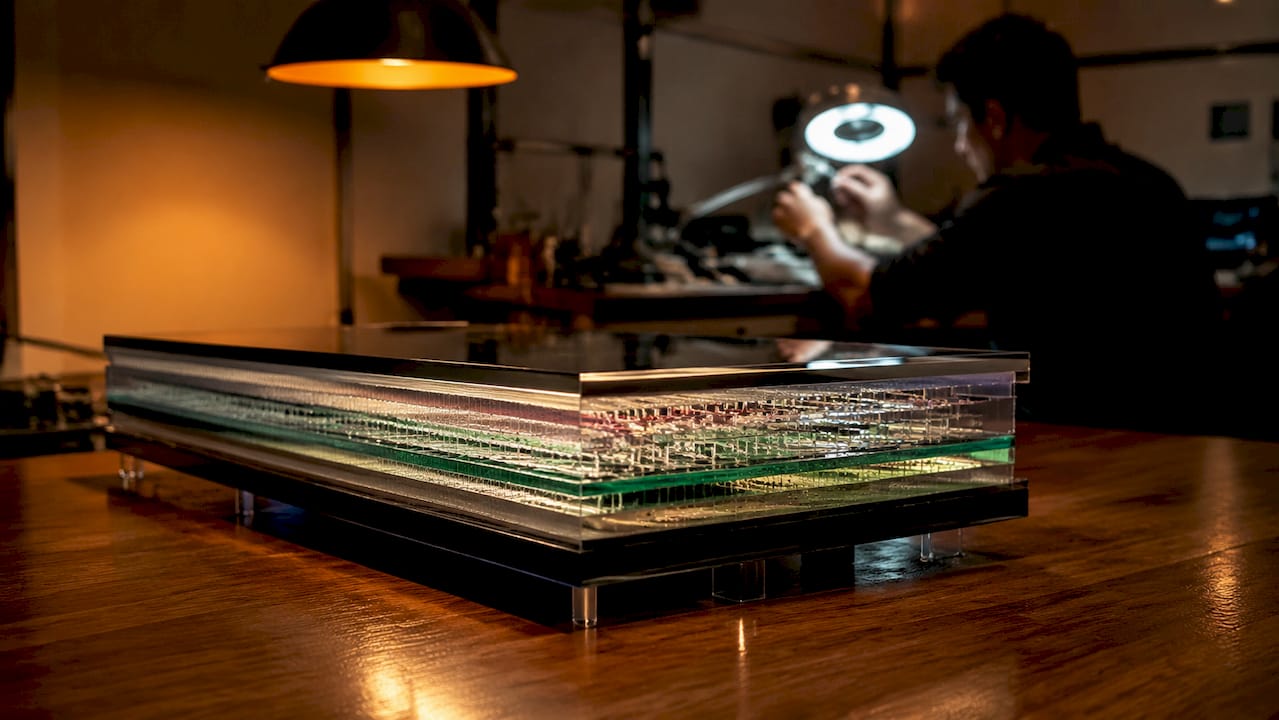
This in-plane arrangement is what gives IPS its name and its performance edge. Because the crystals stay flat and rotate within the plane of the panel, light passes through more consistently across the entire display surface. There is far less colour distortion and far less brightness falloff when you tilt the screen. The electrode layout also means the electric field is more uniform, which produces more predictable and repeatable colour output.
Here is what that means in practical terms for the technology inside your device:
- Liquid crystal alignment: Crystals lie flat and rotate horizontally, keeping colour output stable at wide angles.
- Electrode arrangement: Both electrodes sit on the same substrate, creating a uniform horizontal electric field.
- Light transmission: Consistent crystal orientation means the backlight passes through with minimal scattering or colour shift.
- Touch response: IPS panels avoid lightening and visual tailing effects when pressed, which is why they became the standard for touch-screen devices.
Pro Tip: If you are replacing a screen on an iPhone or Samsung Galaxy device and the replacement panel shows colour shifts when viewed at an angle, that is a sign the replacement is a TN or low-grade LCD rather than a genuine IPS panel. Always verify the panel type before purchasing a replacement.
What are the main advantages of IPS LCD screens?
The practical benefits of IPS technology are the reason it has become the dominant panel type across consumer electronics, professional monitors, and public-facing displays. These are not marginal improvements over older LCD types. They represent a meaningful step up in display quality for everyday use.
-
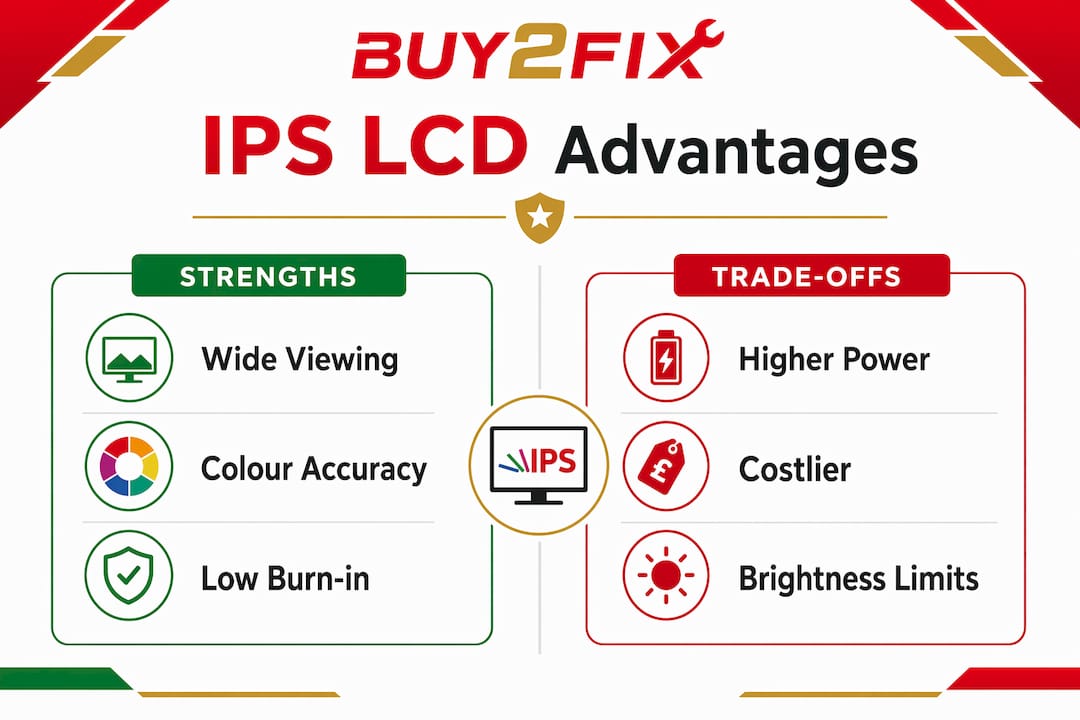
Wide viewing angles. IPS panels deliver viewing angles up to 178 degrees both horizontally and vertically. That means the image on screen looks virtually identical whether you are sitting directly in front of it or viewing from a sharp angle. For a smartphone held at arm’s length or a monitor shared between two people, this matters enormously.
-
Superior colour accuracy. IPS is preferred for professional-grade monitors over TN panels specifically because of colour fidelity. Colours remain consistent across the panel and do not shift with viewing position, which is critical for photo editing, graphic design, and any work where colour decisions carry real consequences.
-
No permanent screen burn-in. Unlike OLED displays, IPS panels carry no burn-in risk from static images. This makes them far more suitable for applications where the same content sits on screen for extended periods, such as point-of-sale terminals, information kiosks, and industrial control panels.
-
Consistent image quality from any angle. Traditional TN LCDs produce colour inversions and brightness drops at even moderate viewing angles. IPS eliminates this problem, making shared viewing practical on everything from tablets to large-format displays.
-
Durability for public-facing use. The absence of burn-in combined with stable colour output makes IPS the preferred choice for commercial installations where displays run continuously for months or years.
One trade-off worth knowing: IPS displays consume more power to drive their backlights compared to some newer panel technologies. On a smartphone, this can have a measurable effect on battery life, which is why manufacturers continue to refine IPS backlighting efficiency.
IPS vs TN, VA, and OLED: which panel type wins?
No single panel technology wins across every use case. The right choice depends on what you are doing with the screen. The table below compares the four main display technologies across the criteria that matter most.
| Panel type | Viewing angles | Colour accuracy | Contrast ratio | Burn-in risk | Best use case |
|---|---|---|---|---|---|
| IPS LCD | Up to 178° | Excellent | Moderate | None | Professional work, smartphones, tablets |
| TN LCD | 90° to 170° | Poor to moderate | Moderate | None | Budget monitors, competitive gaming |
| VA LCD | Up to 178° | Good | High | None | Media consumption, home cinema |
| OLED | Up to 180° | Excellent | Infinite | Yes | Premium smartphones, high-end TVs |
IPS beats TN on colour accuracy and viewing angles without contest. TN panels do have faster pixel response times, which is why they still appear in budget gaming monitors where milliseconds matter more than colour fidelity. VA panels sit between IPS and OLED on contrast, producing deeper blacks than IPS but without the burn-in risk of OLED. IPS has a lower native contrast ratio than VA, which means dark scenes in films can look slightly grey rather than truly black on an IPS screen.
OLED is the technology most often compared to IPS at the premium end of the market. OLED produces perfect blacks and extraordinary contrast because each pixel generates its own light and can switch off completely. However, IPS remains the gold standard for colour accuracy without burn-in risk, which keeps it indispensable for colour-critical professional applications.
Within IPS itself, there are meaningful differences between subtypes. IPS variants include S-IPS, H-IPS, P-IPS, Nano IPS, and PLS, each offering different trade-offs in sharpness, colour gamut, and response time. Nano IPS, developed by LG Display, pushes colour reproduction closer to OLED territory while retaining the burn-in immunity that makes IPS attractive for professional environments. Samsung’s PLS (Plane to Line Switching) is functionally similar to IPS and appears in many Galaxy devices and professional monitors under the Samsung brand.
Pro Tip: If you are buying a monitor for photo editing or colour grading, look specifically for panels labelled Nano IPS or P-IPS rather than generic IPS. The colour gamut coverage and accuracy at this subtype level is significantly better than entry-level IPS panels.
Where are IPS LCD screens used today?
IPS technology has spread across virtually every category of consumer electronics and professional display hardware. Its combination of colour accuracy and wide viewing angles makes it the default choice wherever image quality matters.
- Smartphones and tablets. Apple has used IPS LCD panels in iPhone models including the iPhone 11 and iPhone SE lines. Huawei, Xiaomi, and OPPO all ship devices with IPS displays across their mid-range and flagship tiers. The technology’s stable response under pressure makes it particularly well-suited to touch-screen devices, where pressing the panel must not distort the image.
- Professional monitors. Graphic designers, photographers, and video editors rely on IPS monitors from manufacturers such as Dell UltraSharp, LG, and ViewSonic because colour accuracy is non-negotiable in their work. You can explore the range of LCD panel types to understand how IPS compares to alternatives when choosing a replacement or upgrade.
- Laptops. Most mid-range to premium laptops now ship with IPS panels as standard. The improvement over TN in colour and viewing angle is immediately noticeable, particularly on machines used for creative work or content consumption.
- Industrial and public displays. Point-of-sale screens, digital signage, medical imaging monitors, and airport information displays all benefit from IPS durability and consistent image quality under continuous operation.
- Consumer televisions. IPS panels appear in televisions from LG and other manufacturers, particularly in models positioned for bright-room viewing where OLED’s reflectivity can be a disadvantage.
The LCD vs OLED comparison is increasingly relevant as OLED prices fall, but IPS holds its ground firmly in the professional and commercial segments where burn-in risk is simply not acceptable.
Key takeaways
IPS LCD technology delivers the best balance of colour accuracy and viewing angles available in a backlit panel, making it the preferred choice for professional displays, smartphones, and any application where image consistency matters.
| Point | Details |
|---|---|
| Viewing angle performance | IPS panels maintain consistent colour up to 178 degrees horizontally and vertically. |
| Colour accuracy advantage | IPS is the preferred panel type for professional graphic design and photo editing work. |
| No burn-in risk | Unlike OLED, IPS panels carry no permanent burn-in risk from static images. |
| Subtype variation matters | Nano IPS and P-IPS offer significantly better colour gamut than standard IPS panels. |
| Power consumption trade-off | IPS backlights draw more power than some newer technologies, affecting mobile battery life. |
Why IPS still earns its place in 2026
People often ask me whether IPS is becoming obsolete now that OLED prices have dropped. My honest answer is no, and I think the question misunderstands what IPS is actually for.
OLED is extraordinary for contrast and black levels. But I have seen too many OLED panels develop burn-in on devices used in retail environments, medical settings, and even on personal phones where navigation bars leave permanent shadows. IPS does not do that. For any application where the display runs the same content for hours at a time, IPS is not just a cheaper option. It is the correct technical choice.
The other misconception I encounter regularly is that all IPS panels are the same. They are not. A budget IPS panel in a £150 Android phone and a Nano IPS panel in a professional Dell UltraSharp monitor share the same underlying switching principle, but the colour gamut, calibration, and brightness uniformity are in entirely different leagues. If you are replacing a screen in a device and the supplier cannot tell you the panel subtype, that is a red flag worth taking seriously.
For anyone repairing or upgrading a device, understanding LCD screen replacement essentials before you buy a replacement panel will save you from fitting a substandard screen that looks wrong from day one.
IPS will not disappear. It will keep improving, and it will keep being the right answer for a large proportion of display applications for years to come.
— Adewale
Find IPS LCD screens and repair parts at Buy2fix
Buy2fix stocks IPS LCD screens and replacement display assemblies for a wide range of devices, including iPhone, Samsung Galaxy, Huawei, Xiaomi, and OPPO. Whether you are a DIY enthusiast replacing a cracked screen at home or a professional repair technician sourcing parts in volume, Buy2fix carries quality-checked components with free UK mainland shipping and a 30-day return policy. Browse the full range of mobile LCD replacement screens to find the right IPS panel for your device. If you want to go deeper on display technology before you buy, the Buy2fix guide to IPS LCD for 2026 covers everything from panel subtypes to repair considerations in plain language.
FAQ
What is an IPS LCD screen in simple terms?
An IPS LCD screen is a type of liquid crystal display that uses in-plane switching to keep liquid crystals aligned parallel to the panel, producing wide viewing angles and accurate colours. It is the display technology used in many smartphones, tablets, and professional monitors.
Is IPS better than OLED for everyday use?
IPS offers better colour consistency without burn-in risk, making it more practical for long-term or professional use. OLED delivers superior contrast and black levels but carries a burn-in risk that makes it less suitable for static-content applications.
Why do smartphones use IPS LCD screens?
IPS panels do not show visual distortions when pressed, which makes them well-suited to touch-screen devices. They also deliver consistent colour and brightness across the display surface, improving the viewing experience on handheld devices.
What is the difference between IPS and TN panels?
TN panels are faster and cheaper but suffer from poor colour accuracy and narrow viewing angles. IPS panels correct both of these weaknesses, making them the preferred choice for any display where image quality matters more than raw response speed.
Do all IPS screens perform the same?
No. IPS subtypes such as Nano IPS, P-IPS, and PLS vary significantly in colour gamut, brightness uniformity, and response time. Choosing the right subtype for your specific use case, whether gaming, professional editing, or general use, makes a measurable difference in display quality.
Recommended
Let customers speak for us
The acid test of any company is how they respond when things go wrong. The Buy2Fix team were efficient in dealing with my emails and resolved the issue to my complete satisfaction

For Samsung Galaxy A26 SM-A266B Original Earpiece Speaker with Cable

Very good communication throught. Good product

Well made part very strong easy to fit great value for the money

Well packed, with fast shipping :)

Exactly what the doctor ordered…great color, comfort, and durability. Trust this watch band!

Brilliant strap, second purchase, bought bracelet before. Excellent value. Thank you

Great item for splitting your Audio signal

Outstanding product!
Next level customer service.

Very satisfied but the delivery needs to get more faster...

Good price,quick delivery

Best phone case ever! This is my second one as I broke my first. Would defo recommend

Great fitting Apple Watch bands

For Apple Watch Ultra 3 / 2 / 1 49mm RedPepper Armor Metal Case Integrated Silicone Watch Band(Steel Black White)

Good price and quick postage
